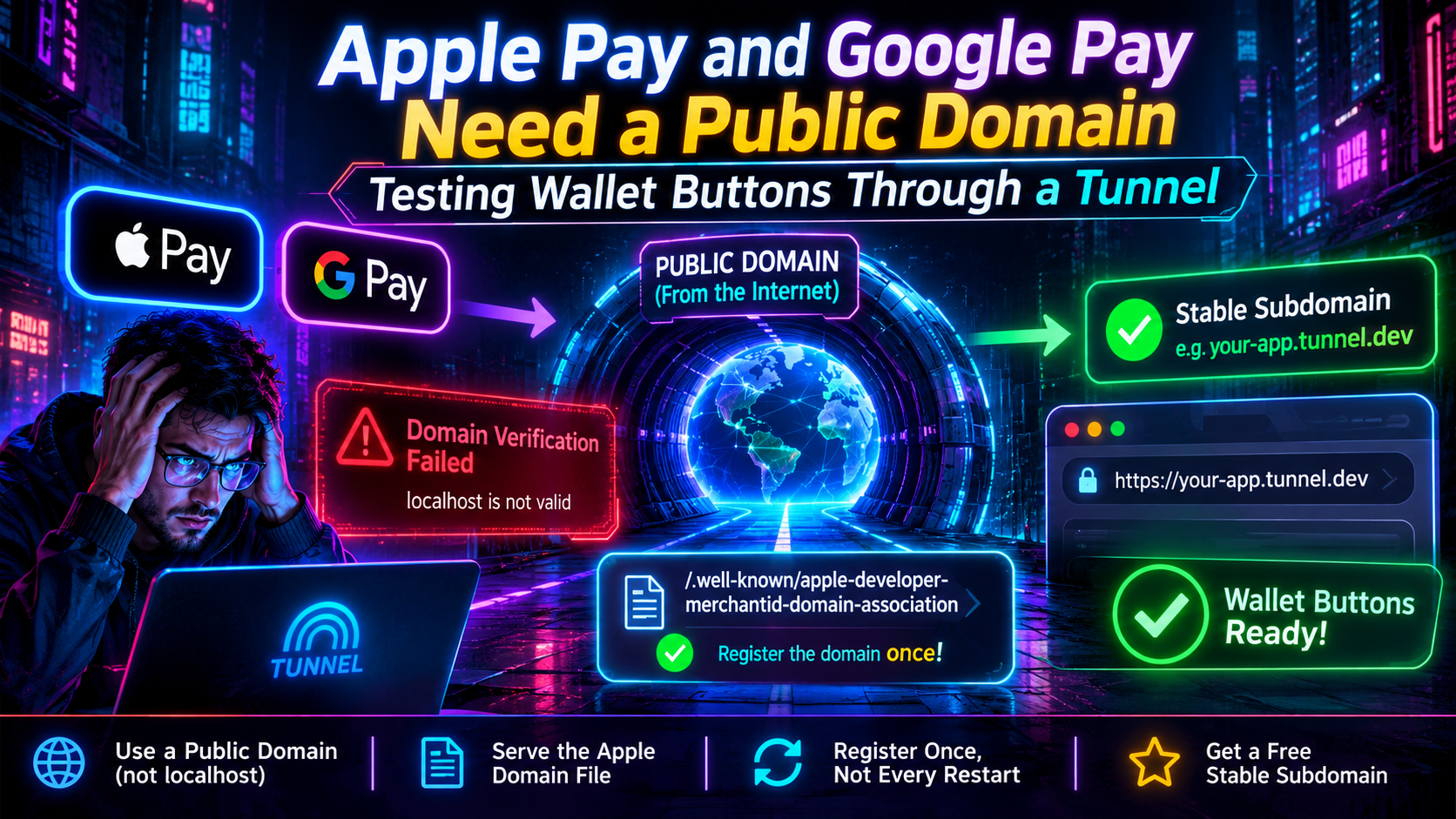
Apple Pay and Google Pay Need a Public Domain: How to Test Wallet Buttons Through a Tunnel
Apple Pay & Google Pay fail on localhost. Host the domain association file, register once, and test Stripe wallet buttons through a stable tunnel subdomain.
Quick answer
Apple Pay & Google Pay Need a Public Domain: Tunnel Testing: quick comparison answer
Choose the tunnel tool based on the network model: public HTTPS URLs for webhooks and demos, private mesh access for internal apps, and managed infrastructure when policy controls matter most.
Which tunnel tool is best for public webhook testing?
Use a public HTTPS localhost tunnel with stable URLs. InstaTunnel focuses on webhook testing, demos, OAuth callbacks, and MCP endpoint workflows.
When should I choose a private network tool instead?
Choose a private mesh or Zero Trust tool when every user and service should stay inside a controlled private network.
You wire up Stripe’s Payment Element, load the page on localhost:3000, and the card form renders. The Apple Pay and Google Pay buttons do not. There is no console error and no warning, just a missing button.
That is not a bug in your code. Wallet buttons depend on a domain that Apple, Google, and Stripe can recognize from the public internet, and localhost is not one. This guide explains what each party checks, how to host Apple’s domain association file, how to register a domain through a tunnel, and why a stable subdomain spares you from repeating the whole routine after every restart.
Checked against Stripe and Apple documentation on November 23, 2026.
The short answer
- Stripe requires domain registration for Apple Pay and Google Pay when you use Elements or embedded Checkout. Payment Links and Stripe-hosted Checkout need no extra configuration.
- Apple Pay needs a domain association file reachable at
https://your-domain/.well-known/apple-developer-merchantid-domain-association. Apple’s servers must be able to fetch it. - Google Pay needs a page served over HTTPS with a TLS domain-validated certificate, plus the same Stripe domain registration.
localhostand mkcert certificates cannot satisfy this. Nothing outside your machine can reach them, and a certificate trusted only by your own devices is not publicly trusted.- A tunnel with a stable subdomain lets you register once per Stripe environment and keep testing.
Why wallet buttons disappear on localhost
Stripe’s documentation says that to use certain payment methods with Elements or Checkout’s embeddable payment form, you must register every web domain that will show the payment method. That includes top-level domains and subdomains. Apple Pay is marked as required, and Google Pay, Link, PayPal, Amazon Pay, and Klarna are on the same list.
For Apple Pay, Stripe handles the merchant validation for you, including creating the Apple Merchant ID and certificate signing request, so you should not follow Apple’s own merchant validation process. What remains your job is proving you control the domain. Stripe notes that Apple requests your domain association file, so the file must be publicly available to Apple’s servers.
That requirement is the whole problem. Your laptop’s localhost is invisible to Apple. A hostname you point at 127.0.0.1 through a hosts file is invisible too. Only a public HTTPS URL that forwards to your dev server works.
One more thing worth knowing before you build anything: if you use Payment Links or Stripe-hosted Checkout, Apple Pay works with no additional configuration. You only need this guide if you embed Elements or embedded Checkout on your own page.
What Stripe actually requires you to register
The rules, as Stripe documents them today:
- Every domain and subdomain that shows the button.
wwwcounts as a subdomain, soexample.comandwww.example.comare separate registrations. - Every environment separately. You must register each domain and subdomain for live mode and for each sandbox.
- Once per account. Stripe says not to register the same domain more than once per account.
- Iframe domains too. If your top-level domain differs from the iframe’s source domain, register both. For Apple Pay on Safari 17 or later, the iframe also needs the
allow="payment"attribute. Before Safari 17, the iframe and top-level domains must match.
Registration is a single API call or a dashboard click:
curl https://api.stripe.com/v1/payment_method_domains \
  -u "$STRIPE_SANDBOX_SECRET_KEY:" \
  -d "domain_name=my-shop-dev.instatunnel.my"
Use your sandbox secret key while developing, so the registration lands in the sandbox and not in live mode. The response is a payment method domain object that reports a status per wallet:
{
  "id": "pmd_...",
  "domain_name": "my-shop-dev.instatunnel.my",
  "enabled": true,
  "apple_pay": { "status": "active" },
  "google_pay": { "status": "active" }
}
If a wallet’s requirements were not met when you registered, that wallet is inactive on the domain and its button will not appear until it is active.
The domain association file, step by step
Apple verifies domain control by looking for a file at one exact path:
https://<your-domain>/.well-known/apple-developer-merchantid-domain-association
The file has no extension. Stripe provides it in the Dashboard’s Payment method domains page, and also publishes the current copy at https://stripe.com/files/apple-pay/apple-developer-merchantid-domain-association.
During registration, Stripe automatically attempts to verify the domain with Apple. If the file is not there yet, the registration still exists, but Apple Pay stays inactive. Host the file, then click Verify in the Dashboard or call the validate endpoint:
curl -X POST https://api.stripe.com/v1/payment_method_domains/pmd_.../validate \
  -u "$STRIPE_SANDBOX_SECRET_KEY:"
Serving a dot-folder from your dev server
The .well-known folder starts with a dot, and many static file servers treat dot-paths as hidden. Express’s static middleware defaults to ignoring dotfiles, which means a file under public/.well-known/ returns 404 unless you opt in:
app.use(express.static('public', { dotfiles: 'allow' }));
Put the file at public/.well-known/apple-developer-merchantid-domain-association. Other frameworks that serve a public/ directory usually serve it as-is, but do not assume. Test it.
Test the file from outside before you click Verify
Run this against your tunnel URL, not against localhost:
curl -i https://my-shop-dev.instatunnel.my/.well-known/apple-developer-merchantid-domain-association
You want a plain 200 and the file contents. Anything else explains a failed verification:
- 404. Stripe’s error for this case says it attempted to retrieve the file and received a 404 from your server. Check the exact path, the dotfile setting, and that the tunnel points at the right port.
- A login or password wall. Apple’s fetcher cannot enter a password. Turn off any tunnel password protection or basic auth while you register and validate.
- A framework rejecting the request. In one Apple developer forum thread, a server returned HTTP 406 because Apple’s request arrived with an empty
Acceptheader and the app’s content negotiation could not handle it. Serve the file as a static asset, ahead of any content negotiation. - A blocked host. Vite, Next.js, Django, and Rails dev servers can refuse unfamiliar hostnames. Add your tunnel hostname to the dev server’s allowed hosts.
The “outdated file” error
If you host a stale copy, Stripe returns an error saying you have an outdated file at that path and tells you to host the current one. Stripe’s support page explains that Apple uses the file’s presence to verify control, and that the file has a hard-coded expiration date. If you copied the file into a repository a year ago, re-download it.
Registering through a tunnel, end to end
Here is the full sequence with a tunnel that gives you a fixed hostname. InstaTunnel’s documented free-tier syntax looks like this:
npm install -g instatunnel
instatunnel 3000 --subdomain my-shop-dev
Your app is now reachable at https://my-shop-dev.instatunnel.my, with HTTPS provided by the tunnel.
- Start the tunnel and confirm the page loads in a browser from your phone or another network.
- Put the association file in place and run the
curlcheck above. - Register the hostname in your Stripe sandbox, through the Dashboard or the API call shown earlier.
- Validate if Apple Pay shows as inactive, then retrieve the domain object and confirm both
apple_pay.statusandgoogle_pay.statusreadactive. - Open the tunnel URL, not
localhost, on your test device. Wallet buttons only appear on registered domains.
Why a random tunnel URL means re-registering on every restart
Registration belongs to a hostname. If your tunnel hands out a new random hostname each time it starts, the hostname you registered yesterday no longer points at your laptop. Every restart then costs you the same four chores: host the file, register the new domain, validate it, and update any callback URLs or allowed origins that referenced the old one.
Your Stripe sandbox also collects a graveyard of dead hostnames. You can retire one by disabling it:
curl https://api.stripe.com/v1/payment_method_domains/pmd_... \
  -u "$STRIPE_SANDBOX_SECRET_KEY:" \
  -d enabled=false
A disabled domain stops wallet payment methods from appearing in Elements or embedded Checkout, which is what you want for hostnames you no longer control. The cleaner fix is a hostname that stays the same.
Testing Apple Pay correctly
Registration only gets the button on the page. Testing the payment has its own rules, and they surprise people.
You cannot use test cards in Apple Wallet. Stripe’s documentation says you must use a real credit card number with your test API keys. Stripe recognizes that you are testing and returns a successful test card token, so you can make test payments on a live card without charging it. You cannot save Stripe test cards or Apple Pay sandbox test cards to an Apple Pay wallet for this purpose.
Apple’s sandbox exemption does not rescue you. Apple’s merchant registration documentation says Apple Pay servers do not require domain verification in the sandbox environment. That statement applies to Apple’s own sandbox with sandbox tester accounts. With Stripe, the documented path is a registered domain in every environment, “in production and testing,” so plan to register.
Check your device and browser. Stripe’s wallet testing page lists the conditions:
- The wallet must contain at least one card.
- Use a compatible device and a supported version of a supported browser.
- Allow the browser to check for saved payment methods. In Safari, that is under Settings, Advanced, “Allow websites to check for Apple Pay and Apple card.”
- Do not use a Chrome incognito window or Safari private window.
- Be in a supported Apple Pay region, on a device with biometric authentication.
India has special rules. For IP addresses in India, Stripe does not display Apple Pay in any mode. It also does not display Google Pay in live mode for those IP addresses, though you can test Google Pay in a sandbox if the Stripe account is based outside India. Stripe accounts based in India do not support Google Pay. If your button is missing and every domain check passes, test from a connection outside India before you spend a day debugging.
If a wallet shows in Stripe’s demo integrations but not in yours, the problem is your integration. If it is missing from the demos as well, the problem is your device or browser.
Testing Google Pay correctly
Google Pay is simpler, with a few traps of its own.
- HTTPS with a TLS domain-validated certificate is required on the page. A tunnel that terminates TLS with a publicly trusted certificate meets this. A self-signed or mkcert certificate does not.
- Register every domain and subdomain that shows the button, including
www, in production and testing. No association file is involved. - Send the right
Permissions-Policyheader. Some clients, including Chrome on Android, requireselfin the payment allowlist. Stripe’s example isPermissions-Policy: payment=(self "https://js.stripe.com" "https://checkout.stripe.com"). Make sure your dev server sends it on pages that show the button. - Add a real card to your wallet first. Stripe says you must add a real card before Google Pay displays, and then you can use Google’s test card suite, which accepts Stripe test cards.
Where a stable subdomain fits
Everything above gets cheaper when the hostname never changes. You host the file once, register once per sandbox, and your callback URLs and allowed origins stay valid.
InstaTunnel’s published documentation lists free custom subdomains, three simultaneous tunnels, and 24-hour sessions on the free tier, with HTTPS on by default and custom domains reserved for the Pro tier. Plans change, so confirm the current limits on the pricing page before you rely on them.
Two habits keep this safe:
- Keep the tunnel for testing. Register tunnel hostnames in your sandbox only. Production should run on your real domain registered in live mode.
- Drop password protection while verifying. Re-enable it afterward if you want, then re-run validation and confirm both wallets still read
active.
Frequently asked questions
Can I test Apple Pay on localhost?
Not through Stripe’s Elements or embedded Checkout. Apple’s servers need to fetch your domain association file, and they cannot reach localhost. Use an HTTPS tunnel.
Do I need to register my domain in Stripe’s test mode?
Yes. Stripe says to register every domain and subdomain separately for each environment, including each sandbox.
Does Google Pay need the Apple association file?
No. Google Pay needs HTTPS with a domain-validated certificate and domain registration in Stripe. The association file is an Apple Pay requirement.
Conclusion
Wallet buttons feel like a front-end feature, but they are really an identity check on your domain. Apple needs to fetch a file, Google needs a trusted HTTPS page, and Stripe needs every hostname registered per environment. A tunnel gives your laptop a public address, and a stable subdomain makes that address permanent enough to register once and forget.
Sources
- Stripe: Register domains for payment methods
- Stripe: Apple Pay
- Stripe: Google Pay
- Stripe: Test Apple and Google wallet rendering
- Stripe API: Validate a payment method domain
- Stripe Support: Resolve an outdated Apple Pay domain association file
- Apple: Preparing merchant domains for verification
- Apple Developer Forums: Apple Pay Domain Verification 406 Error
- InstaTunnel README on npm (free-tier features)
Related InstaTunnel pages
Continue from this article into the most relevant product guides and workflows.
Related Topics
Keep building with InstaTunnel
Read the docs for implementation details or compare plans before you ship.