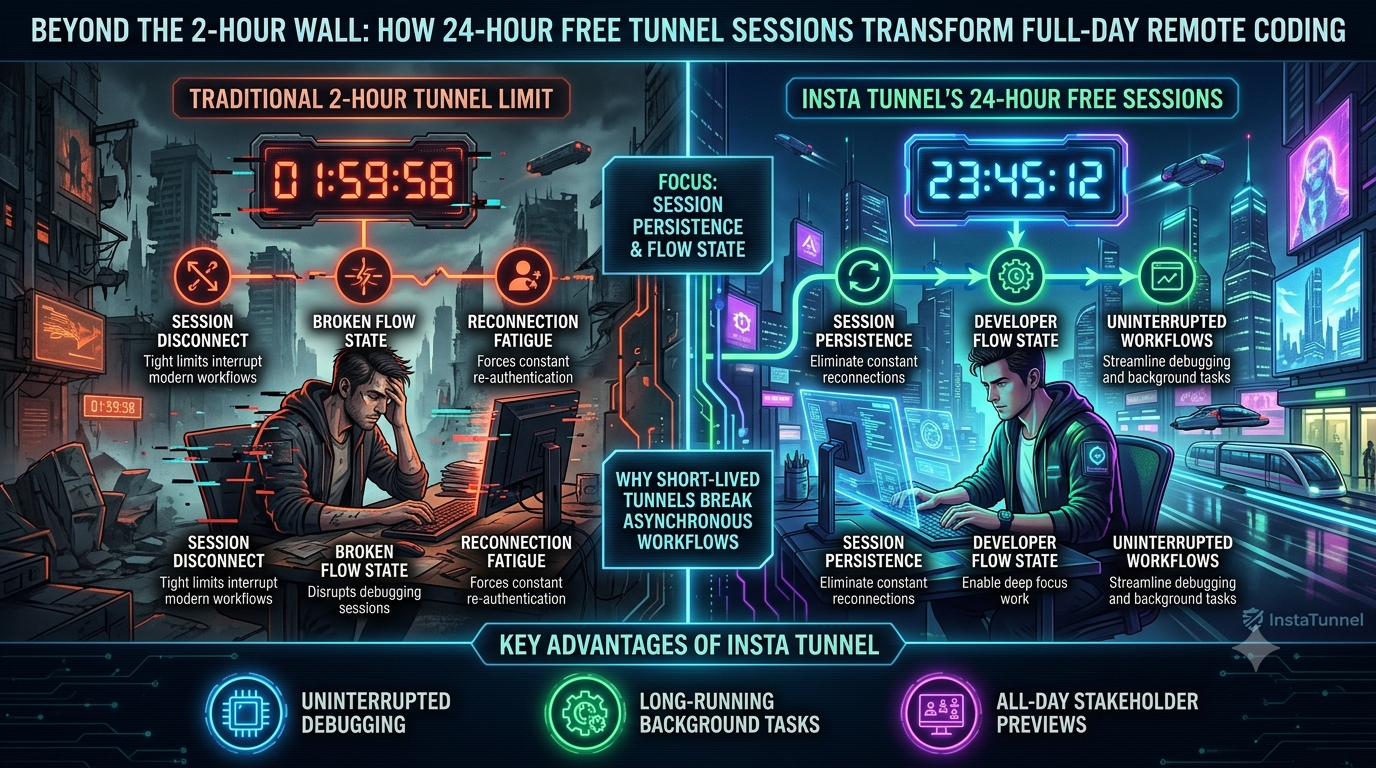
Beyond the 2-Hour Wall: How 24-Hour Free Tunnel Sessions Transform Full-Day Remote Coding
Stop session disconnects mid-debug. Discover how InstaTunnel’s 24-hour free sessions eliminate reconnection fatigue, protect your flow state, and keep all-day stakeholder previews running smoothly.
Quick answer
Beyond the 2-Hour Wall: How 24-Hour Free Tunnel Sessions: quick answer
If free tunnel limits interrupt your workflow, compare session length, stable URLs, concurrent tunnels, and paid-plan pricing before choosing a localhost tunnel tool.
What free tunnel limits should developers check first?
Check session duration, URL stability, concurrent tunnels, custom subdomains, bandwidth or request limits, and whether webhook callbacks survive restarts.
How does InstaTunnel handle longer development sessions?
InstaTunnel Free is designed around 24-hour sessions, with Pro available for higher limits and MCP endpoint tunnel workflows.
Introduction
For distributed software engineers, web developers, and DevOps teams, local tunneling is a daily utility. Whether you are debugging a payment webhook, testing an OAuth redirect flow, or exposing a local Model Context Protocol (MCP) server to a remote AI client, you need a public HTTPS address that points at a port on your own machine.
The tax on that workflow is the session clock. Some free tunnels still end your session after a fixed window, and when that happens your public URL stops working, your webhook provider can no longer reach you, and you are pulled out of whatever you were debugging to restart things.
This article looks at where those clocks still exist, what a dropped tunnel costs, and how a 24-hour free session, like the one InstaTunnel offers, changes a full day of remote development. The 2-hour wall is also more history than present for the biggest incumbent, so the comparison below sticks to what each vendor documents today.
The “2-Hour Wall”: History and the Current Landscape
The 2-hour limit was real. In 2022, a Twilio developer blog described ngrok’s two-hour session expiry as a restriction on anonymous users, and noted that creating a free ngrok account lifted it. Atlassian’s Forge community has similar threads about the anonymous-account time limit.
It is no longer accurate to say ngrok’s free plan has a 2-hour cap. ngrok’s own documentation now states that the free tier has no timeouts on endpoints. The free plan’s limits sit elsewhere:
- One automatically assigned dev domain; you cannot choose a custom name or bring your own domain on the free plan.
- Up to three online endpoints.
- A one-time $5 usage credit, with limits of 1 GB of data transfer and 20,000 HTTP/S requests.
- An interstitial warning page on HTML browser traffic, which does not affect API or programmatic requests.
Time-boxed free tiers still exist elsewhere. Pinggy’s free plan has a 60-minute tunnel timeout, and a new tunnel gets a new URL. Persistent URLs require Pinggy Pro. Cloudflare’s no-account Quick Tunnels carry no time limit in the documentation, but they come with no SLA or uptime guarantee, a new hostname on every run, a cap of 200 in-flight requests (excess requests receive HTTP 429), and no support for Server-Sent Events. Cloudflare positions them for testing and development only.
| Free tier | Session limit | URL stability | Notable constraints |
|---|---|---|---|
| InstaTunnel Free | 24 hours | Custom subdomains included | 3 simultaneous tunnels; password protection; basic analytics |
| ngrok Free | No timeout | One assigned dev domain | 3 online endpoints; $5 one-time credit; 1 GB / 20,000 requests; browser interstitial |
| Pinggy Free | 60 minutes | New URL per tunnel | Persistent URL requires Pro |
| Cloudflare Quick Tunnel | No documented timer; no uptime guarantee | New hostname each run | 200 in-flight requests; no SSE; testing only |
InstaTunnel’s figures come from its own site and npm README, so check its pricing page for any changes.
The Real Cost of a Dropped Tunnel
Modern architectures rely on callbacks: payment events, repository hooks, identity redirects. When the tunnel behind a callback URL goes away mid-session, the effects differ by provider.
- Stripe webhooks. In live mode, Stripe retries a failed delivery for up to three days with exponential backoff. In test mode, which is where local development happens, it retries only three times over a few hours. A tunnel that stays down past that window leaves events unretried, though you can resend them manually from the Dashboard.
- GitHub webhooks. GitHub records a delivery as failed if your server is down or takes longer than 10 seconds to respond, and it does not automatically redeliver failed deliveries. You must redeliver them manually or with a script that uses the REST API.
- OAuth redirects. The OAuth 2.0 Security Best Current Practice (RFC 9700) calls for exact string matching of redirect URIs, with a narrow exception for port numbers on native-app loopback addresses. A tunnel URL that changes between sessions therefore fails against the registered URI until you update the provider’s configuration. Microsoft Entra reports this as error AADSTS50011.
- Live demos. A review link that dies mid-walkthrough costs a few minutes and some credibility. It is also the situation where a stable, memorable URL matters most.
Interruptions and Developer Focus
Interruption research is often cited in this context, and the figures deserve care. Gloria Mark of UC Irvine reported an average of 23 minutes and 15 seconds before people returned to interrupted work, in a Gallup interview. That interval includes time spent on other tasks along the way, so it is not a pure “refocus time.” Her peer-reviewed 2005 CHI paper with Victor Gonzalez and Justin Harris reported a different mean of 25 minutes and 26 seconds, with a very wide standard deviation.
The takeaway is directional: an interruption’s cost is usually much larger than the seconds it consumes. Restarting a tunnel means copying a new URL, editing configuration, restarting a service, and re-registering a callback. Each step is small, but together they pull attention away from the bug you were chasing. Call it reconnection fatigue: the cumulative cost of repeating that routine several times in a day. This is a working label, not a measured phenomenon.
InstaTunnel’s 24-Hour Model
InstaTunnel is a localhost tunneling CLI distributed through npm. Based on its published pricing and documentation:
- Free: 24-hour sessions, 3 simultaneous tunnels, custom subdomains, password protection, auto port detection, and basic analytics. The site says no signup is required to start a tunnel.
- Pro ($5/month): unlimited session duration, 10 tunnels, custom domains, team features, and MCP endpoint tunnels.
- Business ($15/month): 25 tunnels and SSO.
Custom subdomains matter for stability, not only convenience. A reserved subdomain keeps the callback URL registered with Stripe, GitHub, or an identity provider valid across restarts. The CLI also includes webhook helpers for Stripe, GitHub, Shopify, Twilio, and PayPal.
What a 24-Hour Window Changes in Practice
1. A Full Workday on One URL
A 24-hour session covers a normal workday plus the overnight hours on either side. A free tunnel started in the morning keeps the same registered callback URL through an entire debugging session, a long CI run, or an extended QA pass. You still need to start a new session once the 24-hour window ends. If you need tunnels that never expire, that is what Pro is for.
2. Stable Callbacks for APIs and MCP Servers
For MCP, the standard remote transport is Streamable HTTP, introduced in the March 2025 specification and replacing the older HTTP+SSE approach. Authorization for remote servers uses OAuth 2.1 and is optional but recommended in the specification. InstaTunnel’s MCP mode (--mcp, currently documented as beta for Pro and Business) offers a v2 transport for streaming responses, which requires CLI version 1.1.7 or later. Its documentation suggests requiring an Authorization: Bearer token on your MCP server before exposing it. This matters because some free tunnel options do not suit streaming; Cloudflare’s Quick Tunnels, for example, do not support SSE.
3. Cross-Time-Zone Review
A teammate in another region can open your staging link during their morning while it is still your night, as long as the session has not expired and your machine stays online. A tunnel is only as available as the computer running it. If the laptop sleeps, the link goes down, so a machine that stays awake or a hosted staging environment is the better choice for anything unattended. A 2-hour or 60-minute session cannot cover that gap at all.
Getting Started
Install the CLI globally with npm:
npm install -g instatunnel
Start a tunnel and let the CLI detect your local port:
it
Or specify the port, a custom subdomain, and password protection:
instatunnel 3000 --subdomain my-debug-session --password change-me
For webhook work, the CLI can generate provider setup details:
instatunnel webhook init --provider stripe --port 4242 --path /webhooks/stripe
If you are testing OAuth, register the stable callback URL once, for example https://oauth-dev.instatunnel.my/auth/callback after starting instatunnel 3000 --subdomain oauth-dev, and watch callbacks live with instatunnel --logs (request logs require Pro or Business).
Good Practice
- Treat tunnels as public. Anyone with the URL can reach your local service, so add
--passwordor--authfor shared previews, and never expose services that lack authentication. - Make handlers idempotent. Webhook providers resend events, and manual redelivery can duplicate them.
- Stop tunnels when you are done (
Ctrl+C, orinstatunnel --kill <subdomain>). - Check current limits before relying on any free tier, since vendors change them.
Conclusion
Free session limits have not disappeared; they have moved. ngrok’s free plan no longer has a session timer, but other free tiers still cap sessions at 60 minutes or offer no uptime guarantees and rotating URLs. A 24-hour session with a stable custom subdomain suits the work that fails when a tunnel disappears: webhook development, OAuth callback testing, long debugging sessions, and cross-time-zone reviews. Pick the tool whose documented limits match your workflow, and keep the tunnel running while you work.
Sources
- ngrok: Free plan limits
- ngrok: Pricing and limits
- ngrok: Domains and dev domains
- Twilio: Using ngrok in 2022
- Atlassian Developer Community: ngrok session limit thread
- Pinggy: Help and FAQ
- Cloudflare: Quick Tunnels
- Stripe: Webhook endpoints in Workbench
- GitHub: Handling failed webhook deliveries
- Strivacity: OAuth 2.0 security best practices (RFC 9700)
- SSOJet: redirect_uri_mismatch causes and fixes
- Gallup: Too Many Interruptions at Work (Gloria Mark Q&A)
- Silicon Canals: What the 23 minutes and 15 seconds measures
- Cloudflare Agents docs: MCP transport
- Stack Overflow Blog: Authentication and authorization in MCP
- InstaTunnel: Homepage and pricing comparison
- InstaTunnel: npm README (v1.1.23)
- InstaTunnel: ngrok alternative page
Related InstaTunnel pages
Continue from this article into the most relevant product guides and workflows.
Related Topics
Keep building with InstaTunnel
Read the docs for implementation details or compare plans before you ship.