Beyond the CLI: Embedding Zero Trust Directly Into Your App Code
Quick answer
Beyond CLI: Embed Zero Trust in App Code with Zrok & OpenZit: MCP tunnel answer
MCP tunneling gives a local MCP server a public HTTPS endpoint so AI tools can reach it during development without deploying the server first.
What is MCP tunneling?
MCP tunneling exposes a local Model Context Protocol server through a public endpoint so compatible AI tools can connect during development.
When should I use InstaTunnel for MCP?
Use InstaTunnel Pro when a local MCP endpoint needs public HTTPS access, stable routing, and stream-friendly tunnel behavior.
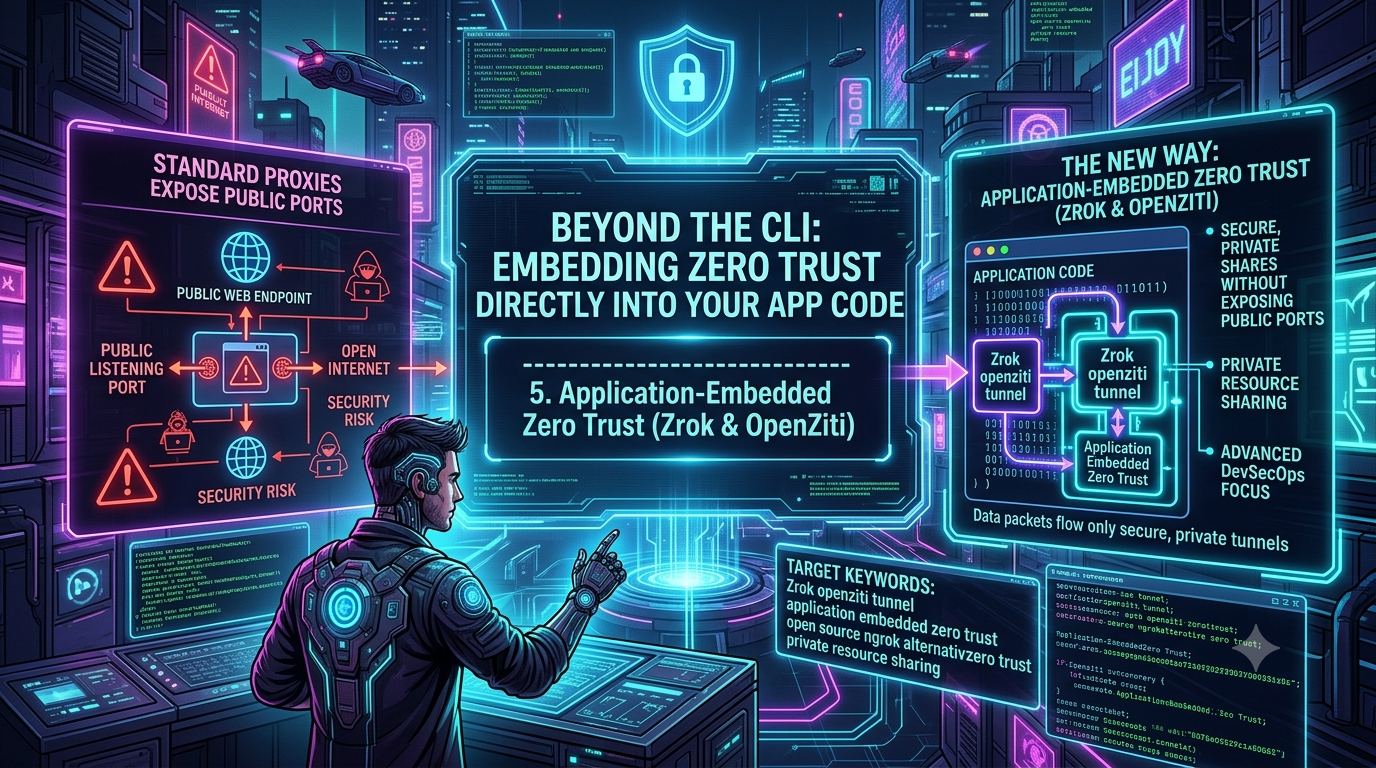
For years, the default answer to “how do I expose a local service to the internet” has been a single terminal command: point a tunneling tool at a port and get back a public URL. That workflow is fast, but it rests on an architectural tradeoff that’s easy to overlook — a standard reverse-proxy tunnel still means a listening endpoint that’s reachable from the open internet, discoverable by scanners the moment it goes live.
For a webhook receiver or a demo, that’s an acceptable risk. For a service talking to a production database, an internal admin panel, or a proprietary model endpoint, it’s a bigger attack surface than most teams would choose if they had a simpler alternative.
That’s the gap the OpenZiti ecosystem — and the sharing tool built on top of it, zrok — is aimed at. Rather than treating “public URL” as the only shape a tunnel can take, OpenZiti lets you push zero-trust identity and encryption down into three different layers: the network, the host, or the application itself. This piece walks through how that model works, how zrok’s public and private sharing modes map onto it, what actually changed in zrok’s recent v2.0 release, and where this ecosystem is heading with AI-agent and MCP infrastructure in 2026.
The Architectural Shift: Moving the Trust Boundary
OpenZiti is an open-source, Apache 2.0-licensed zero-trust networking platform created and sponsored by NetFoundry. Its premise is straightforward: a network service shouldn’t be reachable just because a device happens to sit on the right LAN or has a VPN connection open. In an OpenZiti network, every connection — human, microservice, or automated workload — needs a unique cryptographic identity (backed by x509 certificates), and that identity is checked against explicit policy before a connection is ever established.
The mechanics run through a private overlay network — a mesh fabric of edge routers:
- Edge routers form the entry points and encrypted data plane of the overlay. Public-facing routers accept inbound connections from the internet; private routers can sit entirely inside a trusted network zone.
- End-to-end encryption is enforced by default. OpenZiti’s SDKs use mutual TLS for the connection itself, layered with libsodium-based encryption of the actual payload — so traffic stays unreadable even to a compromised router in the middle.
- Smart routing recalculates paths across the mesh as conditions change, so the fabric can route around a degraded or overloaded router rather than relying on a single fixed hop. (One caveat worth flagging: some marketing material frames this as “beating BGP,” but OpenZiti’s own documentation doesn’t make that specific claim — the fabric’s path selection operates at the overlay layer, on top of whatever the underlying internet routing is already doing, not in competition with it.)
The Three Deployment Tiers
OpenZiti’s own documentation is explicit that it isn’t one tool with one integration path — it’s a platform you adopt incrementally, and it names three tiers directly:
1. Zero Trust Network Access. An OpenZiti edge router sits at the boundary of a trusted network zone; authenticated traffic enters the overlay and exits into the private network where legacy services live. No code changes, no application changes — this is the model for organizations that want zero-trust access without touching existing infrastructure at all.
2. Zero Trust Host Access (Tunnelers). A lightweight OpenZiti tunneler runs on the same host as the target service — available for Linux, Windows, macOS, iOS, and Android. The tunneler intercepts and encrypts traffic transparently; the service itself only needs to accept connections from localhost. No code changes required, but the trust boundary now shrinks to the host OS instead of the whole network zone.
3. Application Access (SDKs). The strongest posture, and the one this article is really about. You embed an OpenZiti SDK directly into your client or server code. The application itself holds the cryptographic identity and performs encryption in-process — there is no listening port anywhere, not even on loopback. The service is “dark”: nothing to scan, nothing to probe, because nothing is listening.
SDKs are available for seven languages: Go, C, Python, Node.js, Java/Kotlin, Swift, and C#/.NET (confirmed directly against the openziti/ziti and per-language SDK repos). There’s also a JavaScript SDK for the browser (part of the “browZer” project) for serving zero-trust web apps without requiring a client install at all — a category the CLI-first framing of most tunneling tools doesn’t really address.
Most teams start with tunnelers for existing services — it deploys in minutes with zero code changes — and move to application-embedded SDKs for new, high-security, or greenfield work where the extra integration effort buys a meaningfully smaller attack surface.
zrok: The Sharing Layer Built on OpenZiti
Manually standing up identities and edge routers is real infrastructure work, which is friction most developers don’t want just to share a local server with a teammate. zrok exists to remove that friction — it’s an open-source, “ziti-native” peer-to-peer sharing tool that provisions an identity-based overlay rather than a simple cloud relay, while still giving you the one-command “get a public URL” experience people expect from this category of tool.
Feature Comparison
| Feature | Traditional cloud proxy (e.g. ngrok) | zrok (OpenZiti fabric) |
|---|---|---|
| Core architecture | Centralized HTTP/TCP relay | Distributed, identity-based zero-trust overlay |
| License | Proprietary, closed-source | Open-source (Apache 2.0), fully self-hostable |
| Inbound ports | Exposes an endpoint via a public listener | Outbound-only connections; no inbound port on your machine |
| Resource sharing | Primarily HTTP endpoints | HTTP/TCP/UDP, plus built-in file/drive sharing and WebDAV network drives |
| Free tier (managed service) | Varies by vendor and plan | 5 GB/day data transfer, up to 25 environments, 50 share backends, 50 private access frontends |
| First-visit friction | Anti-phishing interstitial on unverified free accounts | Same — zrok shows an equivalent interstitial on unverified free accounts, removable by verifying with a card at no charge |
That last row is worth calling out on its own: zrok isn’t exempt from the friction people sometimes associate only with ngrok. Both tools show a first-visit warning page to protect against phishing abuse of ephemeral free-tier URLs.
Public URLs vs. Private Peer-to-Peer Sharing
zrok supports the familiar public-URL workflow — zrok share public http://localhost:3000 hands you an HTTPS URL like https://your-share.share.zrok.io, useful for testing a Stripe or GitHub webhook, or demoing a UI to a non-technical client.
The differentiator is private sharing, which never creates a public URL or DNS record at all:
- The host runs
zrok share private http://localhost:8080and gets back a unique, ephemeral access token — not a URL. - That token is sent out-of-band, over a channel you already trust (encrypted chat, a secrets manager).
- The recipient runs
zrok access private <token>on their own machine. - zrok spins up a local proxy on the recipient’s side (e.g.
http://localhost:9090) that tunnels to the host’s service through the identity-verified overlay.
Because no public frontend or DNS record is ever created for a private share, there’s genuinely nothing for a scanner or bot to find — the connection only exists between two authenticated endpoints.
zrok also ships an SDK of its own, layered on top of the OpenZiti Go SDK, for teams that want to build sharing directly into their own tooling rather than shelling out to the CLI:
// load an enabled zrok environment
root, err := environment.LoadRoot()

// request a private share for a local resource
shr, err := sdk.CreateShare(root, &sdk.ShareRequest{
    BackendMode: sdk.TcpTunnelBackendMode,
    ShareMode:   sdk.PrivateShareMode,
})

// accept connections for that resource
listener, err := sdk.NewListener(shr.Token, root)
zrok v2.0: What Actually Changed
zrok shipped a major v2.0 release in 2026, and because a lot of existing tutorials and scripts still reference v1 syntax, it’s worth being precise about what’s different:
- The binary is now
zrok2, notzrok. This was a deliberate choice to let v1 and v2 run side by side with zero interference rather than forcing a migration. v2 uses its own environment directory (~/.zrok2instead of~/.zrok), its own environment-variable prefix (ZROK2_*instead ofZROK_*— e.g.ZROK2_API_ENDPOINT,ZROK2_ADMIN_TOKEN), and separate Linux packages and systemd units (zrok2,zrok2-agent, config at/etc/zrok2). You canzrok2 enablea fresh v2 environment without touching an existing v1 setup at all. - Reserved sharing was replaced by a namespace/names model. The old
zrok reserve/zrok release/zrok share reservedcommands are gone. In their place,zrok2 create shareandzrok2 delete sharemanage both public and private shares, andzrok2 modify name -rcan promote an ephemeral share to a persistent one on the fly — no more tearing a share down just to make its name permanent. - VPN backend mode was removed. Earlier zrok versions (and some tutorials, including the draft this piece started from) referenced a
--backend-mode vpnoption for host-to-host VPN-style sharing. That capability was pulled in v2 because the underlying TUN device libraries it depended on created dependency conflicts elsewhere in the stack. If a workflow relied on it, that specific path isn’t available in v2 right now.
Installing and Getting Started
On macOS and Linux, the current Homebrew formula for the v2 line is:
brew install zrok2
(The original v1 formula, zrok, still exists separately and continues to work if you need it.) On Windows, the most reliable path is grabbing the current release directly from the zrok GitHub releases page — we couldn’t verify a maintained, official Scoop bucket for the v2 binary at the time of writing, so we’re not going to repeat that as a confirmed install path the way some older guides do.
Once installed:
zrok2 invite      # register for the free zrok.io service (no separate invite token required)
zrok2 enable       # bind your device to your zrok environment
zrok2 share public localhost:3000
For teams that need full data sovereignty — regulated environments doing their own HIPAA, GDPR, or SOC 2 diligence — zrok is fully self-hostable. The self-hosted Docker Compose stack is more than a single container: it runs a ziti-controller and ziti-router for the OpenZiti control/data plane, postgresql for the zrok database, rabbitmq for frontend-mapping updates, zrok2-controller and zrok2-frontend for the zrok API and public share proxy, plus optional caddy (TLS termination) and influxdb-backed metrics services. That’s meaningfully more infrastructure than “download one binary,” which is worth knowing going in if you’re planning a self-hosted deployment.
Real-World Applications
Webhook automation without inbound firewall rules
Using the OpenZiti Node.js SDK, teams have built GitHub Actions workflows where a CI/CD pipeline can securely trigger a build or deploy script on an internal server — without the network team ever opening an inbound port or managing NAT rules for it.
Peer-to-peer file and drive sharing
Because zrok solves the “who has the address” problem the same way it solves service sharing, it’s a natural fit for ad hoc file sharing and mounting shared folders as WebDAV network drives directly across the overlay, without standing up a dedicated file-sharing server.
Zero-trust infrastructure for AI agents and MCP
This is the part of the ecosystem that’s moved fastest, and where a lot of older write-ups (including earlier drafts of pieces on this blog) are already out of date. As of mid-to-late 2026, NetFoundry has sponsored a small cluster of purpose-built, Apache 2.0-licensed projects here — and it’s worth being precise about what each one actually does, because their scopes overlap in ways that are easy to blur together:
openziti/llm-gateway is an OpenAI-compatible API proxy. Its own documentation describes native routing across OpenAI, Anthropic, and any OpenAI-compatible backend — Ollama, vLLM, llama-server, SGLang, and similar self-hosted inference servers. (Worth a correction here: some earlier coverage, including an earlier version of this article, described it as natively routing to AWS Bedrock and Google Vertex AI as well. The project’s own repo doesn’t claim those as first-party integrations — you could reach a Bedrock- or Vertex-fronted OpenAI-compatible endpoint through the generic “any compatible backend” path, but that’s different from a dedicated adapter.) It does semantic routing through a three-layer cascade — keyword heuristics, then embedding similarity, then an LLM classifier as a fallback — to pick a model automatically when a client omits one, plus weighted round-robin load balancing with health checks across a pool of inference servers. It’s a single Go binary with no database or message queue required, and it can optionally expose itself over zrok so a gateway sitting behind NAT or in an air-gapped network is still reachable without opening a port.
openziti/mcp-gateway gives AI assistants zero-trust access to MCP tool servers. As of its most recent releases, it’s built as three components working together (the project calls this “the Trifecta”): mcp-tools connects an MCP client to a remote zrok share or an Agora tunnel; mcp-gateway aggregates multiple tool-server backends into one namespaced connection (so tools from a filesystem server and a GitHub server show up as fs:read_file and github:create_issue on the same endpoint, with per-tool allow/deny filtering); and mcp-bridge exposes a single local MCP server to the network. Backends can be local stdio processes or remote HTTP(S)/SSE MCP servers, shares can now be persistent (so a gateway can restart without its share token changing), and it supports both stdio and Streamable HTTP transport for clients that need a plain HTTP endpoint.
ziti-mcp-server is a different project from mcp-gateway, despite the naming similarity — it wraps the OpenZiti Management API itself, exposing roughly 200 tools covering identities, services, edge routers, and policies as MCP tools. That’s the piece that lets an agent in Claude Desktop, Cursor, or a similar client provision routers and manage network policy conversationally, rather than aggregating other people’s MCP servers the way mcp-gateway does.
openziti/agora is the newest addition to this stack and wasn’t part of the picture even a few months ago: a separate, pre-1.0 zero-trust overlay purpose-built for agent-to-agent communication, compatible with the A2A protocol at the wire level while adding OpenZiti’s identity, discovery, and policy layer underneath. mcp-gateway already integrates with it as an alternative transport to zrok, letting a gateway serve tools over Agora’s “Layer 1” tunnels and publish itself to an Agora catalog for discovery.
What ties all four together is the same argument this article has been making about tunneling in general: an MCP endpoint or an inference gateway can be shared the same way a private HTTP backend can — authenticated, encrypted, and with nothing listening on a public IP for a scanner to find.
The Bottom Line
The convenience of typing a single command and getting a public URL isn’t going away, and for a huge share of day-to-day development work it’s still the right tool. But “convenience” and “exposed to the internet” don’t have to be the same tradeoff. OpenZiti’s layered model — network-level access with no code changes, host-level tunneling with no code changes, or application-embedded SDKs for the strongest posture — lets a team choose how much of that tradeoff they actually want to make, service by service, rather than accepting one default for everything they run. zrok is the on-ramp that makes the first two tiers approachable in minutes; the SDKs are there for the services where “dark by default” is worth the extra integration work.
Changelog
Corrected:
- Replaced the vague “recent major release of zrok v2 introduced the zrok2 binary” line with the actual, sourced v2.0 changes: the zrok2 binary/environment/env-var rename (~/.zrok2, ZROK2_*), the namespace/names model replacing reserved sharing, and — the real reason behind the draft’s throwaway line about “removed legacy VPN backend modes” — that VPN backend mode was specifically removed due to TUN-device-library dependency conflicts, not simply “to double down on zero-trust routing.”
- Corrected openziti/llm-gateway’s provider list. The draft (and an earlier piece on this blog) claimed native routing to Anthropic, AWS Bedrock, and Google Vertex AI. The project’s own repository describes native support for OpenAI and Anthropic plus any OpenAI-compatible backend (Ollama, vLLM, llama-server, SGLang) — no first-party Bedrock, Vertex, or Azure OpenAI adapters are claimed.
- Corrected and substantially expanded the mcp-gateway description. The draft blurred mcp-gateway and ziti-mcp-server into one loosely-described capability. They’re separate projects: mcp-gateway is now three components (mcp-tools, mcp-gateway, mcp-bridge — the “Trifecta”) that aggregate and expose MCP tool servers, while ziti-mcp-server separately wraps the ~200-tool OpenZiti Management API itself.
- Softened the unverified claim that OpenZiti’s smart routing “circumvents standard BGP routing protocols.” No primary source substantiates that specific framing; replaced with a description of overlay-level path recalculation that doesn’t overclaim what layer it operates at.
- Replaced the untested scoop install zrok Windows instruction with a note that we could not verify a maintained official Scoop bucket for the v2 binary, pointing to the GitHub releases page instead.
Added:
- The specific, sourced names OpenZiti’s own docs use for its three deployment tiers (Zero Trust Network Access / Zero Trust Host Access / Application Access), replacing the draft’s generic “Network Access / Host Access / Application Access” framing with language confirmed directly against openziti/ziti’s README.
- A new section on openziti/agora, a separate pre-1.0 zero-trust overlay for agent-to-agent (A2A-compatible) communication that mcp-gateway can now use as an alternate transport — not mentioned in the original draft at all, and not live at the time an earlier version of this article was checked.
- Persistent shares and Streamable HTTP transport support in mcp-gateway, both added in releases after this blog’s last check of the project.
- A real, sourced code sample of the zrok Go SDK’s private-share pattern, replacing the draft’s prose-only description of “an SDK exists.”
- A concrete breakdown of the self-hosted Docker Compose service list (ziti-controller, ziti-router, postgresql, rabbitmq, zrok2-controller, zrok2-frontend, optional caddy/influxdb) in place of the draft’s vague reference to “exhaustive documentation.”
- Confirmed and retained accurate figures from the draft: zrok’s SDK language list (Go, C, Python, Node.js, Java, Swift, C# — seven languages, confirmed against openziti/ziti and per-language repos), the libsodium/mTLS encryption claim, and zrok’s managed free-tier limits (5 GB/day, 25 environments, 50 share backends, 50 private access frontends), all checked directly against current project sources.
Removed: - Repeated keyword-stuffed phrasing (“premier open source ngrok alternative zero trust solution,” used several times as a fixed phrase) in favor of plain, non-repetitive language, consistent with how earlier pieces on this blog have been cleaned up.
Sources checked: openziti/ziti GitHub repo and README; openziti/zrok GitHub repo, CHANGELOG, and release notes (v2.0.0 and release candidates); OpenZiti Tech Blog (“Introducing zrok v2.0,” “Announcing the zrok Public Beta”); NetFoundry documentation (openziti.io, netfoundry.io/docs — OpenZiti overview, zrok migration guide, zrok service limits); zrok pricing page (zrok.io/pricing); per-language OpenZiti SDK repos (sdk-golang, ziti-sdk-c, ziti-sdk-py, ziti-sdk-jvm, ziti-sdk-swift, ziti-sdk-csharp, ziti-sdk-nodejs); openziti/llm-gateway, openziti/mcp-gateway (pkg.go.dev, v0.1.11), and openziti/agora GitHub repos; this blog’s own prior fact-checked piece on ngrok vs. zrok (instatunnel.substack.com, July 2026).
Related InstaTunnel pages
Continue from this article into the most relevant product guides and workflows.
Related Topics
Keep building with InstaTunnel
Read the docs for implementation details or compare plans before you ship.