Complete Data Control: Self-Hosting Tunnels with frp, Zrok, and Inlets
Quick answer
Complete Data Control: Self-Hosting Tunnels with frp and Zro: webhook testing answer
For local webhook testing, run your app locally, expose it with a public HTTPS tunnel, and paste the stable callback URL into the provider dashboard.
How do I test webhooks on localhost?
Start your local server, open a public HTTPS tunnel to that port, configure the provider webhook URL, and inspect events in your local logs.
Why does a stable webhook URL matter?
Stable URLs prevent provider dashboards from needing manual callback updates every time you restart a tunnel.
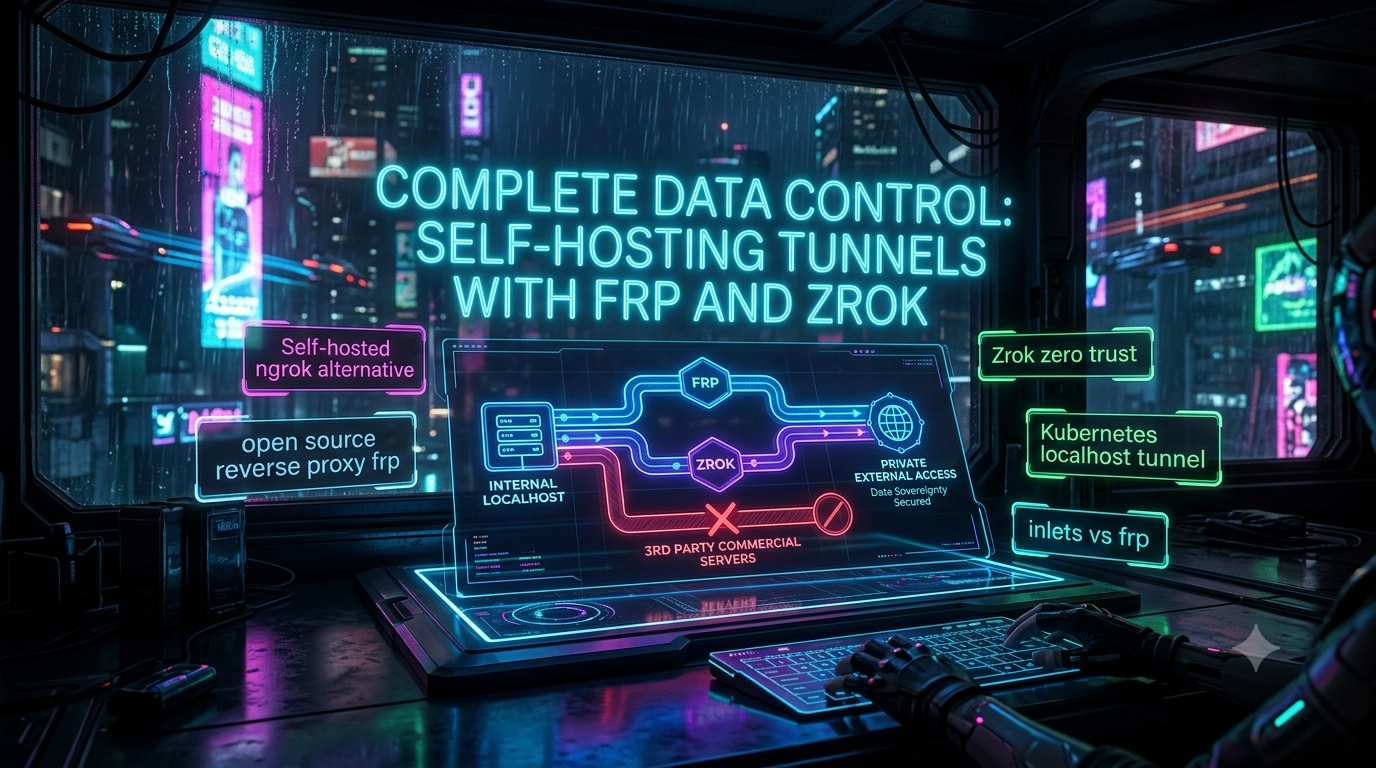
Enterprise security compliance often strictly prohibits routing internal traffic through third-party commercial servers. For infrastructure engineers and DevOps teams, exposing local services, debugging webhooks, or accessing private Kubernetes clusters are daily necessities. Yet relying on commercial SaaS tunnels can trigger real data sovereignty and compliance problems.
When your organization’s security policy dictates that no internal byte can traverse a third-party server, you need a self-hosted ngrok alternative. By leveraging high-performance open-source tools, teams can build secure, private tunnels without compromising speed or violating compliance frameworks like SOC 2, HIPAA, or FedRAMP.
This article covers the data sovereignty case for self-hosted tunneling, then goes deep on three solutions: the open-source reverse proxy frp, the zero-trust Zrok network, and the commercial Inlets product family — including where the “free open-source Inlets” framing that circulates online no longer matches reality.
1. The Data Sovereignty Imperative in Modern DevOps
Data sovereignty refers to the idea that digital data is subject to the laws and governance structures of the jurisdiction where it’s collected and processed. For reverse proxies and network tunnels, that means maintaining control over the physical and virtual pathways your data travels.
The problem with SaaS tunnels. Commercial tunneling services install a lightweight client on your machine, which opens an outbound connection to a centralized, vendor-owned relay. The vendor then hands you a public URL that routes traffic through their infrastructure and back to your local service. That’s convenient, but it introduces real tradeoffs for regulated teams:
- Metadata exposure: even with end-to-end encryption, connection metadata (IPs, timing, payload sizes) is visible to the provider.
- Compliance risk: healthcare, finance, and government sectors often can’t legally route internal application data through multi-tenant, third-party infrastructure.
- Vendor dependency: your pipelines inherit a third party’s uptime and rate limits.
Self-hosted alternatives flip this: you own the client, the relay, and the encryption keys.
2. frp: The High-Performance Open-Source Reverse Proxy
frp (Fast Reverse Proxy) is usually the first tool infrastructure teams reach for when they need a highly configurable, self-hosted ngrok alternative. It’s written in Go, cross-platform, and split into two components: frps (the server, deployed on a public host you control) and frpc (the client, running inside your private network). The project has around 108,000 GitHub stars and remains under active development, with the latest stable release (v0.70.0) shipping in July 2026.
Protocol and transport support. frp handles TCP, UDP, HTTP, and HTTPS out of the box, so you can tunnel SSH, RDP, MySQL, or raw TCP streams alongside web traffic. Between frpc and frps, you can additionally choose the transport protocol — standard TCP, KCP (a UDP-based protocol that trades some overhead for resilience on lossy connections), or QUIC (a modern UDP-based multiplexed transport) — which matters for globally distributed teams on unreliable networks.
A configuration correction worth flagging: frp has moved away from the old frps.ini / frpc.ini format. Since v0.52.0, TOML (along with YAML and JSON) is the supported configuration format, INI is deprecated, and new features are only available in the newer formats. Current configs look like this:
# frpc.toml
serverAddr = "x.x.x.x"
serverPort = 7000
TLS is on by default. Older write-ups (and the draft this article started from) usually mention manually setting tls_enable = true. As of v0.50.0, transport.tls.enable defaults to true, so frpc-to-frps traffic is encrypted out of the box; the field mainly matters now if you want to explicitly disable it or set transport.tls.force = true on the server to reject unencrypted clients.
P2P mode (XTCP), more precisely. frp’s P2P capability is the xtcp proxy type, not a separate “mode.” It uses STUN-based NAT hole punching so that once a direct path between two clients is established, the actual data stream bypasses frps and only the initial negotiation goes through the server. It doesn’t work through every NAT type, so frp lets you configure a fallbackTo STCP visitor that kicks in if hole punching doesn’t complete within a timeout — a more honest picture than “the server never sees the data,” since frps is still involved in negotiating the connection.
Dashboard and API. The frps dashboard has been getting steady investment: the July 2026 release expanded the dashboard API v2 migration across clients, proxies, server overview, and detail views, adding paginated listings, proxy traffic history, server system info, and proxy-type filtering — useful for audit logging in regulated environments.
A v2 rewrite is in progress, slowly. The maintainer has been working on a frp v2 for some time, describing it as a modernized, Envoy-like L4/L7 proxy core that won’t be backward compatible with v1. As of mid-2026 it’s still in active but slow development — the maintainer has been candid in the repo about the scope being larger than expected and development happening in fragmented time. There’s no announced release date, so don’t plan production migrations around it yet.
3. Zrok: The Zero-Trust Network Overlay
While frp is a point-to-point reverse proxy, many enterprise architectures are moving toward Zero Trust Network Access (ZTNA). This is where Zrok comes in.
Built on OpenZiti. Zrok is an open-source sharing and tunneling platform from NetFoundry, built on top of OpenZiti, an open-source zero-trust overlay network. Rather than simply forwarding ports, Zrok assumes no implicit trust: access is identity-based, not IP-based, and even the relay servers can’t decrypt traffic passing through them, since encryption is end-to-end across the OpenZiti fabric.
Sharing modes. Zrok supports two primary modes:
- Public sharing generates an HTTPS URL that anyone can access — comparable to ngrok.
- Private sharing creates a token-based connection between two authenticated Zrok clients that never produces a public endpoint. Depending on the backend mode you choose, private shares can proxy HTTP, forward raw TCP/UDP payloads (
tcpTunnel/udpTunnel), expose a SOCKS5 dynamic proxy, or even establish a host-to-host VPN-style tunnel over the OpenZiti overlay.
No inbound ports, ever. All Zrok connections are established outbound into the overlay, so there’s no firewall changes, port forwarding, or public IP requirement.
A 2026 hardening milestone. Starting with OpenZiti 1.8, controller APIs can themselves bind as OpenZiti services — meaning the management plane governing the whole network fabric is now subject to the same cryptographic identity verification as the workloads it manages, closing off a class of attack that previously required separately hardening the control channel.
Version note: the current stable release line is zrok v1.x (v1.1.11 as of early 2026). A next-generation “zrok2” exists in early development and is explicitly not recommended for production use yet — worth knowing if you see references to it while researching.
Emerging use case: zero-trust tunnels for AI agents. One of the more interesting 2026 developments in the OpenZiti ecosystem is community projects building zero-trust gateways for AI workloads on top of it — including MCP (Model Context Protocol) gateways that aggregate and expose MCP tools with per-client isolation and mTLS, and LLM gateways that route between providers with identity-based access control. If your infrastructure work is touching AI coding agents or MCP servers, this is a space worth watching alongside the more established webhook/dev-tunnel use cases.
Self-hostable. Both Zrok and OpenZiti are Apache 2.0 licensed, so the fully self-hosted path — running your own OpenZiti controller and Zrok instance — is available to compliance-bound teams without recurring fees, distinct from NetFoundry’s managed zrok.io service.
4. Kubernetes Localhost Tunneling: The Cloud-Native Approach
As organizations containerize, a common question comes up: how do you expose a local service to a remote Kubernetes cluster, or securely expose an internal cluster service to a local dev machine?
Exposing internal cluster resources (a staging API, a private dashboard) usually means Ingress controller configuration, LoadBalancer services, and public DNS records. For quick debugging, teams often reach for kubectl port-forward, which is fragile for long-running connections or external sharing. This is the gap that both frp (with manual Kubernetes manifests) and purpose-built tools like Inlets try to fill.
5. Inlets vs. frp: Choosing the Right Tunnel — and a Correction
When comparing self-hosted Kubernetes tunnel options, “inlets vs frp” comes up often. Both tools bypass NAT and avoid SaaS dependency, but their business models have diverged more than a lot of older comparisons acknowledge.
The correction: the original open-source “inlets” project (the free, OSS version) has been discontinued and is not receiving updates — the source remains up on GitHub in a source-only, unmaintained state. It was replaced by inlets Pro, which is commercial-only. There is no longer a free-tier open-source path for Inlets the way there is for frp or Zrok. If you’re evaluating “free vs. paid” self-hosted tunnels, Inlets should be filed under “paid” without qualification.
The current Inlets product family, developed by OpenFaaS Ltd:
- inlets Pro — the core HTTP/TCP tunnel client and server, for individuals and small teams.
- Inlets Uplink — a Kubernetes-native, self-hosted control plane aimed at SaaS and service providers who need to reach into customer environments (private databases, internal APIs) without standing up a full VPN per customer. This is a B2B connectivity pattern more than a way to “expose a Kubernetes API server” specifically — the Uplink client establishes an outbound, TLS-then-websocket connection from inside a customer’s private network to a server endpoint you control, and by default keeps the data plane private to the cluster unless you explicitly expose it.
- Inlets Cloud — a fully managed option.
Verified current pricing (from inlets.dev/pricing): Personal is $25/month for 5 tunnels, Commercial is $50/month for 2 tunnels with additional tunnels at $25/month each, and Uplink is $250/month per Kubernetes cluster for 10 tunnels, also with additional tunnels at $25/month. Annual billing brings a modest discount. That’s a tighter, more current figure than the vague “$25-$50/month” range often repeated in older posts.
Kubernetes integration. The inlets-operator uses a Tunnel custom resource and watches for Services of type LoadBalancer, automatically provisioning a cloud VM to run an inlets Pro server and attaching its public IP to the cluster — a genuinely useful pattern for homelab or bare-metal clusters that have no native cloud LoadBalancer.
Where frp still wins on flexibility and cost. frp has no native Kubernetes operator, so running frpc in-cluster means writing your own Deployment, ConfigMap, and Service manifests. What you get in exchange is a completely free, protocol-flexible reverse proxy — including KCP and QUIC transport for high-packet-loss networks — with no licensing cost at any scale.
The verdict, updated: if you want a supported, Kubernetes-native commercial product with automatic provisioning, Inlets (now Inlets Pro/Uplink) is the more turnkey option, at the cost prices above. If you need a free, protocol-flexible, fully self-managed reverse proxy and don’t mind writing your own Kubernetes manifests, frp remains unmatched for the price. What’s changed is that this is no longer a “free vs. paid tier of the same tool” decision — it’s free-and-DIY versus commercial-and-managed.
6. Real-World Implementation: Guaranteeing Sovereignty
Step 1: Secure the relay node’s jurisdiction. Whether you’re running frps or an OpenZiti controller for Zrok, the relay needs to sit in infrastructure under your organization’s legal jurisdiction — for example, a European health tech company hosting its relay in an EU region to keep data from crossing borders.
Step 2: Implement end-to-end encryption. With frp, TLS between frpc and frps is enabled by default since v0.50.0 (transport.tls.enable), and as of newer releases enabling it means you no longer need per-proxy encryption on top. With Zrok, end-to-end encryption is built into the OpenZiti fabric itself, so data is cryptographically protected from the moment it leaves the source client until it reaches the destination — and, per the OpenZiti 1.8 change above, the control plane managing that fabric is now held to the same standard.
Step 3: Granular, identity-based access. Using Zrok’s private sharing mode, teams can grant access to a specific authenticated Zrok identity rather than a shareable public URL. If someone leaves the company, revoking their identity in the OpenZiti controller instantly cuts off every internal tunnel they had access to — access control tied to identity, not a leakable link.
7. Conclusion: Taking Back Your Network
The convenience of commercial tunneling can’t be denied, but for teams bound by real regulatory constraints, convenience doesn’t outweigh data sovereignty. Routing proprietary code, internal databases, or unreleased product previews through a vendor’s shared infrastructure is an avoidable risk.
frp remains the free, protocol-flexible Swiss Army knife for general-purpose network traversal, now on a more modern TOML-based configuration with TLS on by default and ongoing dashboard investment. Zrok, built on OpenZiti, is the strongest fit for zero-trust, identity-based sharing — public or private — without ever opening an inbound port, and it’s increasingly showing up underneath newer zero-trust tunnels for AI agent and MCP workloads too. Inlets is worth a serious look if you want a Kubernetes-native, commercially supported tunnel and are comfortable paying for it — but go in knowing that the “free open-source Inlets” era is over; what’s available today is the Pro/Uplink/Cloud product line at the pricing above.
Taking back control of your network means owning the entire lifecycle of your traffic — and knowing accurately what each tool costs you, in money or in operational effort, to get there.
Changelog
Corrections and additions made against current primary sources (gofrp.org, github.com/fatedier/frp, github.com/openziti/zrok, inlets.dev, docs.inlets.dev), July 2026:
- Removed all SEO/metadata artifacts and the run-on title formatting from the source draft; restructured into clean Markdown with proper headers.
- Corrected frp config format: replaced INI-based
frps.ini/frpc.iniexamples with the current TOML format; noted INI is deprecated as of frp v0.52.0. - Corrected TLS claim:
transport.tls.enablenow defaults totruesince frp v0.50.0, rather than requiring manualtls_enable = true. - Refined the P2P/XTCP explanation: clarified that frps is still involved in STUN-based hole-punching negotiation even though data transfer bypasses it once a direct path is established, and that STCP fallback exists for NAT types where hole punching fails.
- Updated frp version/release details: confirmed latest stable release v0.70.0 (July 2026) and the ongoing, still-incomplete v2 rewrite.
- Corrected the Zrok private-sharing description: specified it’s token-based between authenticated clients, and listed the actual backend modes (proxy, tcpTunnel/udpTunnel, socks, vpn) rather than a generic description.
- Added the OpenZiti 1.8 controller-as-a-service hardening detail (2026), which wasn’t in the original draft.
- Added a version note on zrok v1.1.11 vs. the in-development “zrok2.”
- Added a new section on zero-trust MCP/LLM gateways built on OpenZiti/Zrok — a genuinely new and relevant 2026 development not covered in the original draft.
- Major correction to the Inlets section: the original draft implied Inlets has a free open-source core with a paid “Inlets Pro” add-on. In fact, the free inlets OSS project has been discontinued/unmaintained, and Inlets is now commercial-only (inlets Pro / Uplink / Cloud).
- Replaced vague “$25–$50/month” pricing with verified current figures from inlets.dev/pricing: Personal $25/mo (5 tunnels), Commercial $50/mo (2 tunnels + $25/mo each additional), Uplink $250/mo per cluster (10 tunnels + $25/mo each additional).
- Refined the Inlets Uplink description: it’s a B2B/SaaS customer-connectivity pattern (reaching into a customer’s private network/services), not specifically framed around exposing a Kubernetes control plane.
- Updated the conclusion to reflect the corrected free-vs-commercial framing across all three tools.
Related InstaTunnel pages
Continue from this article into the most relevant product guides and workflows.
Related Topics
Keep building with InstaTunnel
Read the docs for implementation details or compare plans before you ship.