Mastering Local Webhook Development: A Guide to Persistent HTTPS Tunnels for Shopify, Slack, and Discord
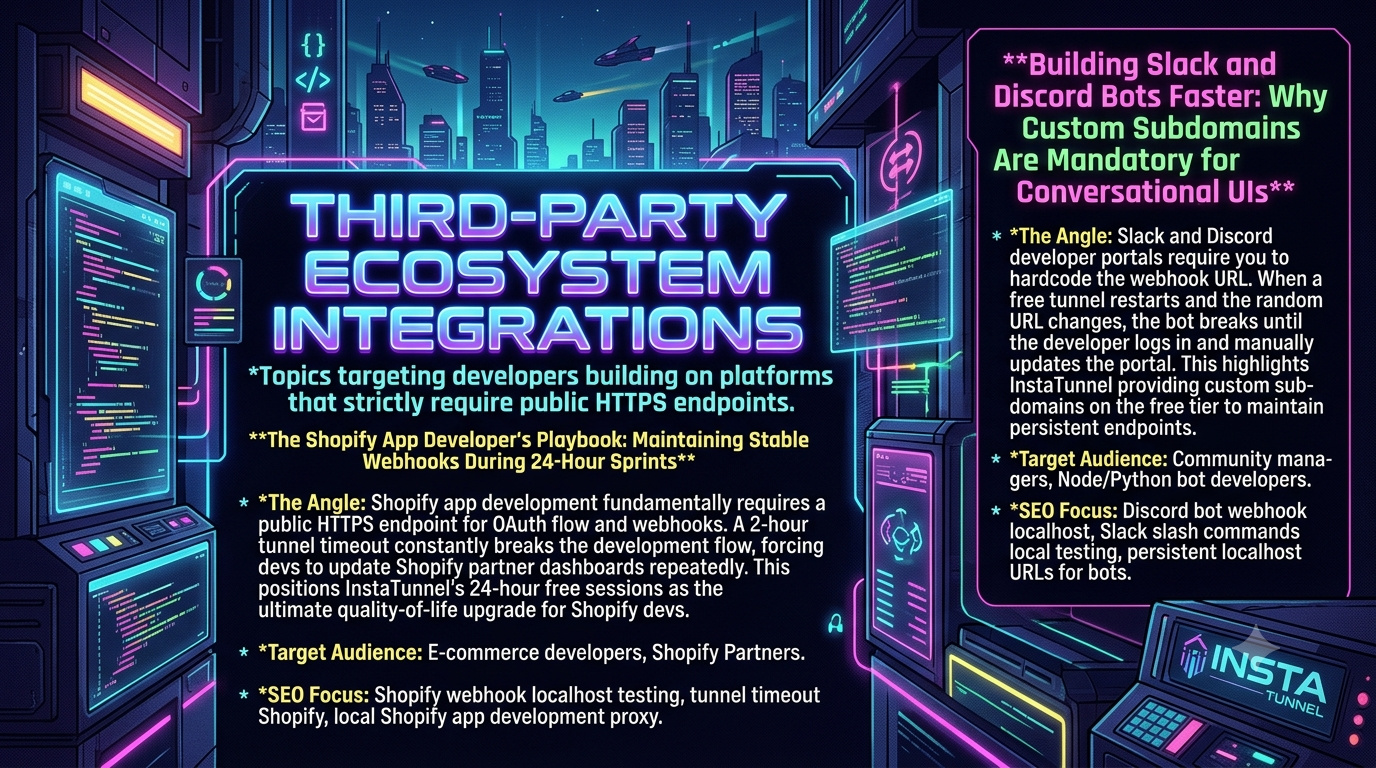
Tired of 2-hour tunnel timeouts breaking Shopify webhooks or random URLs breaking Discord & Slack bots? Discover how persistent URLs speed up local testing.` Tired of 2-hour tunnel timeouts resetting
Quick answer
Shopify & Bot Dev Playbook: Fix Local Webhooks: quick answer
If free tunnel limits interrupt your workflow, compare session length, stable URLs, concurrent tunnels, and paid-plan pricing before choosing a localhost tunnel tool.
What free tunnel limits should developers check first?
Check session duration, URL stability, concurrent tunnels, custom subdomains, bandwidth or request limits, and whether webhook callbacks survive restarts.
How does InstaTunnel handle longer development sessions?
InstaTunnel Free is designed around 24-hour sessions, with Pro available for higher limits and MCP endpoint tunnel workflows.
Building modern software relies heavily on third-party integrations. Whether you are processing order lifecycle events on Shopify, executing slash commands in Slack, or handling interactive component interactions in Discord, your local development environment must expose a publicly accessible, secure HTTPS endpoint.
When third-party platforms communicate with your application, they do so over the public internet using webhooks and HTTPS callbacks. However, your local development server typically runs on http://localhost:3000 or http://127.0.0.1:8000, which is inaccessible to external servers. Local HTTP tunneling tools resolve this gap by creating an encrypted bridge between a public URL and your local machine.
Despite their convenience, standard free tunneling tools introduce significant friction into daily workflows:
* Session Timeouts: Tunnels frequently time out after 1 to 2 hours, disrupting focused development sprints.
* Ephemeral URLs: Every tunnel restart generates a randomized subdomain (e.g., https://a1b2-c3d4.ngrok-free.app), forcing you to update partner dashboards manually.
* Interrupted OAuth Flows: Invalidated URLs break session state during OAuth handshakes, requiring tedious context resets.
This guide provides a comprehensive overview of how persistent endpoints and long-lived sessions streamline local development for Shopify app developers, Discord bot developers, and Slack app creators.
Part 1: The Shopify App Developer’s Playbook: Maintaining Stable Webhooks During 24-Hour Sprints
The Architecture of Local Shopify App Development
Developing Shopify embedded applications or custom app solutions requires continuous bi-directional communication between your local dev server and the Shopify platform.
+------------------+                    +---------------------+                    +----------------------+
|                  |   HTTPS Webhook    |                     |   Forward Request  |                      |
|  Shopify Platform| -----------------> | Public Tunnel Edge  | -----------------> | Localhost Webhooks   |
|  (Events/OAuth)  |                    | (InstaTunnel Edge)  |                    | (http://localhost)   |
|                  | <----------------- |                     | <----------------- |                      |
+------------------+   Response (200)   +---------------------+   Response (200)   +----------------------+
Shopify enforces strict security policies across two primary infrastructure pillars:
- OAuth 2.0 Authorization Flow: When a merchant installs or launches an embedded Shopify app inside the Admin center, Shopify sends a request to your app’s
App URLand verifies redirect URIs. All URLs must use HTTPS and respond without SSL certificate warnings. - Event Webhook Subscriptions: Shopify dispatches asynchronous JSON payloads for store events—such as
orders/create,products/update, orapp/uninstalled—to endpoints registered in your app config or dynamic GraphQL subscriptions.
When testing these integrations locally, your application relies on a proxy tunnel to route Shopify’s incoming traffic to your local port.
The Hidden Cost of Tunnel Timeouts During Development Sprints
A primary point of friction during Shopify app development involves ephemeral tunnel sessions. Standard free tiers on popular tunneling tools enforce session caps, closing tunnels after 1 to 2 hours of inactivity or continuous usage.
1. Context Switching and Dashboard Fatigue
When a tunnel expires mid-sprint:
1. The public URL collapses, causing subsequent webhooks to fail with 404 Not Found or Connection Refused.
2. Shopify marks your webhook endpoint as failing. Persistent delivery failures trigger Shopify’s automatic webhook backoff algorithm, eventually disabling your app’s event subscriptions.
3. You must open a terminal, re-run the tunneling CLI, copy the new randomized domain, navigate to the Shopify Partner Dashboard, locate the App Setup settings, update the App URL and Allowed redirection URL(s), and re-run your CLI sync tools (such as shopify app config push).
On average, a developer loses 10 to 15 minutes per tunnel drop. Across an 8-hour coding sprint with 3–4 forced restarts, you lose over an hour of active development time to administrative maintenance.
2. Fractured OAuth State and Broken Local Sessions
Shopify app authentication relies heavily on session tokens and Cookie/HMAC verification. Changing your public URL invalidates stored session tokens in your database.
During an active session test, a tunnel restart forces your browser’s embedded App Bridge iframe to request resources from an old, defunct domain. This manifests as obscure CORS Policy errors or infinite OAuth redirect loops inside the Shopify Admin panel. Troubleshooting these issues often leads developers to suspect their code, when the underlying cause is simply an expired tunnel session.
3. Incomplete Async Webhook Handlers
Testing long-running background workers—such as bulk inventory syncing or GDPR data exports—requires tracking webhook execution over several hours. If the tunnel drops halfway through an asynchronous batch process, the callback response never reaches localhost. As a result, testing multi-stage queue workers becomes unreliable.
Implementing Long-Lived Tunnel Sessions
To achieve an uninterrupted development flow, developers need tunnels that match the duration of actual coding sprints. InstaTunnel addresses this issue by providing 24-hour free session persistence, eliminating mid-day disconnects.
Step-by-Step Implementation for Shopify CLI
Below is a practical setup for integrating InstaTunnel into a standard Shopify Node/Remix or PHP application workflow.
+---------------------------------------------------------------------------------+
|                        DEVELOPER LOCAL ENVIRONMENT                              |
|                                                                                 |
|  +--------------------+         +--------------------+                          |
|  |  Shopify App CLI   |         |  InstaTunnel Agent |                          |
|  |  (App Backend)     |         |  (Background)      |                          |
|  |  Port: 3000        |         |  Port: 3000        |                          |
|  +---------+----------+         +---------+----------+                          |
|            ^                              ^                                     |
+------------|------------------------------|-------------------------------------+
             |                              |
             v                              v
+---------------------------------------------------------------------------------+
|                         INSTATUNNEL SECURE EDGE NETWORK                         |
|                                                                                 |
|  Persistent Endpoint: https://shopify-dev-sprint.instatunnel.com                 |
|  * 24-Hour Active Session TTL                                                   |
|  * Persistent Subdomain Across Session Restarts                                 |
+---------------------------------------------------------------------------------+
Step 1: Install and Authenticate the Tunnel Client
Install the binary or package via your package manager of choice:
# Install InstaTunnel globally
npm install -g instatunnel-cli

# Verify installation and start a long-lived session
instatunnel http 3000 --session-ttl 24h
Step 2: Configure Your Shopify Project Settings
In your project root, update your shopify.app.toml file to point directly to your persistent endpoint rather than relying on Shopify CLI’s automatic default tunnel generation:
# shopify.app.toml
name = "inventory-sync-app"
client_id = "shpxa_1234567890abcdef"
application_url = "https://shopify-dev-sprint.instatunnel.com"

[access_scopes]
scopes = "read_products,write_products,read_orders"

[auth]
redirect_urls = [
  "https://shopify-dev-sprint.instatunnel.com/api/auth/callback"
]

[webhooks]
api_version = "2026-04"

  [[webhooks.subscriptions]]
  topics = [ "orders/create" ]
  uri = "https://shopify-dev-sprint.instatunnel.com/api/webhooks"
Step 3: Run the Development Server
Pass the --tunnel-url flag to the Shopify CLI to instruct it to reuse your existing, long-lived tunnel instead of starting a new ephemeral proxy:
shopify app dev --tunnel-url=https://shopify-dev-sprint.instatunnel.com:3000
Best Practices for Testing Shopify Webhooks Locally
1. Implement Signature Verification Immediately
Shopify signs every webhook request using an HMAC SHA-256 hash in the X-Shopify-Hmac-SHA256 header. Ensure your local server validates this signature before processing payloads:
import crypto from 'crypto';

function verifyShopifyWebhook(req, rawBody, secret) {
  const hmacHeader = req.headers['x-shopify-hmac-sha256'];
  const generatedHmac = crypto
    .createHmac('sha256', secret)
    .update(rawBody, 'utf8')
    .digest('base64');

  return crypto.timingSafeEqual(
    Buffer.from(hmacHeader),
    Buffer.from(generatedHmac)
  );
}
2. Decouple Webhook Ingestion from Processing
Respond to Shopify with an HTTP status code 200 OK within 5 seconds to prevent timeout errors. Offload actual task execution (e.g., updating database records or sending transactional emails) to a background worker queue like Redis, BullMQ, or Celery.
3. Replay Webhooks Without Triggering Live Store Events
Instead of manually triggering checkout steps in a test store every time you tweak code, use the payload inspection tools in your local environment or saved JSON fixtures to re-send payloads directly to your active local port (localhost:3000/api/webhooks).
Part 2: Building Slack and Discord Bots Faster: Why Custom Subdomains Are Mandatory for Conversational UIs
The Callback Model of Conversational Interfaces
Unlike standard REST endpoints that respond directly to client-initiated requests, conversational platforms like Slack and Discord rely heavily on event-driven callback models.
+-----------------------------------------------------------------------------------+
|                             DISCORD & SLACK PLATFORMS                             |
+-----------------------------------------------------------------------------------+
       | Interactive Component          | Slash Command              | Event Handler
       | (Button Click)                 | (/deploy-prod)             | (Message Created)
       v                                v                            v
+-----------------------------------------------------------------------------------+
|                          HARDCODED DEVELOPER PORTAL URL                           |
|                       https://my-bot-dev.instatunnel.com                          |
+-----------------------------------------------------------------------------------+
                                        |
                                        v
+-----------------------------------------------------------------------------------+
|                            LOCAL DEVELOPMENT ENVIRONMENT                          |
|                             http://localhost:8080                                 |
+-----------------------------------------------------------------------------------+
How Discord Interacts with Local Bots
- Interactions Endpoints: Discord allows developers to route slash commands (
/help), context menu actions, and button/select menu clicks to an INTERACTIONS ENDPOINT URL. Discord requires this endpoint to return a200 OKor204 No Contentresponse along with a valid cryptographic signature (Ed25519) within 3 seconds. - Gateway vs. HTTP Interactions: While WebSocket connections exist for real-time bot statuses, serverless and scalable Discord bots use HTTP Interaction Endpoints exclusively, requiring a stable HTTPS entry point during local development.
How Slack Interacts with Local Bots
- Slash Commands & Event Subscriptions: When a user types a command or posts a message in a channel where your app is installed, Slack dispatches an HTTP POST request to your configured Request URL.
- Interactive Components: Modals, block-kit buttons, and multi-select menus require a hardcoded Interactivity Request URL.
- Url Verification Challenge: When you enter a new URL in the Slack App Directory, Slack sends an immediate HTTP POST request containing a
challengeparameter that your server must mirror back to verify ownership.
The Problem with Dynamic, Randomized URLs in Bot Portals
Using a standard free tunnel that generates a dynamic URL upon every restart (e.g., https://9a3f-124-50-12-1.ngrok-free.app) introduces several distinct challenges for bot developers:
+---------------------------------------------------------------------------------+
|                       DYNAMIC vs. PERSISTENT BOT TUNNELS                        |
+---------------------------------------------------------------------------------+
| DYNAMIC (Ephemeral)                             PERSISTENT (Custom Subdomain)   |
| -------------------                             -----------------------------   |
| 1. Restart tunnel                               1. Restart tunnel               |
| 2. Get new URL: https://xyz.ngrok.app           2. Static URL remains:          |
| 3. Open Slack/Discord portal                       https://mybot.instatunnel.com|
| 4. Find Settings -> Interactions                3. Start coding immediately!    |
| 5. Paste URL & trigger challenge                No dashboard updates required.  |
| 6. Repeat after every drop                      Zero setup overhead.            |
+---------------------------------------------------------------------------------+
1. Manual Portal Configuration Loops
Every time an ephemeral tunnel restarts, your hardcoded Interaction URL in the developer portal breaks.
To restore connectivity: 1. Copy the new tunnel address. 2. Log into the Discord Developer Portal or Slack API Management Dashboard. 3. Open the specific application settings. 4. Navigate to Interactivity & Actions or General Information. 5. Update the URL, run the validation check, and save changes.
Performing this sequence multiple times a day slows down iteration speed and disrupts development focus.
2. Multi-Platform Callback Drift
Complex bots often connect to multiple third-party platforms simultaneously (e.g., Slack, Discord, GitHub Webhooks, and Stripe). If your tunnel URL changes: * You must update 3 to 5 separate administrative dashboards before you can test a single cross-platform notification feature. * Forgetting to update a single provider leads to unhandled errors and asynchronous execution bugs.
3. Disrupted Signature and Handshake Verification
Discord verifies HTTP interactions using public-key cryptography (Ed25519). When an endpoint URL changes mid-session, active Discord client sessions may continue attempting to send payloads to the old endpoint for several minutes due to DNS caching. This results in 502 Bad Gateway or 504 Gateway Timeout errors that obfuscate whether the issue lies in your local code or the routing layer.
Strategic Solution: Persistent Subdomains on Free Tunnels
Providing custom subdomains on the free tier solves these problems by decoupling local tunnel restarts from external API configurations.
By assigning your environment a persistent endpoint—such as https://my-discord-bot.instatunnel.com—your public entry point remains static regardless of how many times your local server restarts, crashes, or switches local ports.
Configuring Persistent Subdomains for Discord and Slack
1. Setting Up Discord Interactions Endpoint
- Reserve your persistent subdomain via InstaTunnel CLI:
instatunnel http 8080 --subdomain=my-discord-bot
Open the Discord Developer Portal, select your Application, and navigate to General Information.
In the INTERACTIONS ENDPOINT URL field, enter your static address:
https://my-discord-bot.instatunnel.com/api/interactionsDiscord will send a test payload containing a
PINGtype (1). Ensure your local application validates signature headers (X-Signature-Ed25519andX-Signature-Timestamp) and responds with{"type": 1}.Save changes once. This endpoint remains functional indefinitely across daily local development sessions.
+---------------------------------------------------------------------------------+
|                       DISCORD BOT ROUTING FLOW                                  |
|                                                                                 |
|  Discord Platform ---> https://my-discord-bot.instatunnel.com/api/interactions  |
|                                       |                                         |
|                               InstaTunnel Edge                                  |
|                                       |                                         |
|                                       v                                         |
|                            http://localhost:8080                                |
+---------------------------------------------------------------------------------+
2. Setting Up Slack Slash Commands & Interactivity
- Launch the persistent tunnel pointing to your local Node or Python framework (e.g., Bolt JS, FastAPI):
instatunnel http 3000 --subdomain=dev-slack-app
- Open the Slack App Directory Console, choose your application, and update the following fields:
- Slash Commands:
https://dev-slack-app.instatunnel.com/slack/commands - Interactivity & Shortcuts:
https://dev-slack-app.instatunnel.com/slack/events - Event Subscriptions:
https://dev-slack-app.instatunnel.com/slack/events
- Slash Commands:
- Slack automatically sends a POST payload containing
{ challenge: "some_string_value" }. Your app mirrors the challenge value in a200 OKresponse to verify ownership. - Because the URL (
dev-slack-app.instatunnel.com) is static, you can restart your local development server without updating configurations in Slack.
Architectural Feature Comparison
| Capability / Metric | Ephemeral Tunnels (Standard Free Tunnels) | Persistent Session Tunnels (InstaTunnel) |
|---|---|---|
| Max Session Duration | 1–2 hours | 24 hours (Free Tier) |
| Subdomain Type | Randomized hash (e.g., a12b3c.ngrok.app) |
Custom static subdomains available |
| Shopify OAuth Stability | Fails on tunnel timeout; requires session reset | Maintains state continuously across sprints |
| Portal Maintenance Overhead | High (5–10 updates per developer/day) | Zero setup overhead after initial config |
| Multi-Service Webhook Integration | Manual reconfiguration required across all dashboards | Single static target for all connected APIs |
| Payload Inspection | Basic terminal output | Structured request and body logging |
Technical Deep-Dive: Verifying Local Webhooks Safely
Handling external traffic locally requires robust security measures to protect your development environment.
1. Discord Ed25519 Cryptographic Verification
When handling Discord HTTP interactions locally, validate incoming headers using official libraries or custom cryptographic checks before processing payloads:
import { verifyKey } from 'discord-interactions';
import express from 'express';

const app = express();

// Discord requires the raw string body for signature validation
app.post('/api/interactions', express.raw({ type: 'application/json' }), (req, res) => {
  const signature = req.headers['x-signature-ed25519'] as string;
  const timestamp = req.headers['x-signature-timestamp'] as string;
  const clientPublicKey = process.env.DISCORD_PUBLIC_KEY!;

  const isValidRequest = verifyKey(
    req.body,
    signature,
    timestamp,
    clientPublicKey
  );

  if (!isValidRequest) {
    return res.status(401).send('Invalid request signature');
  }

  const message = JSON.parse(req.body.toString());

  // Handle Discord PING check
  if (message.type === 1) {
    return res.send({ type: 1 });
  }

  // Handle Application Commands
  if (message.type === 2) {
    return res.send({
      type: 4,
      data: { content: "Interaction received successfully on localhost!" }
    });
  }
});
2. Slack Request Verification
Validate Slack requests using your app’s Signing Secret to confirm incoming traffic originates from Slack rather than an unauthorized source:
import crypto from 'crypto';
import tsscmp from 'tsscmp';

function verifySlackSignature(req: express.Request, signingSecret: string): boolean {
  const slackSignature = req.headers['x-slack-signature'] as string;
  const requestTimestamp = req.headers['x-slack-request-timestamp'] as string;

  // Prevent replay attacks by rejecting requests older than 5 minutes
  const fiveMinutesAgo = Math.floor(Date.now() / 1000) - (60 * 5);
  if (parseInt(requestTimestamp, 10) < fiveMinutesAgo) {
    return false;
  }

  const sigBaseString = `v0:${requestTimestamp}:${req.body}`;
  const mySignature = 'v0=' + crypto
    .createHmac('sha256', signingSecret)
    .update(sigBaseString, 'utf8')
    .digest('hex');

  return tsscmp(mySignature, slackSignature);
}
Conclusion: Eliminating Friction in Webhook Development
Building software within complex ecosystems like Shopify, Slack, and Discord requires efficient tools to support rapid iteration. Relying on short-lived tunnels with dynamic URLs creates unnecessary administrative overhead, forcing developers to waste time reconfiguring external platforms instead of writing code.
Adopting persistent HTTP tunnels with long-lived sessions and static subdomains addresses these issues directly: * Shopify application developers can run extended 24-hour dev sprints without broken OAuth flows or failing webhook subscriptions. * Slack and Discord bot creators can configure their administrative dashboards once with a static URL, allowing them to focus entirely on feature implementation.
By choosing tunneling solutions designed for ecosystem development, engineering teams can simplify local testing, reduce environment friction, and ship integrations faster.
Related InstaTunnel pages
Continue from this article into the most relevant product guides and workflows.
Related Topics
Keep building with InstaTunnel
Read the docs for implementation details or compare plans before you ship.