Programmatic Tunnels for CI/CD Pipelines: Automating Ephemeral URLs for Webhook Testing
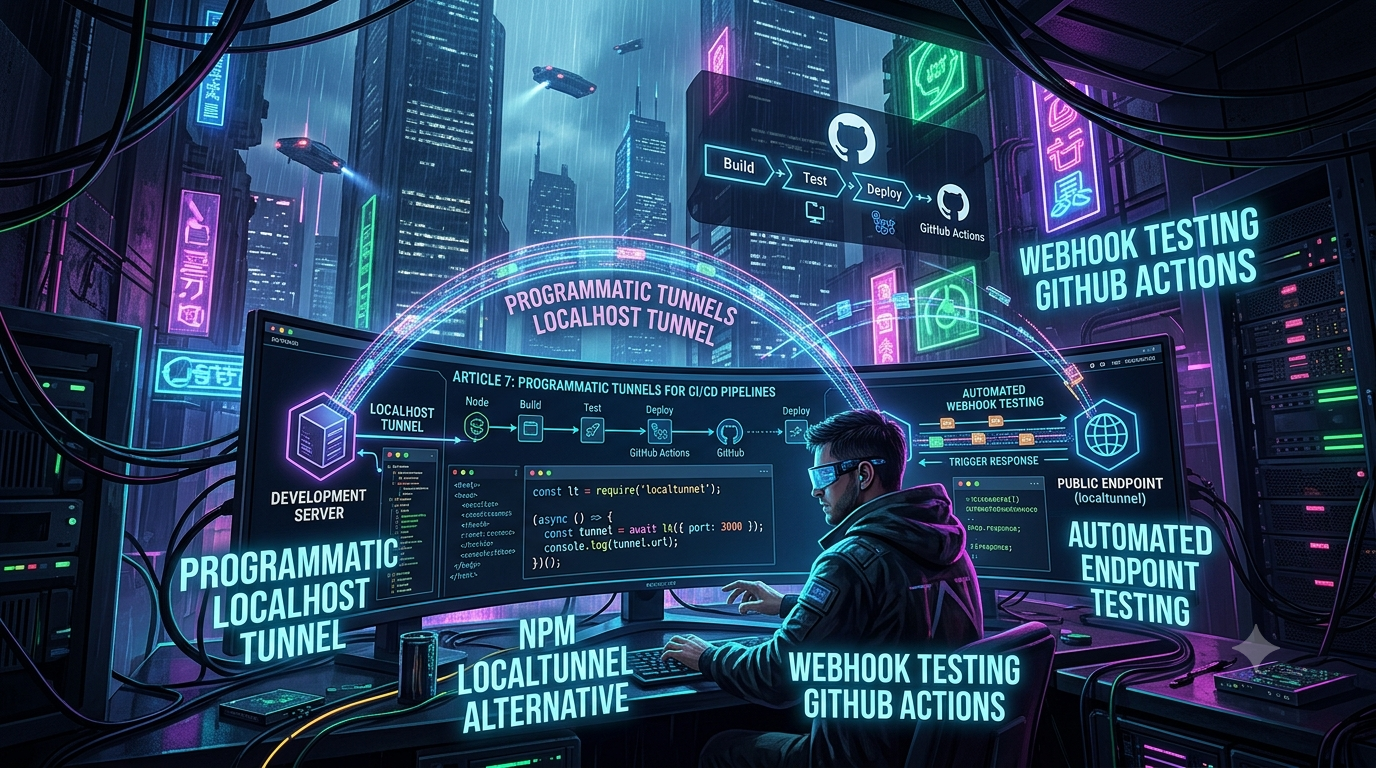
Quick answer
Programmatic Localhost Tunnels & npm localtunnel Alternative: quick comparison answer
Choose the tunnel tool based on the network model: public HTTPS URLs for webhooks and demos, private mesh access for internal apps, and managed infrastructure when policy controls matter most.
Which tunnel tool is best for public webhook testing?
Use a public HTTPS localhost tunnel with stable URLs. InstaTunnel focuses on webhook testing, demos, OAuth callbacks, and MCP endpoint workflows.
When should I choose a private network tool instead?
Choose a private mesh or Zero Trust tool when every user and service should stay inside a controlled private network.
In the modern software development lifecycle, testing is no longer just about asserting that a function returns a specific value. It’s about verifying that complex, distributed systems communicate flawlessly. For advanced QA teams and DevOps engineers, manually spinning up local servers and command-line tunneling binaries to test third-party integrations is a relic of the past. Today’s high-velocity teams demand automation, relying on programmatic localhost tunnels to spawn ephemeral URLs directly inside integration tests and CI/CD pipelines.
Whether you’re building integrations for payment gateways like Stripe, communication platforms like Slack, or Git events, ensuring your application correctly handles incoming HTTP requests is paramount. This article covers how to move from manual CLI tools to programmatic tunnels, how to run webhook testing in GitHub Actions, and how the field of npm localtunnel alternatives actually looks right now — not as vendors describe it, but checked against primary sources.
1. The Challenge: Why CLI Tunnels Fail in CI/CD
If you’ve ever developed a webhook integration, the standard workflow is familiar:
- Start your local server (
localhost:3000). - Open a new terminal and run a CLI tunnel command (
ngrok http 3000,lt --port 3000). - Copy the generated public URL.
- Paste that URL into the third-party service’s developer dashboard.
- Trigger an event and watch the logs.
That workflow is fine for local development, but it breaks down in an automated CI/CD environment. Pipelines run headlessly — there’s no developer to copy-paste a URL. If a test needs to receive a live webhook from a third-party sandbox, the CI runner needs to dynamically provision a public, routable URL, register it with the external service’s API, wait for the callback, and tear the infrastructure down cleanly.
The CI/CD Webhook Dilemma
A CI job typically executes on an ephemeral runner — an isolated container or VM with no publicly reachable IP. To automate end-to-end testing of incoming webhooks, the runner must provision a public URL on demand. Two common workarounds are both flawed:
- Mocking the webhook. Fast, but a mock doesn’t prove your application correctly parses the payload format the provider actually sends, and it skips network-level edge cases like signature verification or TLS negotiation.
- Pointing at a static staging server. This breaks the CI principle of isolated, atomic runs — if two pull requests are tested concurrently, a webhook meant for PR “A” can land on the staging server mid-test for PR “B”.
The fix is to give every test run its own unique, publicly reachable URL, provisioned and torn down programmatically.
2. What Is a Programmatic Localhost Tunnel?
A programmatic localhost tunnel lets you instantiate, manage, and tear down secure tunnels directly from application code (Node.js, Python, Go) instead of shelling out to a separate CLI process. Inside a test setup file, your framework (Jest, Mocha, Playwright) can:
- Boot the local test server.
- Call a function to establish a tunnel and
awaitthe resulting public URL. - Use that URL to configure the external service via its API.
- Trigger the external event.
- Assert the local server received and processed the webhook correctly.
- Close the tunnel and shut down the server in teardown.
This removes manual intervention entirely, so the test suite can run in isolation, concurrently, and reliably on any CI/CD platform.
3. Finding the Best npm localtunnel Alternative
For years, the open-source localtunnel package was the default choice for Node.js developers — localtunnel({ port: 3000 }) and you had a URL. That’s no longer a safe default. As of mid-2026, localtunnel hasn’t shipped a release since 2021 and is flagged by Snyk’s dependency analysis as inactively maintained. More concretely: it bundles a legacy version of axios with unresolved high-severity advisories — a cross-site request forgery issue (GHSA-wf5p-g6vw-rhxx) and a server-side request forgery / credential-leakage issue via absolute URLs (CVE-2025-27152, GHSA-jr5f-v2jv-69x6). An open GitHub issue against the project (localtunnel/localtunnel#724) shows npm audit still flagging these as of late 2025, with no fix released. That’s a concrete, checkable reason to avoid it in a CI pipeline — not just a reputation for flakiness. The free loca.lt hosted instance is also widely reported to return 502s and rate-limit under load.
Here’s how the realistic alternatives compare for programmatic use:
A. The Native @ngrok/ngrok Node.js SDK
Ngrok ships native agent SDKs for Node.js, Python, Go, and Rust. The @ngrok/ngrok npm package doesn’t wrap the CLI — it embeds the ngrok agent directly in your process via native bindings, so there’s no separate binary to manage.
Pros: exceptional reliability, built-in TLS, highly scriptable, mature docs, a traffic-policy engine for OAuth/IP restrictions/rate limiting.
Cons: requires an authtoken even on the free plan (one more secret to manage in CI); the free plan is capped at 3 concurrent online endpoints and 3 concurrent agent sessions, which can bottleneck a pipeline running many parallel PR builds.
Free-tier fact check, since this gets misreported constantly: ngrok’s own documentation states free-plan endpoints have no session timeout and can stay online indefinitely. The “ngrok free tier disconnects after two hours” claim that circulates in comparison articles is false. What the free plan does cap is usage and concurrency: 3 online endpoints, 3 concurrent agents, 1 GB of bandwidth per month, and 20,000 HTTP requests per month, with an interstitial warning page on free HTTP(S) endpoints (removed on any paid plan). Current paid pricing is Hobbyist at $10/month ($8/month billed annually) and Pay-as-you-go starting at $20/month plus metered usage.
B. Cloudflare Tunnel (cloudflared)
For zero-trust-focused teams, Cloudflare Tunnel provides reliable ephemeral URLs backed by Cloudflare’s edge network. Unlike ngrok, there is no official Cloudflare-maintained SDK for embedding a tunnel directly in application code — developers have an open, unresolved feature request on the cloudflared GitHub repo asking for a Go library comparable to ngrok-go, and as of now the answer is still “install the cloudflared binary and run it as a subprocess.” Community packages like the npm cloudflared package or node-cloudflared wrap that binary with a typed API (Tunnel.quick(), event listeners for the URL and connection state), which is workable but closer to the legacy CLI-hack pattern than a true in-process SDK.
Pros: enterprise-grade security, leverages Cloudflare’s edge network, integrates with WAF/Access.
Cons: heavier setup than a native SDK; quick tunnels via trycloudflare.com are explicitly documented by Cloudflare as having no uptime guarantee, so they’re a poor fit for anything beyond ad hoc testing.
C. LocalXpose
LocalXpose offers genuine multi-protocol support — HTTP, HTTPS, TCP, TLS, and UDP — which matters if you need to tunnel a non-HTTP webhook, a database connection, or a game server’s UDP traffic. It also ships an official Node.js client library (localxpose on npm, maintained at LocalXpose/node-localxpose) with real programmatic tunnel creation:
const LocalXpose = require('localxpose');
const client = new LocalXpose(process.env.LOCALXPOSE_ACCESS_TOKEN);

const httpTunnel = await client.http({
    to: '127.0.0.1:3000',
    subdomain: 'ci-test',
});

console.log(`Tunnel live at: ${httpTunnel.addr}`);
// ... run assertions ...
await httpTunnel.close();
Pros: protocol coverage that @ngrok/ngrok doesn’t match (native UDP), a real Node SDK, custom subdomains and reserved domains available.
Cons: smaller community and ecosystem than ngrok; the guest/unauthenticated tier is rate-limited.
D. InstaTunnel
InstaTunnel (instatunnel.my) is a newer, actively developed tunneling service with a public CLI, a hosted dashboard, and a documented REST API for scripted tunnel creation — a reasonable option if you’re specifically hitting ngrok’s free-tier concurrency cap. Worth flagging for anyone comparison-shopping: the specific numbers attached to it in marketing material (free session length, free concurrent tunnel count, “X% cheaper than ngrok”) come from the vendor’s own blog and Medium posts rather than an independent benchmark. That doesn’t make them false, but check them against the current pricing page before building a CI workflow around them — the same scrutiny you’d apply to any vendor’s self-reported comparison against a competitor.
E. Pinggy.io
Pinggy has historically been used over raw SSH — ssh -p 443 -R0:localhost:3000 a.pinggy.io — with no local install required, which made it appealing for CI runners that have SSH but no tunneling binary preinstalled. That’s still supported, but it’s no longer the only programmatic option: Pinggy now publishes an official Node.js SDK (@pinggy/pinggy on npm) and a Python SDK, so you can create and manage tunnels natively without parsing SSH output:
import { pinggy } from "@pinggy/pinggy";

const tunnel = await pinggy.createTunnel({ forwarding: "localhost:3000" });
await tunnel.start();
console.log("Tunnel URLs:", await tunnel.urls());
One correction to a commonly repeated claim: the raw SSH command does not itself return JSON — it prints the URL to stdout as plain text. A JSON /urls endpoint does exist, but it’s served by Pinggy’s separate Web Debugger (enabled by forwarding an extra local port, e.g. -L4300:localhost:4300), not by the SSH connection itself. The SDK’s tunnel.urls() method is the more direct way to get a structured result programmatically. Pinggy’s free tier currently caps sessions at 60 minutes and one concurrent tunnel per source IP; longer-running or higher-concurrency use needs a paid token.
The Verdict for CI/CD
If you’re writing tests in Node.js and don’t need UDP, the official @ngrok/ngrok SDK remains the most mature choice — provided you account for its free-tier concurrency cap rather than a mythical session timeout. If your bottleneck really is that concurrency cap, LocalXpose’s official SDK and Pinggy’s new SDK are both legitimate, checkable alternatives; Cloudflare Tunnel is the strongest choice if you’re already standardized on Cloudflare’s edge, with the caveat that you’re orchestrating a binary rather than an embedded SDK.
4. Implementing Programmatic Tunnels in Node.js
Here’s a working integration test using Jest and the @ngrok/ngrok SDK, simulating a webhook handler for a mock payment provider.
Step 1: Install Dependencies
npm install express
npm install --save-dev jest @ngrok/ngrok axios
(Express has bundled JSON body parsing since 4.16 via express.json(), so a separate body-parser dependency isn’t needed for the handler below.)
Step 2: Write the Integration Test
// __tests__/webhook.integration.test.js
const express = require('express');
const ngrok = require('@ngrok/ngrok');
const crypto = require('crypto');
const axios = require('axios');

let server;
let listener;
let publicUrl;
let receivedWebhook = null;

const app = express();
app.use(express.json());

app.post('/webhook', (req, res) => {
    if (req.body && req.body.event === 'payment.success') {
        receivedWebhook = req.body;
        return res.status(200).send('Webhook Received');
    }
    return res.status(400).send('Invalid Webhook');
});

describe('Automated Endpoint Testing for Webhooks', () => {

    beforeAll(async () => {
        // 1. Start the local server on a random available port
        server = app.listen(0);
        const port = server.address().port;

        // 2. Spawn the programmatic tunnel
        // NGROK_AUTHTOKEN must be set in the environment (see CI section below)
        listener = await ngrok.forward({
            addr: port,
            authtoken_from_env: true,
        });
        publicUrl = listener.url();
        console.log(`Tunnel created at: ${publicUrl}`);
    });

    afterAll(async () => {
        // 3. Tear down the tunnel and the server
        // listener.close() shuts down the listener and, if no other
        // listeners are attached to the session, the underlying ngrok
        // session as well. ngrok.disconnect(publicUrl) is an equivalent,
        // equally current alternative if you'd rather close by URL.
        if (listener) await listener.close();
        if (server) server.close();
    });

    it('should successfully receive and process a webhook from an external service', async () => {
        // 4. Register the ephemeral URL with the external service
        // (in a real scenario, this is an API call to Stripe/GitHub/etc.)
        const webhookEndpoint = `${publicUrl}/webhook`;

        const simulatedExternalServiceCall = await axios.post(webhookEndpoint, {
            event: 'payment.success',
            transactionId: crypto.randomUUID(),
        });

        // 5. Assertions
        expect(simulatedExternalServiceCall.status).toBe(200);
        expect(receivedWebhook).not.toBeNull();
        expect(receivedWebhook.event).toBe('payment.success');
    });
});
Why this approach works:
- No port conflicts.
app.listen(0)has Node.js assign an arbitrary available port, and the tunnel binds to whatever port was assigned. - Isolation. Every run gets a fresh, unique URL — no cross-talk between concurrent test runs.
- True end-to-end validation. You’re exercising the actual HTTP transport layer, TLS handshake, and payload parsing, not just mocking a function call.
5. Webhook Testing in GitHub Actions
Running this locally is straightforward; a headless CI/CD environment adds a few more moving parts — runner configuration, network constraints, and secure token handling.
Managing Secrets
- Go to your GitHub repository.
- Navigate to Settings > Secrets and variables > Actions.
- Create a repository secret named
NGROK_AUTHTOKEN(or the equivalent for your chosen provider).
Configuring the Workflow File
# .github/workflows/webhook-integration-tests.yml
name: Webhook Integration CI

on:
  push:
    branches: [ main ]
  pull_request:
    branches: [ main ]

jobs:
  test-webhooks:
    name: Run Programmatic Tunnel Tests
    runs-on: ubuntu-latest

    steps:
      - name: Checkout Repository
        uses: actions/checkout@v5

      - name: Setup Node.js Environment
        uses: actions/setup-node@v6
        with:
          node-version: '24'
          cache: 'npm'

      - name: Install Dependencies
        run: npm ci

      - name: Execute Automated Endpoint Testing
        env:
          NGROK_AUTHTOKEN: ${{ secrets.NGROK_AUTHTOKEN }}
          STRIPE_SECRET_KEY: ${{ secrets.STRIPE_SECRET_KEY }}
        run: |
          echo "Starting programmatic webhook tests..."
          npm run test:integration
Node 24 is the current Active LTS line as of this writing; Node 20 reached end-of-life in April 2026, and GitHub Actions itself is migrating its runner-hosted actions off Node 20 during 2026, so it’s worth moving CI images off it if you haven’t already. actions/checkout@v5 and actions/setup-node@v6 are the current major versions — both @v4 releases are still functional but are one major version behind.
Advanced Considerations for GitHub Actions
- Ephemeral runner limitations. If a test waits for a third-party service to finish a background job before sending a webhook, make sure your GitHub Actions timeout and
jest.setTimeout()accommodate the delay. - Ghost processes are a real, documented risk — not a hypothetical. If a test crashes and the
afterAllteardown never runs, the ngrok agent session can outlive the process. This isn’t speculative: a filed issue againstngrok-javascript(ngrok/ngrok-javascript#148) describes exactly this —listener.close()andngrok.disconnect()not always terminating the underlying agent session, leaving it visible in the ngrok dashboard and blocking a new session from connecting (ERR_NGROK_108, “account is limited to 1 simultaneous ngrok agent session” on some plans). Wrap teardown intry/finallyor your framework’s cleanup hooks, and don’t assume a clean exit. - Rate limiting. If several PRs trigger the workflow at once, you can hit your provider’s concurrent-tunnel limit fast on a free plan (3 concurrent agents on ngrok free, for example). Either serialize test runs, use dedicated test/CI credentials, or budget for a paid tier if your team runs many parallel builds.
- Use sandbox modes. Point ephemeral tunnels at the provider’s test/sandbox environment (Stripe Test Mode, a GitHub sandbox org), never at production endpoints — a temporary public URL is still a public URL.
6. Best Practices for Automated Endpoint Testing via Tunnels
Implement Robust Retry Logic
Network latency between the CI runner, your tunneling provider, and the third-party sender fluctuates. Poll for the result instead of asserting immediately:
// Utility function to wait for webhooks with a timeout
const waitForWebhook = async (timeoutMs = 5000) => {
    const startTime = Date.now();
    while (Date.now() - startTime < timeoutMs) {
        if (receivedWebhook) return receivedWebhook;
        await new Promise(resolve => setTimeout(resolve, 200)); // poll every 200ms
    }
    throw new Error('Webhook was not received within the timeout period');
};
Validate Security Implementations, Not Just the Happy Path
Use the tunnel to test your security mechanisms directly:
- Signature validation. Send payloads with intentionally corrupted HMAC signatures and confirm your endpoint returns 401.
- Replay attacks. Send the same signed payload twice and confirm idempotency handling prevents duplicate processing.
- Malformed payloads. Send incomplete JSON and confirm your server returns 400 rather than crashing.
Mocking vs. Live Tunnels
Don’t reach for a live tunnel on every test. Use unit tests (no tunnel) for internal business logic — how a payload maps to your database. Reserve programmatic tunnels for end-to-end integration tests that need to verify actual HTTP headers, TLS handshakes, and the external provider’s real payload formatting. Keep that suite separate (npm run test:e2e) so your standard test run stays fast.
7. Conclusion
The move from manual CLI tunneling to programmatic, in-process tunnels is a real maturity jump for a test suite — ephemeral URLs become something your test framework manages through beforeAll/afterAll rather than a background shell process you hope doesn’t leak. @ngrok/ngrok remains the most mature native SDK across languages, but it’s not the only option: LocalXpose and Pinggy both now ship real SDKs of their own, and Cloudflare Tunnel is a solid choice if you’re willing to orchestrate the binary rather than embed an SDK. Whichever you pick, verify the vendor’s actual documented limits — session length, concurrency, pricing — before they become an assumption your CI pipeline quietly depends on.
Changelog
Metadata removed: stripped the non-functional image caption placeholder (“Architecture of webhooks flowing into an automated testing environment”) that didn’t correspond to an actual embedded image, and removed all frontmatter/title-block formatting artifacts from the source draft.
Corrections:
localtunnelreliability claims. Replaced vague “known to suffer from rate-limiting” language with checkable facts: no release since 2021 (Snyk maintenance report), and unresolved high-severityaxiosadvisories bundled in the dependency tree — GHSA-wf5p-g6vw-rhxx (CSRF) and CVE-2025-27152 / GHSA-jr5f-v2jv-69x6 (SSRF/credential leakage via absolute URL), still flagged bynpm auditperlocaltunnel/localtunnel#724(Oct 2025). Source: snyk.io/advisor/npm-package/localtunnel, github.com/localtunnel/localtunnel/issues/724, github.com/advisories/ghsa-jr5f-v2jv-69x6.- ngrok free-tier session length. The original draft didn’t make a specific claim here, but comparison content around this topic frequently repeats a false “2-hour free session timeout.” Added ngrok’s actual documented position — free endpoints have no timeout — plus the real free-plan limits (3 concurrent endpoints/agents, 1 GB/month bandwidth, 20,000 requests/month). Source: ngrok.com/docs/pricing-limits/free-plan-limits.
- ngrok paid pricing. Added current figures: Hobbyist $10/month ($8/month billed annually), Pay-as-you-go from $20/month plus metered usage. Source: ngrok pricing documentation, cross-checked against getpulsesignal.com/pricing/ngrok and vendr.com/marketplace/ngrok.
ngrok.disconnect()vs.listener.close(). The original draft usedngrok.disconnect(ephemeralUrl). Verified both methods are current, documented APIs in@ngrok/ngrok(not deprecated) — keptlistener.close()as the primary example since it doesn’t require passing the URL back, and notedngrok.disconnect(url)as an equally valid alternative. Source: ngrok-javascript documentation (ngrok.github.io/ngrok-javascript, github.com/ngrok/ngrok-javascript, npmjs.com/package/@ngrok/ngrok).- “Ghost Processes” claim substantiated. The original draft described this as a general risk. Added a specific, filed case:
ngrok/ngrok-javascript#148, wherelistener.close()/ngrok.disconnect()didn’t always terminate the underlying agent session, hitting the single-concurrent-session limit on some plans (ERR_NGROK_108). Source: github.com/ngrok/ngrok-javascript/issues/148. - Cloudflare Tunnel SDK claim corrected. The original draft said developers “can programmatically spawn the
cloudflaredbinary via Node.js child processes” without noting there’s no official SDK. Confirmed via an open, unresolved GitHub feature request oncloudflare/cloudflaredasking for a Go library comparable tongrok-go; added thattrycloudflare.comquick tunnels are explicitly documented as having no uptime guarantee. Source: community.cloudflare.com/t/quick-tunnel-from-nodejs, npmjs.com/package/cloudflared, github.com/JacobLinCool/node-cloudflared. - LocalXpose upgraded from a passing mention to a verified, SDK-backed option. The original draft only credited it with “multi-protocol support.” Confirmed and added its official Node.js client library (
localxposeon npm,LocalXpose/node-localxpose) with a working code example for programmatic HTTP/TLS/TCP/UDP tunnel creation. Source: github.com/LocalXpose/node-localxpose. - InstaTunnel reframed. The original draft asserted specific comparative numbers (“higher rate limits on its free tier than Ngrok”) without attribution. Confirmed InstaTunnel is a real, actively developed service with a REST API and CLI, but flagged that its specific comparative figures (session length, free tunnel count, cost-vs-ngrok percentages) come from the vendor’s own blog/Medium content rather than independent verification, and removed the unverified specific claim. Source: instatunnel.my/pricing, and vendor-published comparison posts (treated as vendor-sourced, not independently confirmed).
- Pinggy section substantially updated. The original draft described Pinggy as SSH-only, returning “an immediate JSON response.” Corrected: the SSH connection itself returns plain text; JSON URLs come from a separate Web Debugger API endpoint (
/urls) that must be explicitly enabled. Added that Pinggy now ships an official Node.js SDK (@pinggy/pinggy) and Python SDK for genuine programmatic tunnel creation, and added the free-tier’s 60-minute session cap. Source: pinggy.io/docs/api/web_debugger_api, pinggy.io/docs, npmjs.com/package/@pinggy/pinggy, github.com/Pinggy-io/sdk-nodejs. - GitHub Actions workflow versions updated.
actions/checkout@v4→@v5;actions/setup-node@v4→@v6; Node version'20'→'24'. Node.js 20 reached end-of-life in April 2026; Node.js 24 is the current Active LTS line as of August 2026. Source: endoflife.date/nodejs, github.com/actions/checkout/releases, github.com/actions/setup-node/releases. - Removed the unused
body-parserdependency from the install step — the sample code usesexpress.json(), which Express has provided natively since v4.16 (2017);body-parserwas never actually used in the code sample. supertestdropped from the dependency list in the original draft’s install command — it was never referenced anywhere in the accompanying test code.
Additions:
- A working, corrected code sample for LocalXpose’s official Node.js SDK.
- A working code sample for Pinggy’s official Node.js SDK, alongside the still-valid SSH approach.
- Specific, current numeric free-tier and pricing figures for ngrok, rather than general “generous” or “limited” language.
- A concrete GitHub issue reference substantiating the “ghost process” CI warning instead of leaving it as an unsourced hypothetical.
Related InstaTunnel pages
Continue from this article into the most relevant product guides and workflows.
Related Topics
Keep building with InstaTunnel
Read the docs for implementation details or compare plans before you ship.