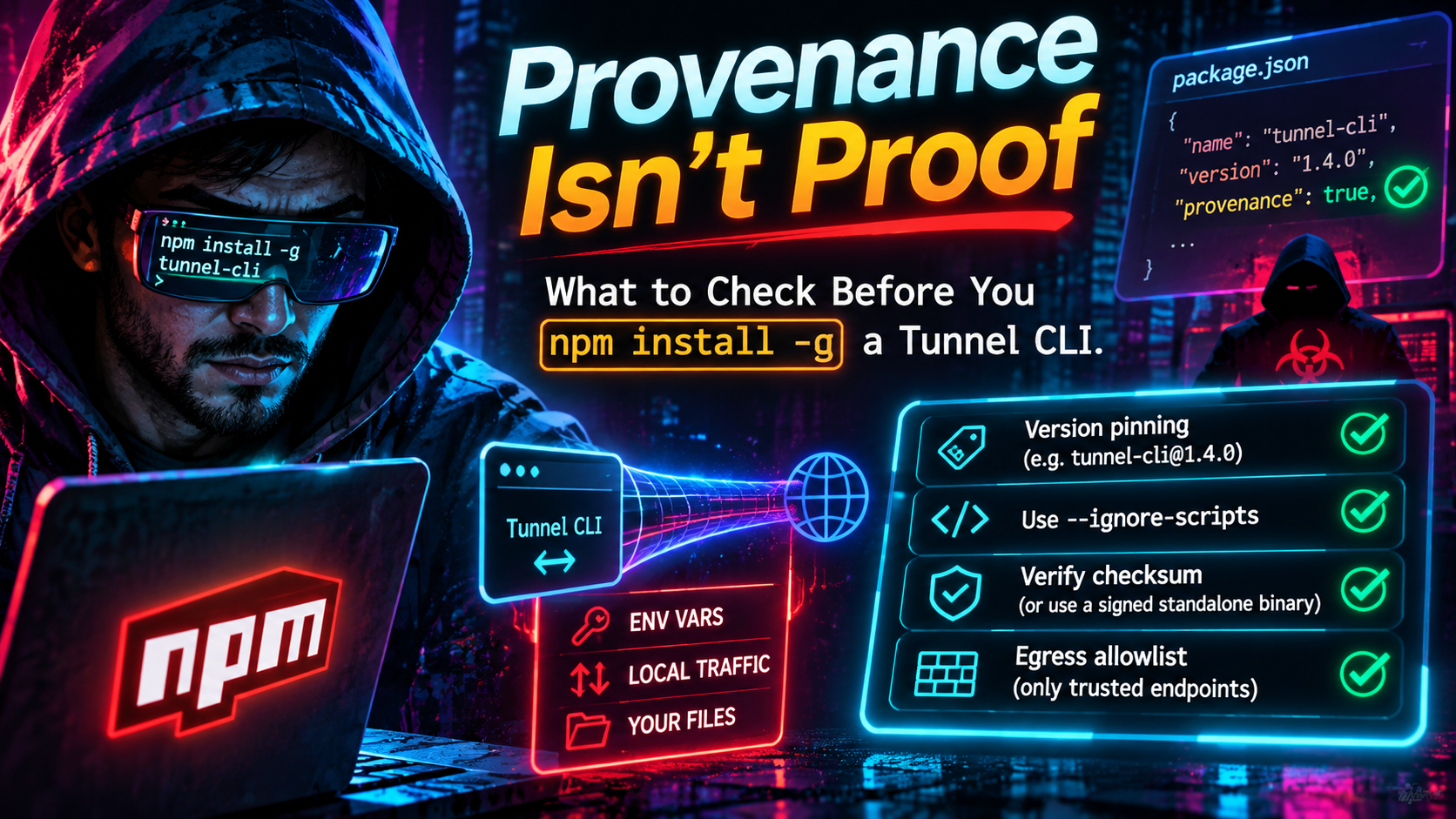
Provenance Isn't Proof: What to Check Before You `npm install -g` a Tunnel CLI
npm provenance isn't proof of safety. Learn how to vet a tunnel CLI before npm install -g: pin versions, ignore-scripts, verify checksums, limit egress.
Quick answer
Is npm Provenance Enough? Secure Your Tunnel CLI Install: quick comparison answer
Choose the tunnel tool based on the network model: public HTTPS URLs for webhooks and demos, private mesh access for internal apps, and managed infrastructure when policy controls matter most.
Which tunnel tool is best for public webhook testing?
Use a public HTTPS localhost tunnel with stable URLs. InstaTunnel focuses on webhook testing, demos, OAuth callbacks, and MCP endpoint workflows.
When should I choose a private network tool instead?
Choose a private mesh or Zero Trust tool when every user and service should stay inside a controlled private network.
Two things are true in November 2026. npm 12 now refuses to run dependency install scripts by default, which closes the most common supply-chain delivery path. And in the same year, attackers have shipped malicious npm releases that carried valid provenance attestations, plus payloads that never touch an install script at all.
If you are about to run npm install -g on a tunnel client, both facts matter. A tunnel CLI is a long-lived process that holds an auth token, inherits your shell’s environment variables and relays traffic between the public internet and your localhost. This guide covers what npm 12 changes, what provenance does and does not prove, and a pre-install checklist: version pinning, ignore-scripts, checksum-verified standalone binaries and egress allowlists.
Why a tunnel client is a high-value target
A tunnel client runs for hours or days, with your user’s privileges, on the machine where your code, keys and .env files live, and on a network path where a tampered copy can read whatever it relays. Palo Alto Networks’ write-up of the hijacked @bitwarden/cli release lists the targets: SSH keys, .npmrc tokens, .env files, AWS credentials, Git configs, GitHub CLI tokens, npm auth tokens and AI/MCP configurations. A tunnel client’s own authtoken would sit naturally alongside those, and a process that already has outbound connectivity is well placed to send it somewhere.
What npm 12 changed, and what it didn’t
GitHub announced npm 12 in July 2026, with allowScripts off by default. According to The Hacker News coverage, preinstall, install and postinstall scripts from dependencies, and implicit node-gyp builds, no longer run unless explicitly allowed. Git dependencies and remote-URL tarballs are also off unless you opt in with --allow-git or --allow-remote. GitHub’s changelog notice of the breaking changes dates to June 9, 2026.
Three practical consequences for tunnel CLIs:
- Wrapper packages that download a binary at install time will stop doing so. The Node.js wrapper for ngrok documents that
npm installfetches the platform binary from ngrok’s hosting during its postinstall step. Under npm 12 that download is blocked until you approve it. This is a feature: it forces you to decide whether to trust that download path. - Global installs need a flag, not an allowlist. Reports on the npm CLI tracker show that for
npm install -g, the warning points you tonpm install -g --allow-scripts=<pkg>, ornpm config set allow-scripts=<pkg> --location=userto persist it. A community write-up also notes thatnpm approve-scriptserrors on global installs, a known gap. - Older npm versions still need
ignore-scripts. The npm pull request that flipped the default saysignore-scripts=trueremains the fallback for older versions. Keep it in your config until every machine in your fleet runs npm 12.
The gap: payloads that run when the code runs
Blocking install scripts does nothing against code that executes when the package is used. Microsoft’s July 2026 analysis of the AsyncAPI compromise found a payload that triggered at module-load time, and it stated that --ignore-scripts does not neutralize that pattern. Reporting on the incident says four @asyncapi packages were trojanized, including @asyncapi/specs, which has roughly 2.66 million weekly downloads.
The Bitwarden CLI case shows the same blind spot from another angle. The malicious 2026.4.0 release, published April 22, 2026, rewired both a preinstall hook and the bw binary entry point to a loader script. An OpenReplay analysis points out that the bin entry meant the payload still ran whenever someone invoked the command, even with --ignore-scripts set.
Apply that to a global CLI. You install it precisely so you can run it. For a tunnel client, the boundary between “installed” and “executed” is one command long, so script blocking buys you less than it does for a front-end dependency tree. It remains worth having. It is not sufficient.
Provenance: what it proves and what it doesn’t
npm provenance links a published package to the source repository and build instructions that produced it. npm’s own documentation is explicit about the limit: provenance does not guarantee the absence of malicious code. It gives you a verifiable record to audit, not a verdict.
2026 supplied three clear demonstrations.
| Date | Incident | What carried valid provenance |
|---|---|---|
| May 11, 2026 | TanStack worm: 84 malicious versions across 42 @tanstack/* packages |
Published from the real trusted-publishing pipeline after an OIDC token was stolen |
| Sept 9, 2026 | GHAPPIER: @dforge-core/dforge-mcp@0.2.21 |
Built by GitHub Actions via OIDC trusted publishing; the attestation names the attacker’s commit |
| Oct 2026 | “Slugfest” trusted-publishing flaw: 1,500+ packages exposed | A release from a repo claiming an abandoned name would also carry a valid attestation |
On the TanStack incident, Palo Alto’s Unit 42 describes it as the first documented worm to publish malicious packages with valid SLSA Build Level 3 provenance, and summarizes the problem this way: provenance confirms which pipeline built a package, not whether that pipeline was clean. Its analysis adds that the trusted-publisher binding covered the entire repository rather than one workflow on a protected branch.
GHAPPIER makes the same point through a different door. CloudSEK reports that an attacker used a maintainer’s access for about 105 minutes, edited the release workflow so pushes published automatically, and shipped version 0.2.21, which stayed the latest version for roughly 35 minutes. Because the registry trusted the repository’s CI identity, the release would have passed npm audit signatures.
Bloom Security’s Slugfest research found that anyone who registered a GitHub repository name a maintainer had abandoned could publish to packages that still trusted it. GitHub says it shipped fixes, and unvalidated configurations now expire after 48 hours. Bloom’s advice to consumers: check that the attestation names the repository the project should come from.
Missing provenance is still a signal
None of this makes provenance useless. Reporting on the March 31, 2026 axios compromise notes that the malicious releases lacked the GitHub Actions provenance the legitimate releases had, which was a key detection signal. A security analysis from Mondoo adds a related caveat: nothing stops you from installing a version that dropped provenance. So the rule is: a missing or mismatched attestation is a reason to stop; a valid attestation is a reason to keep checking.
The pre-install checklist
1. Confirm identity and pin an exact version
Check the package name, scope and version against the vendor’s own documentation. JFrog’s analysis says the hijacked Bitwarden version, 2026.4.0, does not exist in the real release history, despite legitimate-looking metadata. Then pin what you reviewed instead of installing @latest:
npm install -g some-tunnel-cli@1.2.3
3. Add a release-age gate
npm 11.10 (February 2026) added min-release-age, measured in days. Malicious versions are often caught and pulled within hours. GHAPPIER’s bad release was the latest for about 35 minutes, and the Bitwarden window was reported at roughly an hour and a half. A seven-day gate would have skipped both.
# ~/.npmrc
min-release-age=7
ignore-scripts=true
Two quirks documented by users: npm config get min-release-age may print null because npm converts it internally to a before timestamp, and you cannot combine it with --before. To install a critical hotfix immediately, override per command with --min-release-age=0.
4. Inspect the manifest without installing
Look at what the package declares before it touches your system:
npm view some-tunnel-cli@1.2.3 scripts bin dependencies --json
npm pack some-tunnel-cli@1.2.3   # downloads the tarball only
tar -tzf some-tunnel-cli-1.2.3.tgz
Red flags: any preinstall/install/postinstall that a pure CLI has no reason to need, a bin entry pointing at a setup or loader file instead of the real entry point, and newly added dependencies. Both signals appeared in the Bitwarden manifest.
5. Vet in a throwaway directory, then verify attestations
npm audit signatures checks registry signatures and provenance attestations, but it works on installed dependencies in a project, so it does not directly audit a global install. Install into a scratch directory with scripts disabled, then audit:
mkdir /tmp/vet && cd /tmp/vet && npm init -y
npm install --ignore-scripts some-tunnel-cli@1.2.3
npm audit signatures
npm’s docs require npm 9.5.0 or later for this. Then read the attestation itself. The registry exposes attestations at registry.npmjs.org/-/npm/v1/attestations/<package>@<version>. Confirm that the source repository and workflow match the vendor’s official repo, and that the version has an attestation at all if earlier versions did.
6. Decide what scripts may run
On npm 12, only approve what you understand. For a global tool that genuinely needs a postinstall:
npm install -g --allow-scripts=some-tunnel-cli some-tunnel-cli@1.2.3
If the package’s only script is a binary downloader, that is your cue for the next section.
Prefer checksum-verified standalone binaries
Many tunnel clients ship as single static binaries. Installing the binary directly removes the npm dependency tree, the wrapper’s postinstall download and the import-time attack surface in one move.
Cloudflare publishes SHA-256 checksums for every cloudflared asset in its GitHub release notes. A pinned, verified install looks like this:
VERSION=<reviewed-release-tag>
curl -fsSLO "https://github.com/cloudflare/cloudflared/releases/download/${VERSION}/cloudflared-linux-amd64"
echo "<sha256-you-recorded-at-review-time>  cloudflared-linux-amd64" | sha256sum -c -
install -m 0755 cloudflared-linux-amd64 /usr/local/bin/cloudflared
Be honest about what this proves. A checksum copied from the same release page as the binary protects against corruption and a tampered download path, not a compromised release. Record the hash in your own repository or infrastructure code when a human reviews the release, and have your provisioning script compare against that.
Where a project publishes GitHub artifact attestations, add gh attestation verify ./some-binary --repo owner/repo. The gh CLI must be authenticated even for public repositories, and some installers skip verification when a release has no attestation (Foundry’s documentation says its installer does), so make your own script fail closed. These attestations share npm provenance’s limit: they identify the build, not the author’s intent.
Lock down egress
A tunnel client needs very little outbound access. Most malicious payloads need more: somewhere to send stolen files and sometimes somewhere to fetch a second stage. The Bitwarden loader downloaded the Bun runtime from GitHub, and its exfiltration endpoint was styled to resemble a security vendor’s telemetry domain.
Documented requirements for two popular clients:
- cloudflared connects outbound on port 7844, TCP for HTTP/2 or UDP for QUIC, and opens four outbound-only connections to at least two Cloudflare data centers. Cloudflare’s firewall guide lists
region1.v2.argotunnel.comandregion2.v2.argotunnel.com, adds hostnames such ascftunnel.comfor SNI-enforcing firewalls, and treats port 443 destinations likeapi.cloudflare.com(update checks) as optional. It recommends blocking all ingress. - ngrok agents make an outbound TLS connection on port 443 to
connect.ngrok-agent.com. ngrok’s documentation says its IP addresses rotate and should be allowlisted by hostname, and that the*.ngrok-agent.comfamily may be needed because of latency-based routing. You can also white-label the connect URL and runngrok diagnoseto test connectivity.
Because the destinations are hostnames, plain IP-based rules are not enough. Use an FQDN-aware firewall, proxy or Cilium-style toFQDNs policy, and apply it to the user or container that runs the tunnel, not just the whole host.
An allowlist narrows the blast radius but does not erase it: the tunnel vendor’s endpoints are necessarily permitted.
Run it as if it might be compromised
Assume the client could one day be the bad release you did not catch. Run it as a dedicated user or in a container with no cloud credentials, SSH keys or publish tokens in reach, start it from a clean environment rather than a shell full of exported secrets, and use a narrowly scoped authtoken you can rotate. Expose only the one port you need.
Everything above is about trusting the client. Spotting tunnels you did not authorize is a separate problem, covered in our earlier post on detecting rogue reverse SSH tunnels.
FAQ
Does npm 12 make npm install -g safe?
No. It blocks dependency install scripts by default, which removes a major attack path. Code that runs when you import a module or invoke the CLI is unaffected.
Is npm provenance enough to trust a package? No. Provenance shows where and how a package was built. Several 2026 incidents shipped malicious releases through legitimate pipelines with valid attestations, so verify that the attestation matches the expected repository and combine it with version pinning and manifest review.
The bottom line
npm 12 raised the floor, and attackers moved to places it does not cover. Treat provenance as one clue about where a release came from, not an answer to whether you should run it. For a long-lived, credentialed, network-facing tunnel client: pin a reviewed version, wait out a release’s first days, prefer hash-checked binaries, and let the process reach only the hosts it needs.
Sources
- npm 12 Disables Install Scripts by Default to Reduce Supply Chain Risk, The Hacker News (Jul 2026)
- Upcoming breaking changes for npm v12, GitHub Changelog (Jun 9, 2026)
- npm CLI PR #9424: block unreviewed install scripts by default (v12)
- npm CLI issue #9797: global install allow-scripts warning
- npm approve-scripts vs allow-scripts, DEV Community
- Unpacking the AsyncAPI npm supply chain compromise and import-time payload delivery, Microsoft Security Blog
- AsyncAPI npm Attack: Import-Time Malware Defense Guide, Digital Applied
- TeamPCP Campaign Spreads to npm via a Hijacked Bitwarden CLI, JFrog
- Bitwarden CLI Impersonation Attack, Palo Alto Networks
- A Simple Defense Against npm Supply Chain Attacks, OpenReplay
- The npm Threat Landscape: Attack Surface and Mitigations, Unit 42
- Why npm Provenance Didn’t Stop the TanStack Compromise, AppSec Santa
- Attackers Abuse npm Trusted Publishing in GHAPPIER Campaign, Infosecurity Magazine
- npm Trusted Publishing flaw exposed 1,500+ npm packages to takeover, Help Net Security
- Your node_modules Is an Attack Surface: npm Security Checklist for 2026, DEV Community
- npm Supply Chain Security in 2026, Mondoo
- Generating provenance statements, npm Docs
- Viewing package provenance, npm Docs
- npm audit, npm Docs
- Configuring minimum release age across npm, pnpm, and yarn (gist)
- ngrok Node.js wrapper README
- cloudflared releases, GitHub
- Tunnel with firewall, Cloudflare Docs
- Cloudflare Tunnel configuration, Cloudflare Docs
- ngrok network egress, ngrok Docs
- ngrok custom connect URL, ngrok Docs
- Use artifact attestations, GitHub Docs
- Verifying releases, Foundry docs
- Integrity verification, Qlty docs
Related InstaTunnel pages
Continue from this article into the most relevant product guides and workflows.
Related Topics
Keep building with InstaTunnel
Read the docs for implementation details or compare plans before you ship.