Self-Healing Webhooks: Using Local LLMs to Automatically Retry and Patch Failed API Payloads at the Tunnel Edge
> Stop letting webhook failures hit dead-letter queues. Learn how to use local LLMs at the tunnel edge to automatically repair and patch failed API payloads on the fly.
Quick answer
> Self-Healing Webhooks: Patch Failed API Payloads: quick comparison answer
Choose the tunnel tool based on the network model: public HTTPS URLs for webhooks and demos, private mesh access for internal apps, and managed infrastructure when policy controls matter most.
Which tunnel tool is best for public webhook testing?
Use a public HTTPS localhost tunnel with stable URLs. InstaTunnel focuses on webhook testing, demos, OAuth callbacks, and MCP endpoint workflows.
When should I choose a private network tool instead?
Choose a private mesh or Zero Trust tool when every user and service should stay inside a controlled private network.
Webhooks keep modern systems in sync, from payment events and repository notifications to internal event buses. They also fail in ways that are tedious to debug. In local development the failure is usually not the network. Your handler rejects a payload because a field has the wrong type, a required property is missing, or the provider’s API version no longer matches what your code expects.
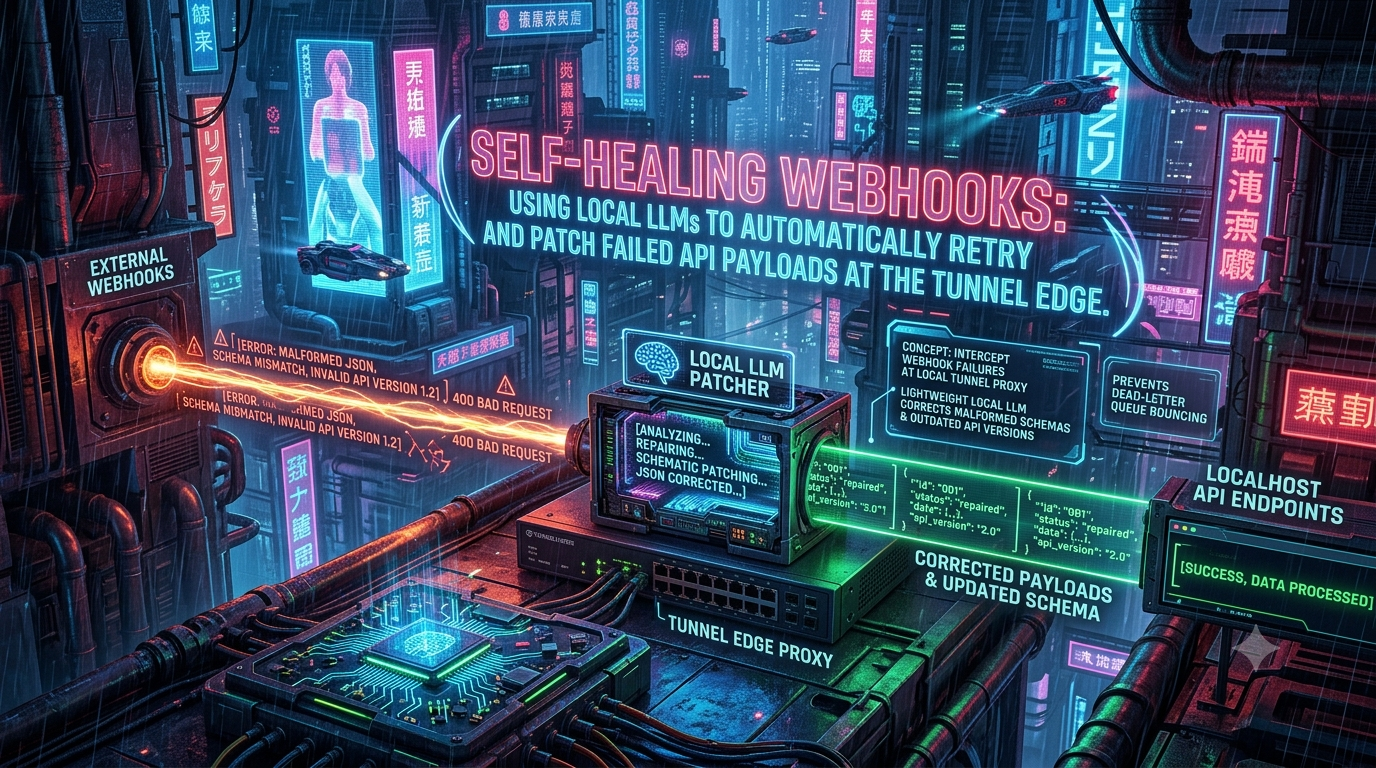
This article describes a development-time pattern: a small proxy sits between your tunnel and your app, catches validation failures (400/422), asks a local language model to repair the payload, and retries once. It covers what this can and cannot fix, how it interacts with webhook signatures, and where it is the wrong tool. Facts about providers and tools were checked against their documentation in October 2026. They change, so re-check before you rely on them.
1. Why webhooks fail in local development
Common failure modes
- API version drift. Stripe pins webhook payloads to an API version. Per Stripe’s versioning docs, events use the version set when the webhook endpoint was created, or the account default if none was set. Stripe versions are date-based and now carry release names, for example
2024-12-18.acacia,2025-08-27.basil, and2026-09-30.endive. Monthly releases within a named release are backward-compatible, while a new major release can include breaking changes. A common local failure is a mismatch: your SDK pins one version, while the endpoint, and therefore the payload, uses another. - Type mismatches. An ID or amount arrives as a string where your validator expects an integer, or the reverse.
- Missing or renamed fields. A required field is absent, or a deprecated key has been replaced.
- Malformed bodies. Rare in practice, but a truncated or badly escaped JSON body will fail parsing before any schema check runs.
- Local strictness. Your dev handler may validate more strictly than the code the provider’s sample payloads were written against.
What providers do when your endpoint rejects an event
| Provider | Automatic retries | Manual recovery |
|---|---|---|
| Stripe | In live mode, up to 3 days with exponential backoff. In a sandbox, three attempts over a few hours. Stripe retries on non-2xx responses. | stripe events resend <event_id> --webhook-endpoint=<endpoint_id> works for events up to 30 days old, per Stripe’s docs. |
| GitHub | None. GitHub does not automatically redeliver failed deliveries. | Redeliver from the webhook’s “Recent deliveries” list, or via the REST API, for deliveries from the past 3 days. |
Two details matter for this design. First, retrying an event whose payload is incompatible with your handler produces the same rejection each time, so a 422 caused by a schema mismatch will not fix itself. Second, there is no universal “dead-letter queue” at the provider. A DLQ is something you build, or get from a webhook gateway. GitHub, for instance, simply records the failure.
Timing matters too. GitHub expects a 2xx response within 10 seconds and treats a slower response as a failed delivery. Stripe tells you to return a 2xx quickly. Any approach that adds a model call to the request path has to respect these limits.
Try the simpler tools first
Before adding a model, consider what already exists:
- Replay. ngrok’s Traffic Inspector lets you replay a captured request instead of waiting for the provider to retry. The Hookdeck CLI forwards events to localhost, keeps failed events queued, and lets you retry them from its dashboard or terminal UI. The Stripe CLI can forward events to a local endpoint with
stripe listen --forward-to localhost:4242/webhook, with no tunnel needed. - Transformations. Hookdeck’s transformations modify an event’s payload structure and headers in transit. This is the deterministic version of what this article builds.
- Fixing the handler. If the provider’s payload is correct and your code is wrong, the right fix is in your code.
An LLM patch is useful in a narrower case. You want to keep testing a flow against a payload you cannot easily regenerate, and you want a logged diff showing exactly how the payload and your schema disagree.
2. Architecture: a healing proxy between the tunnel and your app
A tunnel carries traffic from a public URL to your machine. Neither ngrok nor cloudflared is built to call a language model for you. ngrok’s Traffic Policy is organized around rules and actions such as verify-webhook, and cloudflared is a general-purpose tunnel. So the repair step belongs in a small proxy that you control, placed between the tunnel agent and your application:
[ Webhook provider ]
        │  POST /webhook
        ▼
[ Public tunnel URL (ngrok / cloudflared / other) ]
        │
        ▼
[ Healing proxy  :3001 ] ──(on 400/422)──► [ Ollama :11434 ]
        │                                        │
        │◄────────── patched JSON ───────────────┘
        ▼
[ Your app  :3000 ]
You point the tunnel at the proxy rather than the app, for example ngrok http 3001 or cloudflared tunnel --url http://localhost:3001.
Request lifecycle
- The proxy forwards the original request, unchanged, to your app.
- If the app answers
2xx, or any status other than400or422, the proxy returns that response as-is. - On
400/422with a JSON body, the proxy sends the payload and the app’s error text to a local model. - The proxy checks the model’s output against guardrails (section 5). If the check fails, it discards the patch and returns the original error.
- If the check passes, it retries once with the patched body and returns the retry response if it succeeds.
- It logs the diff, so you can fix the real mismatch in your code or schema.
This works best in layers. If you use ngrok, its verify-webhook Traffic Policy action can validate the provider’s signature at the edge, for more than 50 providers, and rejects failures with a 403 before they reach your machine. Verify first, then heal.
3. Choosing and constraining the local model
Runtime and models
Ollama serves a REST API on http://localhost:11434 by default, and it binds to 127.0.0.1 unless you change OLLAMA_HOST. Keep it on loopback. For this narrow task, small models are enough. Sizes from the Ollama README for common options:
| Model | Parameters | Download size |
|---|---|---|
| Llama 3.2 | 3B | about 2.0 GB |
| Phi-4 Mini | 3.8B | about 2.5 GB |
| Gemma 3 | 4B | about 3.3 GB |
| Llama 3.1 | 8B | about 4.7 GB |
Note that “Llama 3” proper has 8B and 70B sizes. The 1B and 3B sizes are Llama 3.2. Phi-3 is still in the library but has been succeeded by Phi-4 and Phi-4 Mini, and the library keeps adding families such as Gemma 4 and Qwen 3.5. Run ollama list and test two or three candidates on your own payloads, because the right choice depends on your hardware.
Constrain the output, then validate it anyway
Ollama’s format parameter accepts a JSON schema, which makes the runtime constrain generation to that shape. Ollama’s structured outputs documentation also recommends passing the schema in the prompt text to ground the model. It notes that structured outputs are not supported on Ollama’s cloud service, so this applies to local runs. llama.cpp offers the same capability through a json_schema request field or a hand-written GBNF grammar.
Constrained decoding guarantees the output parses and matches the schema. It does not guarantee the content is right. A few practical points:
format: "json"alone only asks for JSON. With small models, pass an actual schema where you have one, and validate the result against it.- Set
temperature: 0and a fixedseed. This reduces run-to-run variation but does not fully eliminate it. - A schema tells the model what shape is allowed. It cannot tell the model what value is true.
4. A minimal healing proxy
The sketch below is dependency-free Node.js (v20 or later). It is an illustration, not production code. I ran it against a mock app and a mock model to check its control flow: a successful heal, and a vetoed patch. You should test it against your real Ollama model and handler.
// heal-proxy.mjs
import http from "node:http";
import crypto from "node:crypto";

const APP = process.env.APP_URL ?? "http://127.0.0.1:3000";
const OLLAMA = process.env.OLLAMA_URL ?? "http://127.0.0.1:11434";
const MODEL = process.env.HEAL_MODEL ?? "llama3.2";
const DEV_SECRET = process.env.DEV_SIGNING_SECRET ?? "dev-only-secret";
const PORT = Number(process.env.PORT ?? 3001);
const HEALABLE = new Set([400, 422]);
const PROTECTED = [/^id$/i, /_id$/i, /amount/i, /uuid/i]; // may be re-typed, never re-valued

const SYSTEM = `You repair JSON webhook payloads. You receive {"payload": ..., "validation_error": ...}.
Change only the fields named in validation_error. Never change identifiers, amounts or timestamps.
Reply with the complete corrected payload as JSON and nothing else.`;

const readBody = (req) =>
  new Promise((resolve, reject) => {
    const chunks = [];
    req.on("data", (c) => chunks.push(c)).on("end", () => resolve(Buffer.concat(chunks))).on("error", reject);
  });

function forward(path, method, headers, body) {
  const h = { ...headers };
  for (const k of ["host", "content-length", "connection"]) delete h[k];
  return fetch(APP + path, { method, headers: h, body });
}

function leaves(v, path = "", out = {}) {
  if (v && typeof v === "object") for (const [k, x] of Object.entries(v)) leaves(x, path ? `${path}.${k}` : k, out);
  else out[path] = v;
  return out;
}

// Returns a reason string if the patch should be rejected, otherwise null.
function guard(original, patched, errorText) {
  const a = leaves(original), b = leaves(patched);
  const changed = [...new Set([...Object.keys(a), ...Object.keys(b)])].filter((p) => a[p] !== b[p]);
  if (changed.length === 0) return "model returned an unchanged payload";
  for (const p of changed) {
    const leaf = p.split(".").pop();
    const isProtected = PROTECTED.some((re) => re.test(leaf));
    if (isProtected && !(p in a && p in b && String(a[p]) === String(b[p]))) return `protected field touched: ${p}`;
    if (!errorText.includes(leaf)) return `${p} is not mentioned in the validation error`;
  }
  return null;
}

async function heal(payload, errorText) {
  const res = await fetch(`${OLLAMA}/api/chat`, {
    method: "POST",
    headers: { "content-type": "application/json" },
    body: JSON.stringify({
      model: MODEL,
      stream: false,
      format: "json",
      options: { temperature: 0, seed: 7 },
      messages: [
        { role: "system", content: SYSTEM },
        { role: "user", content: JSON.stringify({ payload, validation_error: errorText }) },
      ],
    }),
    signal: AbortSignal.timeout(8000),
  });
  const data = await res.json();
  return JSON.parse(data.message.content);
}

http
  .createServer(async (req, res) => {
    const raw = await readBody(req);
    let upstream = await forward(req.url, req.method, req.headers, raw);
    let body = Buffer.from(await upstream.arrayBuffer());

    if (HEALABLE.has(upstream.status) && /json/.test(req.headers["content-type"] ?? "")) {
      try {
        const original = JSON.parse(raw.toString("utf8"));
        const errorText = body.toString("utf8").slice(0, 2000);
        const patched = await heal(original, errorText);
        const veto = guard(original, patched, errorText);
        if (veto) {
          console.warn("[heal] vetoed:", veto);
        } else {
          const patchedRaw = Buffer.from(JSON.stringify(patched));
          const headers = { ...req.headers, "x-auto-patched": "true" };
          for (const k of ["stripe-signature", "x-hub-signature", "x-hub-signature-256"]) delete headers[k];
          headers["x-dev-signature"] =
            "sha256=" + crypto.createHmac("sha256", DEV_SECRET).update(patchedRaw).digest("hex");
          const retry = await forward(req.url, req.method, headers, patchedRaw); // exactly one retry
          console.log("[heal] retry status", retry.status, "patch:", JSON.stringify(patched));
          if (retry.ok) {
            upstream = retry;
            body = Buffer.from(await retry.arrayBuffer());
          }
        }
      } catch (err) {
        console.warn("[heal] skipped:", err.message);
      }
    }

    const out = {};
    upstream.headers.forEach((v, k) => {
      if (!["content-encoding", "content-length", "transfer-encoding", "connection"].includes(k)) out[k] = v;
    });
    res.writeHead(upstream.status, out).end(body);
  })
  .listen(PORT, "127.0.0.1", () => console.log(`heal proxy on :${PORT} -> ${APP}`));
What the guardrails do
- One retry only. There is no loop. If the patched request also fails, the original failure is returned, and the provider sees what it would have seen anyway.
- Protected fields. Identifiers and amounts can be re-typed (
"4900"to4900) but never re-valued. - Error-grounded edits. The model may only touch fields named in your app’s validation error. This blocks creative rewrites of unrelated data.
- A time limit. The model call aborts after 8 seconds, and any failure falls through to the original response.
- Loopback only. The proxy listens on
127.0.0.1, and the tunnel agent runs on the same machine.
5. Prompting and a worked example
The system prompt above is deliberately short and restrictive. Keep three things in mind when you adapt it:
- Describe the task as editing, not generating: “change only the fields named in the error.”
- Give the model your app’s actual error text. It is the most reliable signal you have.
- Where possible, pass your real JSON schema in the
formatfield instead of relying on the prompt alone.
Here is a hypothetical custom event (not a real Stripe event) rejected by a local handler:
{
  "event": "subscription.updated",
  "data": {
    "customer_id": "cust_99281",
    "amount_due": "4900",
    "status": "active"
  }
}
The handler responds with 422: ValidationError: amount_due must be an integer, received string. Missing required field 'currency'. In my test run, the proxy produced this patched body and the retry succeeded:
{
  "event": "subscription.updated",
  "data": {
    "customer_id": "cust_99281",
    "amount_due": 4900,
    "status": "active",
    "currency": "usd"
  }
}
The two edits are not equally trustworthy. Converting "4900" to 4900 is mechanical. The currency value is a guess. The model had no information that the currency is USD, and the guard allowed the edit only because the error mentioned the field. In a development sandbox that may be fine. For anything payment-related, invented values are exactly what you do not want. Two mitigations follow from this:
- Do the mechanical fixes without a model. Type coercion against a JSON schema is deterministic and can run first. Use the LLM only for what remains.
- Do not let the model invent required values. Either supply defaults from config, so a person decides what a missing
currencymeans, or reject the patch and surface the diff for review.
6. Signatures: the part that breaks if you ignore it
Providers sign the exact raw bytes of the request body, so any change invalidates the signature.
- Stripe sends a
Stripe-Signatureheader of the formt=<timestamp>,v1=<signature>. The signature is an HMAC-SHA256 over the timestamp and the raw body. Client libraries also reject events whose timestamp is outside a tolerance window, commonly five minutes. - GitHub sends
X-Hub-Signature-256, an HMAC-SHA256 hex digest prefixed withsha256=. The olderX-Hub-Signatureheader uses SHA-1 and is kept only for legacy reasons.
Because of this, a healing proxy cannot pass the original signature through with a modified body. A safer pattern than disabling verification is:
- Verify the original at the edge, against the untouched raw body. ngrok’s
verify-webhookaction does this and also checks the timestamp to guard against replay. Alternatively, verify in the proxy before healing. - Heal, but only after verification succeeds.
- Strip the provider’s signature headers from the patched request and add your own development signature over the new body, plus a marker header such as
X-Auto-Patched: true. The sketch above does this. - Accept the dev signature only in development. Your handler should verify the provider signature normally, and accept the dev signature only when running locally. Never ship that bypass to staging or production.
This keeps the property that matters: only authenticated provider traffic can ever be healed.
7. Security, privacy, and performance
What “local” does and does not protect
Running the model locally means failing payloads are not sent to a third-party AI API. That is a real benefit when payloads contain personal data. It is not the whole picture:
- The tunnel provider still carries the payload between the provider and your machine, and may log it depending on its settings.
- The proxy and model run with your user’s permissions, so treat the machine as part of the trust boundary.
- Keep Ollama bound to loopback. Binding it to
0.0.0.0exposes an unauthenticated model server to your network. - Whether sending data to a hosted LLM raises compliance issues (GDPR, SOC 2, HIPAA) depends on your contracts and data classification. It is a question to ask, not an automatic violation. Using synthetic or test-mode data in development avoids the question entirely.
Payloads are untrusted input
A webhook body is attacker-influenced text. If a string field contains instructions, a model may follow them. Output constraints, the field-level diff guard, and the protected-field list reduce the risk, but they do not remove it. Do not give the model tools, and never execute or interpolate its output anywhere except as the JSON body it was asked for.
Latency and timeouts
- A cold model load takes time. Ollama keeps a model in memory for five minutes after last use by default, and
keep_alivechanges that. - GitHub gives you 10 seconds in total, so budget the model call accordingly. The sketch aborts at 8 seconds.
- If your handler takes long, consider acknowledging the provider immediately with a
2xxand running heal-and-retry in the background. The trade-off is that the provider no longer sees your real handler result. For local development, that is often acceptable.
Circuit breaker
Limit healing to one attempt per delivery, as above. If you receive repeated failures from the same event type, stop healing it and investigate. At that point the diff log is telling you your code or schema is out of date.
8. Where this pattern fits, and where it does not
It fits when:
- you are developing against a provider and need to keep a flow moving despite a payload mismatch;
- you want automatic, logged evidence of how a provider’s payloads differ from your schema;
- the fixes are small and structural (types, renamed keys, absent optional fields).
It does not fit when:
- the system handles real money, entitlements, or security decisions. Never “heal” payloads in production;
- the real fix is to pin the endpoint’s API version and upgrade deliberately. With Stripe, test a new version before committing, and make the webhook endpoint’s version match your SDK’s;
- a deterministic transformation (schema coercion, or a gateway transformation such as Hookdeck’s) would do the job without model risk.
The most durable benefit is the diff log. Each logged patch is a precise, timestamped record of where an upstream API and your code disagree. Turn those entries into tickets, update the handler or schema, and the healing step will eventually have nothing left to do.
9. Conclusion
Webhook failures in development are mostly mismatches between what a provider sends and what your handler accepts. Providers will not repair them for you. Stripe retries the same payload for up to three days in live mode, and GitHub does not retry at all. A small proxy that catches 400/422 responses, asks a local model for a minimal, schema-constrained fix, checks that fix against hard guardrails, retries once, and logs the diff can keep a development loop moving.
It is a convenience for development, not a substitute for correct handlers, pinned API versions, or signature verification. Verify the original first, keep the model’s authority narrow, treat everything it produces as a guess, and use the diffs it generates to fix the real problem.
Sources
- Stripe: Webhooks and event retries
- Stripe: API versioning
- GitHub: Best practices for using webhooks
- GitHub: Redelivering webhooks
- GitHub: Validating webhook deliveries
- ngrok: Verify Webhook Traffic Policy action
- ngrok: Receive and inspect webhooks locally
- Ollama: Structured outputs
- Ollama: Model library and README
- llama.cpp: GBNF grammars
- Hookdeck: Basics and transformations
- Hookdeck CLI
Related InstaTunnel pages
Continue from this article into the most relevant product guides and workflows.
Related Topics
Keep building with InstaTunnel
Read the docs for implementation details or compare plans before you ship.