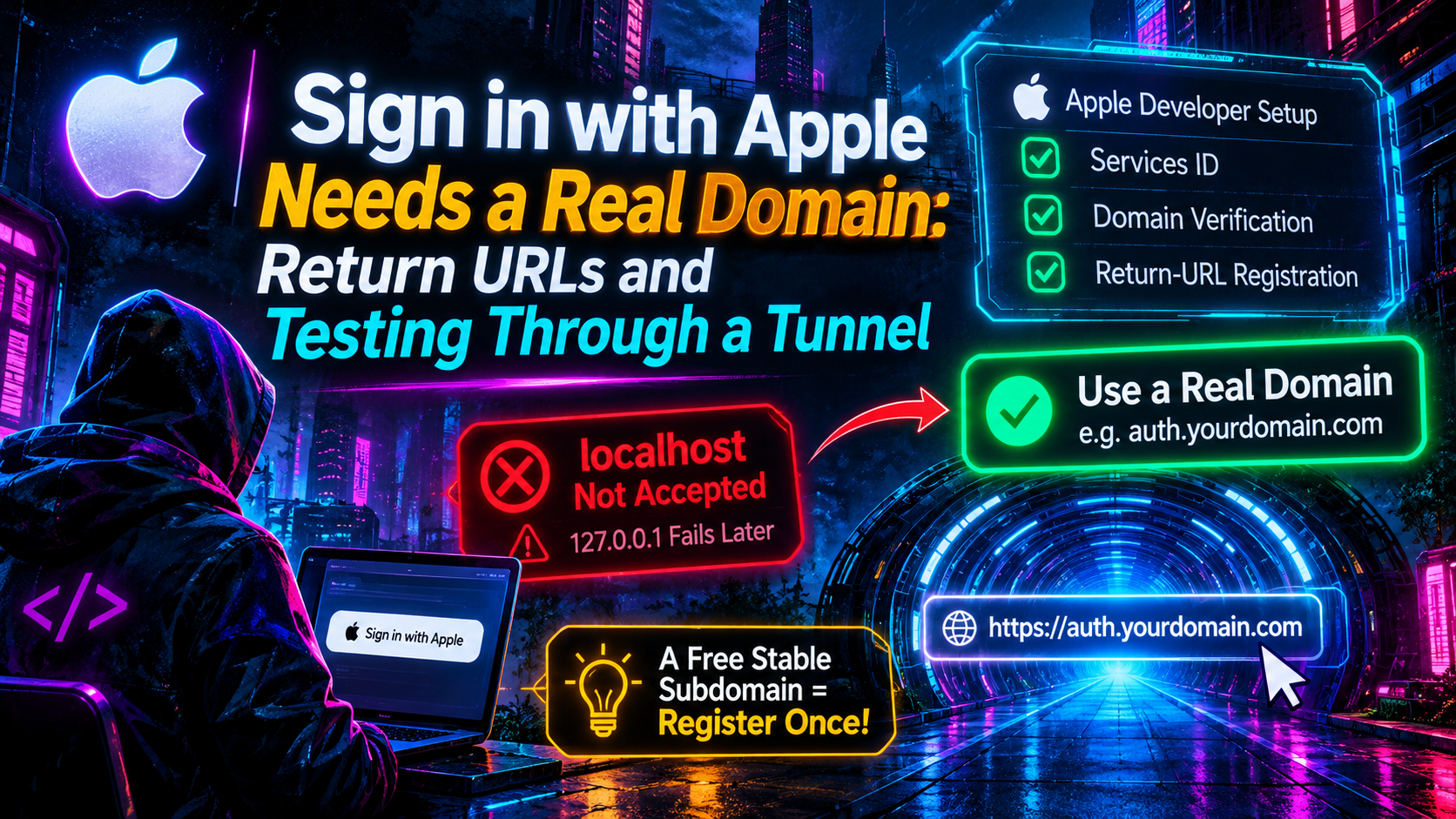
Sign in with Apple Needs a Real Domain: Return URLs and Testing Through a Tunnel
Apple rejects localhost as a Sign in with Apple return URL. Learn Services ID setup, domain verification, and how a stable tunnel subdomain fixes testing.
Quick answer
Sign in with Apple Return URL: Test Localhost via Tunnel: quick comparison answer
Choose the tunnel tool based on the network model: public HTTPS URLs for webhooks and demos, private mesh access for internal apps, and managed infrastructure when policy controls matter most.
Which tunnel tool is best for public webhook testing?
Use a public HTTPS localhost tunnel with stable URLs. InstaTunnel focuses on webhook testing, demos, OAuth callbacks, and MCP endpoint workflows.
When should I choose a private network tool instead?
Choose a private mesh or Zero Trust tool when every user and service should stay inside a controlled private network.
If you have wired up Google or GitHub login, you probably tested it on http://localhost:3000 without a second thought. Then you tried Sign in with Apple, and the flow fell apart. There is no localhost return URL to register, some errors are not very specific, and the usual workaround is to put a tunnel such as ngrok in front of your dev server.
That workaround works, but it skips the part that costs you time: every time your tunnel URL changes, the entry you created in the Apple Developer portal is wrong again. This guide explains why Sign in with Apple needs a public HTTPS domain, what you must register, how to test through a tunnel, and why a stable subdomain turns a recurring chore into a one-time setup.
It covers the OAuth 2.0 / OpenID Connect web flow (Services ID, return URLs, form_post callbacks), not native iOS sign-in.
Quick answers
- Can I use
http://localhostas a return URL? In practice, no. Apple’s documentation requires each return URL to be absolute (scheme, host and path) and shows anhttps://example. Okta’s walkthrough and one PHP client’s FAQ both report that Apple rejects localhost. - Does
127.0.0.1work? Okta reports that an IP address like this can be entered but fails later in the flow. - Do I still need to upload a verification file? Apple’s current help page says you don’t need to upload a file to register domains and subdomains.
- Easiest local test? Expose your dev server through an HTTPS tunnel, and register a hostname that stays the same between restarts.
Why localhost does not work
Apple’s documentation says the Sign in with Apple servers use return URLs (also called redirect URIs) to deliver the authorization response or to validate tokens. Because of that, each registered URL must be absolute and include the scheme, host and path. Apple’s example is https://example.com/path/to/endpoint.
Apple’s pages don’t spell out a localhost ban, so the rule comes from third parties. Okta’s 2019 walkthrough says Apple doesn’t allow localhost URLs in the registration step and that an IP address like 127.0.0.1 fails later in the flow. An Apple Developer Forums thread about registering http://localhost/oauth2/apple quotes that passage. Treat that thread as a developer’s question quoting Okta, not as an Apple ruling. A PHP client library’s FAQ (last released in 2020) agrees: it says Apple doesn’t allow localhost or non-HTTPS redirect URLs even during testing, and suggests a tunnel such as ngrok or a redirect-intercepting browser extension.
Either way, the plan is the same: use a public HTTPS hostname from day one.
What you must register
The web flow needs four things in Certificates, Identifiers & Profiles:
- A primary App ID with Sign in with Apple enabled. Apple’s documentation describes the web service as being associated with an existing app that uses Sign in with Apple.
- A Services ID, which is your OAuth
client_id. - Website URLs on the Services ID: your domain or subdomain, plus the return URL.
- A private key (
.p8) tied to the primary App ID, used to sign your client secret. Each primary app can have at most two private keys, and you can download the file only once.
The most common mistake is the client_id. For web requests Apple expects the Services ID, not the iOS App ID. In a forum thread about a rejected redirect_uri, an Apple staff reply explained that the primary app’s ID has no return URLs registered, so a request that carries one fails validation. Auth0’s support article lists the same cause for invalid_request Invalid web redirect url, alongside a wrong redirect URI in the Apple settings.
You can register up to 10 website URLs per Services ID as an individual, or 100 as an organization. That cap matters once random tunnel hostnames enter the picture.
Domain verification: the old file is gone
Older tutorials tell you to host apple-developer-domain-association.txt under /.well-known/. Forum threads from that period show “Verification failed for domain” errors. Reported causes include a redirect from the apex domain to www, and a stale file (one reply relayed Apple support saying a downloaded file was valid for only 7 days).
That workflow is outdated. Apple’s current help page says you don’t need to upload a file on your server to register domains and subdomains, and developers who configured Sign in with Apple more recently report finding no download link at all. One caveat: Apple’s separate configuration article still says you must register and verify your domains, so treat the help page as the current instruction for the portal steps.
Two details trip people up in the Website URLs field:
- Enter domains and subdomains without a scheme:
myapp-auth.instatunnel.my. Replit’s guide gives the same instruction. - Enter return URLs with scheme and path:
https://myapp-auth.instatunnel.my/auth/apple/callback.
Apple says to provide domains, subdomains and return URLs as comma-delimited lists, and that at least one domain or subdomain is required.
Setup, step by step
- Choose your public hostname first. Changing it later means editing the Services ID again.
- Enable the capability on your primary App ID.
- Create a Services ID with a reverse-DNS identifier such as
com.example.web. - Configure Sign in with Apple on it: select the primary App ID, then add the subdomain and return URL.
- Create a key with Sign in with Apple enabled, tied to the primary App ID. Download the
.p8file and note the Key ID. Treat it like a production secret. - Collect four values: Team ID, Services ID, Key ID, and the key contents.
The tunnel problem: random URLs mean constant re-registration
Developers have made Sign in with Apple work through ngrok by registering the tunnel hostname in the Services ID and using the matching redirect URI in their code, as one forum thread describes. The catch appears with tunnels that hand out a new random hostname on each run:
- You start the tunnel and get
a1b2c3.tunnel.example. - You edit the Services ID in the portal, add the hostname and return URL, and save.
- You update
redirect_uriin your environment file. - Tomorrow the tunnel restarts, and all of it is wrong again.
Unless you prune old entries, each cycle adds another one, and the 10 or 100 URL cap fills with dead hostnames. When the hostname is the only thing that changed between a working run and a broken one, you can chase the wrong cause for an hour.
A tunnel with a persistent subdomain removes the problem at the source.
A better workflow: register one stable subdomain, once
Here is the flow with InstaTunnel as the example. Install the CLI and request a fixed subdomain:
npm install -g instatunnel
instatunnel 3000 --subdomain myapp-auth
# Tunnel created: https://myapp-auth.instatunnel.my
InstaTunnel’s package README lists custom subdomains, 24+ hour sessions and three simultaneous tunnels on the free tier. It also describes a --logs option for live request logs. Check the pricing page before relying on specific limits, since plans change. What matters here is that you can request the same --subdomain every time, provided the name is available to you.
Register it once in the portal:
- Domain/subdomain:
myapp-auth.instatunnel.my - Return URL:
https://myapp-auth.instatunnel.my/auth/apple/callback
After that, restarting the tunnel changes nothing Apple knows about. Your .env and Services ID stay put. Two habits help: use one subdomain per project, and if you ever release a subdomain, remove it from the Services ID so a hostname you no longer control is not left on the allowed list.
Building the callback
1. Request authorization
Apple’s endpoint is https://appleid.apple.com/auth/authorize. If you request the name or email scope, you must set response_mode=form_post. An Apple forum post says that without it you get an error about missing or unsupported parameters or an invalid redirect URL.
https://appleid.apple.com/auth/authorize
  ?client_id=com.example.web
  &redirect_uri=https%3A%2F%2Fmyapp-auth.instatunnel.my%2Fauth%2Fapple%2Fcallback
  &response_type=code%20id_token
  &scope=name%20email
  &response_mode=form_post
  &state=RANDOM_STATE
  &nonce=RANDOM_NONCE
2. Accept a POST, not a GET
With form_post, Apple sends an HTTP POST with an application/x-www-form-urlencoded body to your return URL. Many callbacks only read the query string and receive nothing. The user field, when present, is a JSON string. In Express:
import express from "express";
const app = express();
app.use(express.urlencoded({ extended: false }));

app.post("/auth/apple/callback", async (req, res) => {
  const { code, id_token, state, user } = req.body;
  // `user` (first authorization only) is a JSON string: JSON.parse it
  // and sanitize the names before storing.
  // Check `state`, exchange `code` at /auth/token,
  // then verify id_token (issuer, audience, signature, nonce).
  res.redirect("/");
});
Apple says the authorization code is single-use and valid for five minutes.
This POST arrives cross-site, and browsers do not send SameSite=Lax cookies on cross-site POST requests. A session cookie holding your state may therefore be missing. Mark that cookie SameSite=None; Secure, or keep state server-side. Chrome has had a temporary two-minute exception for cookies set without any SameSite attribute, but it is slated for removal, so don’t build on it.
3. Generate the client secret
Apple has no static secret. You sign a JWT with your .p8 key using ES256, as Okta’s explainer and Microsoft’s Azure docs describe: Team ID as issuer, Services ID as subject, https://appleid.apple.com as audience, and the Key ID in the kid header. Apple does not accept an expiration more than six months out.
import { SignJWT, importPKCS8 } from "jose";

export async function appleClientSecret() {
  const key = await importPKCS8(process.env.APPLE_PRIVATE_KEY, "ES256");
  return new SignJWT({})
    .setProtectedHeader({ alg: "ES256", kid: process.env.APPLE_KEY_ID })
    .setIssuer(process.env.APPLE_TEAM_ID)
    .setSubject(process.env.APPLE_SERVICES_ID)
    .setAudience("https://appleid.apple.com")
    .setIssuedAt()
    .setExpirationTime("30d")
    .sign(key);
}
4. Exchange the code
POST the code to https://appleid.apple.com/auth/token. Okta’s walkthrough notes that Apple requires a User-Agent header on that request and returns a 403 without one, so set one if your HTTP client doesn’t. The ID token’s issuer is https://appleid.apple.com. Apple publishes its signing keys at https://appleid.apple.com/auth/keys; the endpoint can return several keys, so pick the one whose kid matches the token header. Validate issuer, audience (your Services ID), expiry, signature and nonce.
A quick end-to-end test checklist
Once the tunnel is running, walk the flow in this order so a failure points at one layer:
- Open
https://myapp-auth.instatunnel.myin a browser and confirm your dev server answers over HTTPS. - Click your Sign in with Apple button and confirm the Apple sign-in page loads. If you get
invalid_requesthere, suspect registration (Services ID, return URL,client_id) before your callback code. - Complete sign-in and confirm a POST reaches
/auth/apple/callback. Your tunnel’s request log (InstaTunnel’s--logs, for example) shows whether Apple’s request arrived at all. - Confirm
statematches the stored value, then check the code exchange response from/auth/token. - Decode the ID token and check issuer, audience and nonce.
- Repeat with a fresh first-time authorization to confirm you capture name and email once.
Gotchas that waste the most time
- The
userobject arrives once. Apple returns it, with the name and email, only the first time someone authorizes your app. The email is also in the ID token on every request. To repeat a true first sign-in, revoke the app in your Apple Account’s Sign in with Apple settings, as Okta’s walkthrough describes. - Names come from the POST body, not the ID token. Apple says it doesn’t receive the full name, so the name is not in the identity token. Sanitize it before storing. The email may be a private relay address; if you send mail to it, Apple’s docs say to register your outbound email domains.
- Do not require an email. Replit’s guide warns that in some regions, including China and India, Apple IDs may be tied to phone numbers instead.
- “Invalid web redirect url” has a short checklist. Auth0’s support article names two causes: the redirect URI in the Apple settings is wrong, or the
client_idis the App ID instead of the Services ID. Also check that the registered return URL matches what you send in every part (scheme, host, path), that it includeshttps://(a forum reply reports that a missing scheme left the popup flow stuck), and that you updated the portal after changing a tunnel hostname. - Popup flow: developers in one forum thread report that with Apple’s JS SDK popup, the redirect URI must use the same fully qualified domain as the page that opens the popup. Browse your app through the tunnel hostname, not localhost.
- Apple has a troubleshooting guide. TN3107, “Resolving Sign in with Apple response errors,” explains
invalid_request,invalid_clientandinvalid_grant. Apple’s DTS engineers have also said server logs are purged periodically, so reproduce the failure recently before contacting them. - A secret can fail early. One thread reports
INVALID_CLIENTthat cleared only after regenerating the client secret, though the six-month limit had not passed. Apple’s engineer asked for more information rather than giving a cause, so treat a fresh secret as a cheap first test, not a diagnosis. - Apple-side incidents happen. In June 2025, a configuration issue on Apple’s side caused
invalid_clientresponses for some developer accounts that created or edited app or Services ID configurations. Apple marked it resolved. If a setup that matches the documentation fails right after you edit the Services ID, check Apple’s developer forums and system status.
Security when testing through a tunnel
A tunnel puts your dev server on the public internet. Always validate state and nonce, since a public callback invites forged requests. Keep the .p8 out of version control; Apple says never to share private keys outside your developer team, and to create a new key and revoke the old one if it is compromised. Consider a separate Services ID for development so test hostnames never sit on your production allowed list. Stop the tunnel when you are not testing.
When a tunnel is the wrong tool
Native iOS and macOS apps use the system sign-in flow and their own App ID rather than web return URLs; a forum thread shows an iOS app’s token audience being the App ID while the web flow’s is the Services ID. For staging, consider a real staging domain on its own Services ID. For CI end-to-end tests, consider mocking Apple’s endpoints instead of calling the live service.
FAQ
Can I register more than one return URL? Yes: up to 10 website URLs for individuals and 100 for organizations, per Services ID.
Why is my callback body empty? You are likely missing the URL-encoded body parser. With form_post, results arrive in the POST body.
How often must I rotate the client secret? Apple rejects secrets that expire more than six months out. If you pre-generate a long-lived secret, regenerate it at least every six months. If you sign a fresh short-lived one in code, as in the example above, there is nothing to rotate.
Conclusion
Sign in with Apple’s web flow is strict: a Services ID as the client, absolute HTTPS return URLs, a self-signed JWT as the secret, and a POST callback. That strictness is why localhost fails and why test setups break on details other providers forgive. Pick a stable public hostname, register it once, handle form_post and cookies correctly, and the Apple portal becomes something you configure on day one and then leave alone.
Sources
- Configure Sign in with Apple for the web (Apple Developer Help)
- Configuring your environment for Sign in with Apple (Apple)
- Request an authorization to the Sign in with Apple server (Apple)
- Fetch Apple’s public key to verify token signatures (Apple)
- TN3107: Resolving Sign in with Apple response errors (Apple)
- Set localhost as return URL (Apple Developer Forums)
- Use response_mode = form_post when requesting name or email scope (Apple Developer Forums)
- Stuck in Sign in With Apple modal flow, ngrok testing (Apple Developer Forums)
- Invalid redirect_uri with a registered URL (Apple Developer Forums)
- Conditions under which a JWT client token expires (Apple Developer Forums)
- Apple Sign In - Verification failed for domain (Apple Developer Forums)
- Is it normal that I was able to set up Sign In With Apple without verifying the domain? (Apple Developer Forums)
- Sign in with Apple Service Outage, June 2025 (Apple Developer Forums)
- Invalid Web Redirect URL Error with Sign In with Apple (Auth0 Community)
- What the Heck is Sign In with Apple? (Okta Developer)
- Configure Sign in with Apple provider (Microsoft Learn)
- Sign-in providers: Apple (Replit Docs)
- apple-sign-in-php-client FAQ (Packagist)
- Understanding SameSite cookies (Andrew Lock)
- Exploring the SameSite cookie attribute for preventing CSRF (Simon Willison)
- InstaTunnel package README (unpkg)
Related InstaTunnel pages
Continue from this article into the most relevant product guides and workflows.
Related Topics
Keep building with InstaTunnel
Read the docs for implementation details or compare plans before you ship.