Slack Classic Apps Didn’t Die on November 16: Events API over HTTP vs Socket Mode (and When You Still Need a Tunnel)
Slack classic apps stopped receiving Events API events on Nov 16. Compare HTTP vs Socket Mode, handle url_verification, and replay delayed events.
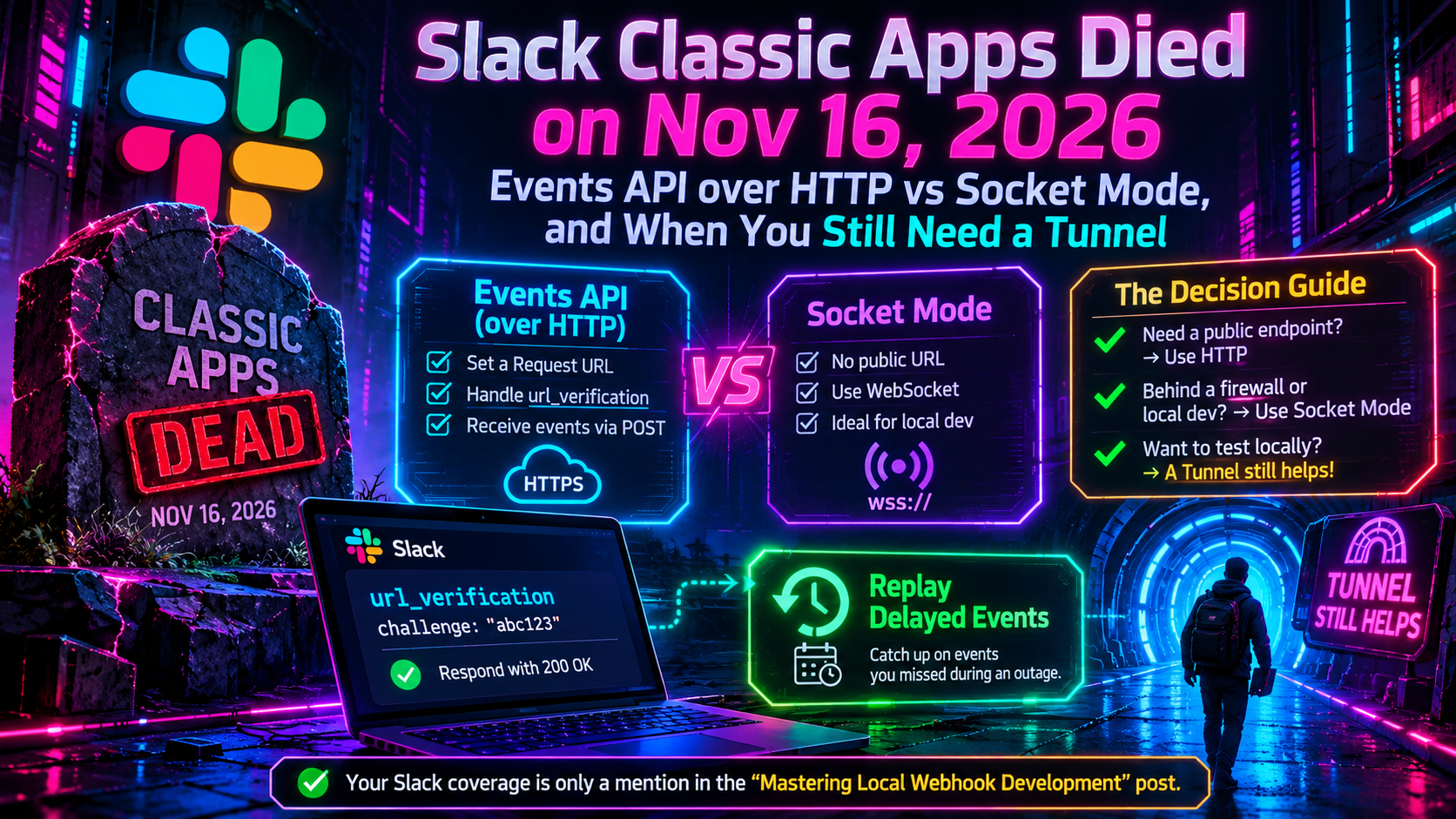
Quick answer
Slack Classic Apps Died Nov 16: Events API vs Socket Mode: quick answer
If free tunnel limits interrupt your workflow, compare session length, stable URLs, concurrent tunnels, and paid-plan pricing before choosing a localhost tunnel tool.
What free tunnel limits should developers check first?
Check session duration, URL stability, concurrent tunnels, custom subdomains, bandwidth or request limits, and whether webhook callbacks survive restarts.
How does InstaTunnel handle longer development sessions?
InstaTunnel Free is designed around 24-hour sessions, with Pro available for higher limits and MCP endpoint tunnel workflows.
If you saw “classic apps stop working on November 16, 2026” in a changelog, a Slack thread or an old blog post, you may have checked your calendar this week with some dread. Here is the short version, checked against Slack’s developer docs on November 19, 2026: the shutdown did not happen. Slack paused the classic apps deprecation on December 8, 2025. It says classic apps will keep working for the foreseeable future.
That doesn’t mean you can ignore the topic. Slack still calls classic apps a legacy method of integrating with Slack, new classic apps can’t be created, and Slack highly recommends migrating to avoid future service interruptions. The engineering question behind the scare is a good one. Once you move to a modern Slack app, how should events reach your code, over HTTP request URLs or Socket Mode? And when do you still need a tunnel on your laptop?
This guide covers the real timeline, a decision framework, the url_verification handshake, the retry rules, and the Delayed Events setting that keeps retrying missed events after your dev machine falls asleep.
What actually happened to Slack classic apps
The November 16, 2026 date was real, but it was never final. Slack moved it three times before pausing the whole thing:
| Date announced | What Slack said |
|---|---|
| September 30, 2024 | Classic apps to be discontinued in September 2025; legacy custom bots on March 31, 2025 |
| November 7, 2024 | Classic apps date moved to March 31, 2026 |
| April 11, 2025 | Date moved to May 25, 2026 |
| July 29, 2025 | Date moved to November 16, 2026 |
| December 8, 2025 | Migration paused; classic apps continue to work |
Slack’s original 2024 announcement now shows the classic-app dates struck through, with a notice that changes relating to classic apps are paused. The original wording said classic apps would be rejected on API calls and would stop receiving Events API events. None of that is currently in force.
Two related facts are worth keeping straight:
- Legacy custom bots are a different story. Slack stopped supporting them on March 31, 2025, and their API calls are rejected. Replacing one means creating a new Slack app.
- “Paused” is not “safe.” Slack still labels classic apps legacy and recommends migrating. The announcement doesn’t promise they will never be retired, so don’t treat the pause as a permanent guarantee.
Why you should still migrate
The core difference between classic apps and modern Slack apps is a more granular set of OAuth scopes. That matters for this article’s topic, because Socket Mode is only available to apps that use granular permissions. If you created your app in December 2019 or later, you already have them. A classic app has to be migrated before you can turn on Socket Mode.
Real-time messaging is the other legacy dependency. Slack apps don’t support the legacy RTM API. Slack’s guidance for legacy bots that used RTM is to move to the Events API, which can deliver most of the same events over HTTP or a WebSocket. If you want to keep an RTM-style pattern, enable Socket Mode, call apps.connections.open to get a URL, open a WebSocket to it, and listen for events.
The platform keeps moving in other ways too. On November 16, 2026, Slack announced that starting February 17, 2027 the Web API will reject GET and HEAD requests that include a request body. Those requests will fail with an HTTP 400, or an HTTP 403 once enforced at the CloudFront edge. Requests without a body and POST requests aren’t affected. Many HTTP libraries add a small body (often an empty {}) to a GET when a body option is set. Slack lists axios with data, Guzzle with json or form_params, and Python requests or aiohttp with data= or json= as common culprits. The fix is to put arguments in the query string and the token in the Authorization: Bearer header.
Two ways Slack delivers events
With the Events API, Slack calls you. You choose one of two delivery paths in your app settings.
HTTP request URLs
You give Slack a public HTTPS endpoint. Slack sends one POST per event, with JSON in the body. Your server must reply with an HTTP 2xx within three seconds. Slack will follow up to two redirects.
Things to know:
- An app has one Events API request URL, so you route events server-side.
- Request URLs are case-sensitive.
- HTTP is required if you plan to submit the app to the Slack Marketplace.
- HTTP is stateless and scales well horizontally. Slack also considers short-lived HTTP connections inherently more reliable than long-lived ones.
- Every request must be verified with your signing secret (see below).
Socket Mode
Your app opens an outbound WebSocket to Slack, so you don’t need a public endpoint. You generate an app-level token (the docs show it as xapp-…) and call apps.connections.open to get a WebSocket URL. That method requires no scopes and must receive the token in the Authorization header. The Bolt frameworks and Slack SDKs handle all of this if you set SLACK_APP_TOKEN.
Things to know:
- An app can hold up to 10 simultaneous WebSocket connections, and payloads may arrive on any of them, so don’t assume a pattern. Slack suggests extra connections for graceful restarts, load balancing and temporary active-active redundancy.
- The WebSocket URL is not static. Connections refresh regularly, roughly every few hours. Slack may send a
warningdisconnect about 10 seconds ahead, then arefresh_requesteddisconnect, so be ready to reconnect to a new URL quickly. Appending&debug_reconnects=trueto the URL shortens the connection to 360 seconds, which makes reconnect logic easy to test. - You acknowledge each event by echoing its
envelope_id. You don’t need to verify signatures, because the socket is pre-authenticated. - Apps using Socket Mode are not currently allowed in the public Slack Marketplace. You can still distribute them across your own Enterprise organization by making the app deployable organization-wide.
- Turning Socket Mode on means events and interactive payloads arrive only over the WebSocket, not HTTP. If your app is live when you flip the switch, you can lose events until the socket connects. Your saved Request URL is kept, and used again if you switch back.
HTTP vs Socket Mode: a decision guide
Slack’s own recommendation is to use Socket Mode while developing locally, and HTTP request URLs once the app is deployed for a team. If your production app doesn’t need Socket Mode, Slack recommends sticking with HTTP, with fewer moving parts. In practice:
| Your situation | Pick | Why |
|---|---|---|
| Public Marketplace app | HTTP | Marketplace requires it |
| Internal tool behind a corporate firewall | Socket Mode | No public HTTP endpoint needed |
| Serverless or autoscaled production | HTTP | Stateless; scales horizontally |
| Laptop prototype, no tunnel available | Socket Mode | Works with just an app-level token |
| Team that wants identical dev and prod paths | HTTP + tunnel | One code path, fewer surprises |
| Extra redundancy on the event feed | Socket Mode with multiple connections | Slack documents this as an option |
One sensible pattern is Socket Mode for each developer’s personal dev app and HTTP in production. Since an app only has one Request URL, giving each developer their own dev app (for example, created from a shared manifest, which can set socket_mode_enabled) avoids everyone fighting over a single URL.
When you still need a tunnel
Socket Mode removes the tunnel for events, but a tunnel still earns its keep in several cases:
- You want dev to match prod. If production uses HTTP, testing signature verification, retry handling and response timing locally means exposing a real HTTPS endpoint.
- You’re building toward the Marketplace. HTTP is mandatory there, so exercise that path before submission.
- You’re testing retries and Delayed Events. Those behaviors belong to HTTP delivery. A tunnel lets you stop your server on purpose and watch Slack retry.
- You have other public URLs to expose. Webhooks from third-party services you integrate with need a reachable address no matter how Slack events arrive.
- You share a dev environment. A teammate or QA reviewer can hit your running endpoint without a VPN.
The practical requirement is a stable HTTPS URL. Slack must confirm a Request URL before you can save it, so every time your tunnel URL changes you have to update the field and pass verification again. Look for a tunnel that offers a reserved or custom subdomain, which many tunneling tools do, sometimes only on paid tiers. Then you register the URL once and move on.
The url_verification challenge
When you enter a Request URL, Slack sends an HTTP POST with an application/json body containing three fields: type set to url_verification, a random challenge string, and a deprecated token. Slack won’t let you save the URL until you answer correctly.
Reply with HTTP 200 and the challenge value. Slack accepts any of three formats:
- Plain text containing the challenge string
application/x-www-form-urlencodedwith achallengeparameter- JSON like
{"challenge": "..."}
Practical notes:
- Slack verifies your SSL certificate during this step.
- If your dev server was asleep and the first attempt timed out, use the Retry button in the form.
- This handshake happens at configuration time, so treat it as a special case at the top of your handler.
- The
tokenfield is deprecated. For real events, verify requests with your signing secret.
Signing works like this. Slack adds X-Slack-Signature and X-Slack-Request-Timestamp headers. You build the base string v0:<timestamp>:<raw body>, compute an HMAC SHA-256 hex digest with your signing secret, prefix it with v0=, and compare it to the header using a constant-time comparison. Slack’s example rejects requests whose timestamp is more than five minutes from local time, to guard against replay attacks.
Here is a minimal Express handler that verifies the signature, answers the challenge, acknowledges immediately, and defers the real work:
import express from "express";
import crypto from "node:crypto";

const app = express();

app.post(
  "/slack/events",
  express.raw({ type: "application/json" }), // keep the raw body for signing
  (req, res) => {
    const ts = req.header("x-slack-request-timestamp");
    const sig = req.header("x-slack-signature");
    if (!ts || !sig || Math.abs(Date.now() / 1000 - Number(ts)) > 60 * 5) {
      return res.sendStatus(401);
    }

    const raw = req.body.toString("utf8");
    const mine =
      "v0=" +
      crypto
        .createHmac("sha256", process.env.SLACK_SIGNING_SECRET)
        .update(`v0:${ts}:${raw}`)
        .digest("hex");

    const a = Buffer.from(mine);
    const b = Buffer.from(sig);
    if (a.length !== b.length || !crypto.timingSafeEqual(a, b)) {
      return res.sendStatus(401);
    }

    const payload = JSON.parse(raw);

    if (payload.type === "url_verification") {
      return res.type("text/plain").send(payload.challenge);
    }

    res.sendStatus(200); // acknowledge inside 3 seconds
    enqueue(payload);    // your queue: do the real work elsewhere
  }
);
The classic setup bug is a signature mismatch caused by parsing the body into JSON before computing the HMAC. Slack’s docs say to use the raw request body, before it has been deserialized. Bolt for JavaScript, Python and Java include built-in request verification, so if you use a Bolt framework you get this for free.
Acknowledge fast: retries and failure limits
Slack’s delivery rules are the part most likely to bite a local developer:
- Respond within three seconds with a 2xx. Otherwise the attempt counts as failed.
- Three retries follow a failure: nearly immediately, after one minute, and after five minutes.
- Each retry carries an
x-slack-retry-numheader (1, 2 or 3) and anx-slack-retry-reasonheader. Documented reasons arehttp_timeout,too_many_redirects,connection_failed,ssl_error,http_errorandunknown_error. - Return
x-slack-no-retry: 1on a failing response if you don’t want that specific event redelivered. Other events are unaffected. - Auto-disable: if more than 95% of delivery attempts fail within 60 minutes (certificate errors, timeouts, too many redirects, or non-2xx responses), Slack temporarily disables your event subscriptions and emails the app’s owner. Retries count against this limit. Apps receiving fewer than 1,000 events per hour are not automatically disabled, which covers most dev apps.
- Rate limit: deliveries max out at 30,000 per workspace, per app, per 60 minutes. Beyond that you receive
app_rate_limitedevents every minute.
Because retries mean the same event can arrive more than once, deduplicate on event_id, which Slack documents as globally unique across all workspaces. The retry header only tells you an attempt is a retry. It won’t tell you whether you already processed the original.
The three-second rule is why LLM calls, database writes and API fan-outs should never run inline. Acknowledge, enqueue, process.
Delayed Events: more retries for missed events
Slack’s default behavior is that if your app doesn’t acknowledge an event, Slack makes its three retries over a few minutes and then stops. Separately, the Events API is described as a best-effort system, and delivery can be delayed during incidents. During a February 26–27, 2025 Events API incident, Slack paused the Events API queue to mitigate a concurrent outage. It chose not to replay the resulting backlog. Its stated reasons were that app event handling often depends on timely delivery for correctness, and that it wanted to avoid overloading its own systems and third-party systems with a surge.
On February 5, 2026, Slack announced Delayed Events. Here is what the docs say it does:
- With it enabled, Slack follows the three standard retries with hourly retries for 24 hours.
- By default, Slack won’t attempt to deliver an event that is more than two hours late. With the feature on, it attempts delivery regardless of how late the event is.
- You enable it in your app settings: Event Subscriptions → Delayed Events. It is a toggle, not a replay API you call.
The laptop-went-to-sleep scenario
Say you close your laptop at 6 p.m. and open it at 9 a.m.
- Delayed Events off: each event from the evening exhausts its three retries within minutes, and Slack gives up on it.
- Delayed Events on: failed events keep being retried hourly for up to 24 hours. Once your tunnel is reachable again, you should see old events arrive in a burst as their hourly retries come around.
That burst is why your handler needs three defenses:
- Idempotency. Dedupe on
event_idso a retry doesn’t double-post a message. - Staleness checks. Compare
event_timeto now and decide whether a ten-hour-oldapp_mentiondeserves a reply. - Ordering tolerance. Don’t assume events arrive in sequence. Use event timestamps.
Delayed Events is described in Slack’s docs in terms of acknowledging deliveries to your app, and those docs don’t spell out how it behaves under Socket Mode. Don’t assume parity, and test it before relying on it. Slack also describes the Events API as best-effort overall, so treat delayed delivery as extra coverage, not a guarantee.
FAQ
Did Slack classic apps stop working on November 16, 2026?
No. Slack paused the migration on December 8, 2025, and says classic apps will continue to work for the foreseeable future. They remain a legacy method, and Slack recommends migrating.
Is Socket Mode or HTTP better?
HTTP for production and Marketplace apps. Socket Mode for local development, firewalled environments and quick prototypes. Socket Mode requires granular permissions, so a classic app must migrate first.
What does the url_verification challenge require?
A 200 response containing the challenge value, as plain text, form-encoded or JSON.
How long does Slack retry failed events?
Three retries over about six minutes by default. With Delayed Events on, hourly retries continue for up to 24 hours.
Sources
- Classic apps deprecation paused (Slack changelog, December 8, 2025)
- Discontinuing support for legacy custom bots and classic apps (Slack changelog, September 30, 2024)
- Classic apps deprecation timeline adjustment (November 7, 2024)
- Classic apps deprecation timeline adjustment (April 11, 2025)
- Classic apps deprecation timeline adjustment (July 29, 2025)
- The Events API (Slack docs)
- Comparing HTTP and Socket Mode (Slack docs)
- Using Socket Mode (Slack docs)
- Using HTTP Request URLs (Slack docs)
- apps.connections.open method (Slack docs)
- Verifying requests from Slack (Slack docs)
- Retry delayed events feature now available (Slack changelog, February 5, 2026)
- Web API GET and HEAD requests with a body will return 400 errors (Slack changelog, November 16, 2026)
- Slack incident report: Custom applications and bots may not be working as expected (February 26, 2025)
Related InstaTunnel pages
Continue from this article into the most relevant product guides and workflows.
Related Topics
Keep building with InstaTunnel
Read the docs for implementation details or compare plans before you ship.