The macOS UI Trend: Ditching the CLI for Frontend Devs
Quick answer
LocalCan vs ngrok: Best macOS GUI Tunnels for Next.js & Vite: quick comparison answer
Choose the tunnel tool based on the network model: public HTTPS URLs for webhooks and demos, private mesh access for internal apps, and managed infrastructure when policy controls matter most.
Which tunnel tool is best for public webhook testing?
Use a public HTTPS localhost tunnel with stable URLs. InstaTunnel focuses on webhook testing, demos, OAuth callbacks, and MCP endpoint workflows.
When should I choose a private network tool instead?
Choose a private mesh or Zero Trust tool when every user and service should stay inside a controlled private network.
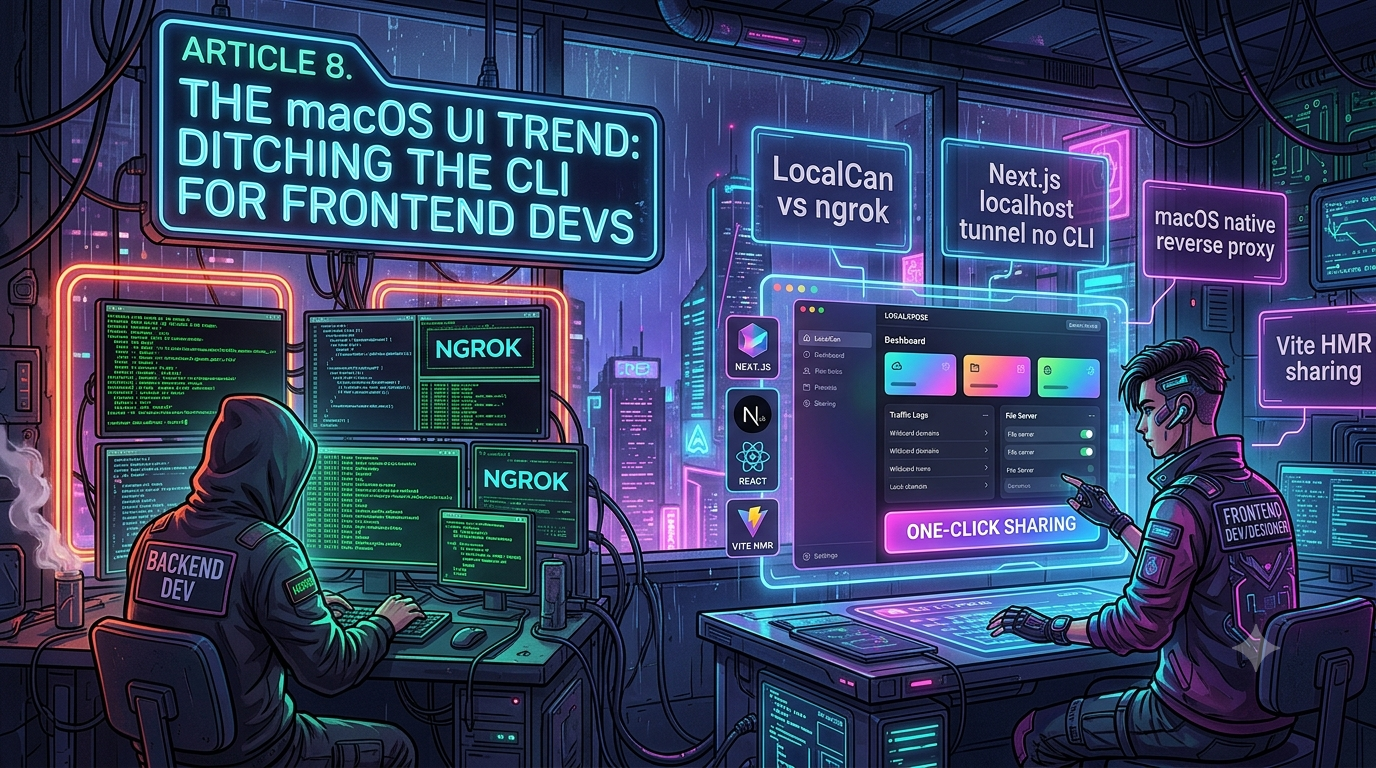
In the evolving landscape of web development, a distinct cultural divide has emerged between backend engineers and frontend developers. While backend developers often live and breathe the terminal—reveling in Bash scripts, Tmux sessions, and complex CLI flags—frontend engineers, React developers, and UX designers increasingly gravitate toward intuitive Graphical User Interfaces (GUIs).
As frontend ecosystems like Next.js and Vite grow more sophisticated, the tooling surrounding them is undergoing a shift. The modern frontend developer is tired of managing a dozen terminal tabs just to get a local environment running, and that fatigue has fed a real appetite for visually-driven local tunneling tools.
This piece looks at that appetite, and at two of the products most often cited in the “GUI-first tunnel” conversation — LocalCan and LocalXpose. It’s worth saying up front, since it shapes how the rest of this reads: both tools ship a full CLI alongside whatever GUI they offer, so “no CLI required” isn’t accurate for either of them. The interesting story isn’t that the CLI has been eliminated — it’s that these tools let you choose not to touch it for day-to-day use, which is a smaller but more honest claim.
1. The CLI Fatigue in Modern Frontend Development
To understand the shift toward GUI tools, we first need to look at the daily reality of a frontend developer in 2026. Building a modern web application is no longer just about writing a few HTML and CSS files.
A typical frontend workflow involves:
1. Running the local development server (e.g., npm run dev for Next.js or Vite).
2. Running a CSS compiler (like Tailwind CLI) in watch mode.
3. Managing a local database or a Docker container for backend services.
4. Running a local reverse proxy to expose the application to the internet for testing webhooks (like Stripe or Clerk authentication) or sharing progress with clients.
For years, the default solution for that fourth step was a command-line tool. You’d open another terminal tab, type something like ngrok http 3000, and copy the resulting URL. For developers who spend their day in Figma, VS Code, and browser DevTools, one more headless background process to babysit can feel like friction — especially when a tunnel drops or you need to juggle ports across a React frontend and a couple of backend services.
That friction is real, and it’s the legitimate part of the “GUI-first” pitch. Where this genre of article usually overreaches is in implying the CLI has been replaced rather than supplemented. As the next sections show, that’s not quite what’s happened with the two tools most commonly cited.
2. The Rise of the macOS Native Reverse Proxy
The demand for better developer experience has led to a handful of GUI-forward reverse proxy tools built with the Apple ecosystem in mind — menu bar icon, native notifications, system dark mode, Keychain integration.
For designers and frontend engineers, that kind of interface offers some real advantages:
- Visual state management — seeing which ports are exposed and to which URLs at a glance.
- Menu bar accessibility — toggling a tunnel on or off without opening a terminal.
- Saved profiles per project — binding localhost:3000 to one domain and localhost:5173 to another without hand-writing config files.
One caveat worth flagging before naming specific products: “macOS native” doesn’t always mean “macOS only.” As the LocalCan section below shows, several of the tools marketed this way have grown Windows and Linux builds too, and at least one of them is Linux-CLI-only with no GUI at all on that platform.
3. LocalCan vs ngrok
LocalCan positions itself directly against ngrok — its own marketing calls it “a powerful Ngrok alternative” — and the comparison is a genuinely useful one for developers evaluating local tunneling tools. But two of the article’s original framing points don’t hold up against LocalCan’s own documentation.
What LocalCan actually is
LocalCan ships as a desktop app with a bundled background daemon on macOS and Windows, plus a CLI-only build on Linux with no GUI at all.[1] On first launch, the macOS and Windows apps explicitly prompt you to install the localcan command-line tools, and the documentation maintains a full CLI reference — quick tunnels, daemon control, traffic inspection, and license management all have dedicated CLI commands.[1][2] So “there is no CLI required” is backwards: LocalCan treats the CLI as a first-class citizen, not an omission.
What LocalCan’s GUI genuinely does well, per its own docs:
- .local domains over mDNS/Bonjour, with an optional built-in reverse proxy that terminates HTTPS on standard ports (80⁄443) and forwards to any host and port — including another device on the network.[2]
- Persistent public URLs (via SSH tunnels under the hood) that survive restarts for a set retention window, plus ephemeral ones for one-off sharing.[3]
- Built-in traffic inspection with request replay — though on Linux this drops to daemon-side logging only, since “there is no built-in viewer today” for that platform.[1]
- Automatic WebSocket handling for dev-server hot reload (Vite, Next.js) through the reverse proxy.[2]
LocalCan is also not free: it’s sold as a one-time license starting around $67 for a single device, with higher tiers for multiple devices and team/SSO features.[3]
What’s actually true about ngrok’s free tier
The original draft claimed that a free ngrok URL pointed at a Stripe webhook “fails, because Stripe receives the HTML of the warning page instead of your app’s JSON response.” That’s an overstatement of a real feature.
ngrok’s free plan does show an interstitial warning page — but per ngrok’s own abuse-prevention documentation, it’s served “for free accounts receiving requests from browsers” specifically, to guard against the free tier being used for phishing.[4] ngrok’s pricing-limits documentation is explicit that this “does not impact users serving APIs or accessing ngrok endpoints programmatically,” and that it can be bypassed entirely by sending an ngrok-skip-browser-warning header or a non-standard User-Agent.[5] A server-to-server webhook POST — like Stripe’s delivery mechanism — is the kind of programmatic request this exemption is meant to cover. The interstitial is a real annoyance for manual browser demos and for clients clicking through to check on a shared link, but “breaks automated webhooks out of the box” isn’t the accurate description of it.
The original draft also claimed CLI tunnels like ngrok “require manual header injection or specific WebSocket flags” to carry WebSocket traffic. ngrok’s own documentation says the opposite: “WebSocket endpoints work through ngrok’s HTTP endpoints without any changes.”[6] The same is true of most modern tunnel tools, GUI or CLI — WebSocket support has been table stakes in this category for years, so it isn’t a meaningful differentiator between LocalCan and ngrok.
Where the comparison actually lands
Once those two claims are corrected, LocalCan’s real case against ngrok is narrower but still solid: .local domains with LAN-wide HTTPS, a menu-bar GUI for people who’d rather not live in a terminal, and pricing that’s a flat one-time purchase instead of a subscription. ngrok’s case back is its enterprise footprint, wider protocol support at the CLI/API layer, and a much bigger install base for CI and automated testing. Neither tool eliminates the terminal; LocalCan just makes it optional for basic day-to-day use on macOS and Windows.
4. Next.js Localhost Tunnel Without Touching the Terminal
Next.js has become a default choice for building React applications, and testing features like SSR, API routes, and webhook-driven auth (Clerk, Auth0) or payments (Stripe) locally usually means exposing a public HTTPS endpoint at some point.
The GUI-driven version of that workflow, using a tool like LocalCan on macOS or Windows, looks roughly like this: 1. Open your Next.js project. 2. Click the tray icon in the menu bar. 3. Toggle the entry for your local port (e.g., “Next.js App — Port 3000”). 4. The tool provisions an HTTPS URL and copies it to your clipboard.
Because the URL can be persistent, you configure the webhook endpoint once instead of updating it every time you restart. That’s a genuine, verifiable convenience — it just isn’t unique to GUI apps; ngrok’s paid tiers offer persistent subdomains too, and its CLI can be scripted into a project’s npm run dev command so a tunnel starts automatically without any manual step at all. The real trade-off is closer to “click a toggle” vs. “run one saved command” than “GUI” vs. “terminal.”
5. LocalXpose: CLI-First, With an Optional Browser-Based Dashboard
The original draft described LocalXpose as a “feature-complete GUI alternative” that designers could open, drag a folder into, and click “Share.” That’s not how the product is actually built, per its own documentation.
LocalXpose’s core product is loclx, a command-line binary you download and run from a terminal — its own getting-started guide is explicit that “this is a CLI app, you should start it from a terminal window (double click the app will not work).”[7] A typical tunnel is started with a command like loclx tunnel http --to 3000.[8]
What the article calls its “GUI” is a local web dashboard, launched by running loclx gui from the terminal, which starts a small web server (default localhost:54537) that you then open in your browser.[9] It’s a real and useful feature — but it’s a browser view served by a CLI tool, not a native macOS menu-bar app, and you can’t reach it without running a command first. So the framing is essentially inverted: LocalXpose is CLI-first with an optional GUI layer, not a GUI tool that happens to have a CLI.
What LocalXpose does verifiably offer, CLI and dashboard alike: - Multi-protocol tunnels — HTTP/S, TCP, TLS, and UDP, the last of which ngrok does not support natively, making LocalXpose a legitimate pick for game servers or other UDP-dependent local services.[10] - A built-in file server for sharing a static directory without a build pipeline.[10] - Traffic inspection and webhook replay, viewable through the dashboard or the CLI.[11] - Custom and wildcard domains, with automatic Let’s Encrypt certificates.[10]
LocalXpose is a freemium product, with paid subscription tiers reported in the $8–$10/month range for the higher tiers; a free tier exists with reduced limits.[10]
6. Vite HMR Over a Public Tunnel
Vite’s Hot Module Replacement relies on a persistent WebSocket connection between the browser and the dev server to push updates without a full page reload. Exposing that connection through a tunnel means the proxy has to correctly forward the WebSocket upgrade request, or the client falls back to manual refreshes — which defeats the point of HMR during a live demo.
One thing worth correcting from the original draft: it framed this as something “older bundlers like Webpack” can’t do, rebuilding “the entire application on every save.” That’s outdated — Webpack has supported Hot Module Replacement for years and doesn’t do a full rebuild on every change either. The real, still-accurate distinction is architectural: Vite serves source files as native ES modules in development and only transforms the file that changed, so cold starts and updates stay fast regardless of app size, while bundler-based dev servers (Webpack included) have to walk more of the dependency graph even with HMR enabled, which tends to scale worse on large codebases. It’s a difference of degree and architecture, not “HMR exists in one and not the other.”
As for tunnel handling of the WebSocket traffic itself: this isn’t a place where GUI tools have a unique advantage. As noted in Section 3, ngrok — and most current CLI-based tunnels — forward WebSocket upgrades automatically over their HTTP endpoints without extra configuration.[6] LocalCan’s reverse proxy documentation confirms the same behavior for .local domains.[2] Where WebSocket handling over a tunnel does genuinely go wrong in practice, it’s usually a Host-header or CORS mismatch rather than a missing WebSocket feature — LocalCan’s own troubleshooting docs, for instance, have a dedicated page for exactly this kind of failure with Webpack’s dev server.[12]
7. Security and Traffic Inspection for Frontend Teams
A large part of frontend work involves interacting with APIs, and debugging webhook payloads from raw terminal output is genuinely painful when you’re dealing with large JSON bodies. This is one area where the GUI case is straightforwardly strong, and it doesn’t require inflating anything else to make the point.
Both LocalCan and LocalXpose ship a visual traffic inspector that formats headers, payloads, and query strings, and both support one-click request replay so you can re-trigger a failed webhook handler without waiting for the third-party service (Stripe, GitHub, Slack, etc.) to resend the original event.[2][11] ngrok offers the same capability through its own local inspection dashboard, which has existed since well before the current wave of GUI-first competitors — this is a mature category feature, not something either newer tool invented.
8. Conclusion: GUI-Optional, Not CLI-Free
The shift toward visually-driven local tunneling tools is real, and it’s a reasonable response to a genuine pain point: not every frontend developer wants a headless background process to manage from a terminal. But the two products most often cited as evidence of a “macOS ditches the CLI” trend — LocalCan and LocalXpose — don’t actually support that framing when you check their own documentation. LocalCan ships a full CLI on macOS and Windows and is CLI-only on Linux. LocalXpose’s GUI is a browser dashboard you launch from its CLI, not a standalone native app.
The more accurate story is that local tunneling tools are becoming GUI-optional rather than CLI-free: developers who want a menu-bar toggle can have one, and developers who’d rather script a tunnel into their dev command still can, often with the same underlying product. For a frontend developer evaluating tools, the decision is less “GUI vs. terminal” and more a question of protocol support (does it need UDP or wildcard domains), pricing model (one-time license vs. subscription vs. ngrok’s free/paid tiers), and platform (macOS-only expectations should be checked against current docs, since both tools now reach further than that).
Changelog
This piece was fact-checked against primary sources (ngrok’s and each vendor’s own documentation) before publication. Changes from the original draft:
Corrected — “LocalCan operates entirely via a graphical interface. There is no CLI required.” LocalCan ships a full CLI (
localcan) on macOS and Windows, which the app prompts you to install on first launch, and is CLI-only with no GUI at all on Linux. Source: LocalCan Installation docs, LocalCan CLI docs.Corrected — “LocalCan was built from the ground up as a macOS-first alternative.” LocalCan currently ships desktop apps for macOS and Windows, plus a Linux CLI build; it is not macOS-exclusive. Source: LocalCan Installation docs.
Corrected — “If you try to point a Stripe webhook to a free ngrok URL, the webhook fails because Stripe receives the HTML of the warning page.” ngrok’s own documentation states its free-tier interstitial applies to browser requests and explicitly “does not impact users serving APIs or accessing ngrok endpoints programmatically,” and can be bypassed with a header. Programmatic webhook delivery is not the case this feature targets. Source: ngrok Report Abuse page, ngrok Free Plan Limits docs.
Corrected — “Legacy CLI tools often require manual header injection or specific WebSocket flags to ensure Vite’s HMR functions correctly over a tunnel.” ngrok’s documentation states WebSocket endpoints “work through ngrok’s HTTP endpoints without any changes.” This is standard behavior across current tunnel tools, not a GUI-specific advantage. Source: ngrok WebSockets docs.
Corrected — implicit claim that Webpack “rebuild[s] the entire application on every save.” Webpack has supported Hot Module Replacement for years. The real, still-valid distinction is that Vite serves unbundled native ES modules in dev, so it scales better on large apps than bundler-based dev servers generally do, HMR or not. No single authoritative source cited; this is a widely documented architectural fact about Vite vs. bundler-based dev servers.
Rewritten — LocalXpose section. The original described LocalXpose as a native GUI tool with a CLI “alongside” it, including a workflow of dragging a folder into “the GUI.” LocalXpose’s core product is the
loclxCLI binary, which must be run from a terminal; its GUI is a local browser dashboard started via theloclx guicommand. Source: LocalXpose Getting Started, LocalXpose GUI docs.Added — LocalXpose UDP support vs. ngrok. ngrok does not natively support UDP tunnels; LocalXpose does. Added as a genuine, verifiable differentiator. Source: AlternativeTo LocalXpose listing, LocalXpose feature docs.
Added — pricing/licensing context, absent from the original draft: LocalCan is a one-time paid license (from ~$67/single device); LocalXpose is a freemium subscription product (paid tiers roughly $8–$10/month). Neither is a free, unconditional ngrok replacement. Source: LocalCan pricing, AlternativeTo LocalXpose listing.
Toned down promotional/SEO framing throughout (e.g., “beautiful native app,” “captures the hearts… of designers,” repeated exact-match keyword phrases), consistent with this blog’s standing editorial policy against promotional language. Claims about product capability were kept only where verifiable against vendor documentation.
Removed unverifiable claim that GUI tools broadly “eliminate common headaches like CORS or HTTPS errors” — this traced back to a third-party marketing listing, not vendor documentation, and CORS in particular is an application-level concern a reverse proxy can’t unilaterally fix.
No metadata or frontmatter was present in the original file, so none was stripped.
Related InstaTunnel pages
Continue from this article into the most relevant product guides and workflows.
Related Topics
Keep building with InstaTunnel
Read the docs for implementation details or compare plans before you ship.