The Reconnect Stampede: Idempotency, Duplicate Deliveries and Out-of-Order Events When Your Tunnel Comes Back
Your tunnel reconnected and webhooks flooded in. Learn to handle duplicate deliveries, out-of-order events, event IDs, dedupe keys and safe replay.
Quick answer
Webhook Idempotency & Out-of-Order Events After Reconnect: webhook testing answer
For local webhook testing, run your app locally, expose it with a public HTTPS tunnel, and paste the stable callback URL into the provider dashboard.
How do I test webhooks on localhost?
Start your local server, open a public HTTPS tunnel to that port, configure the provider webhook URL, and inspect events in your local logs.
Why does a stable webhook URL matter?
Stable URLs prevent provider dashboards from needing manual callback updates every time you restart a tunnel.
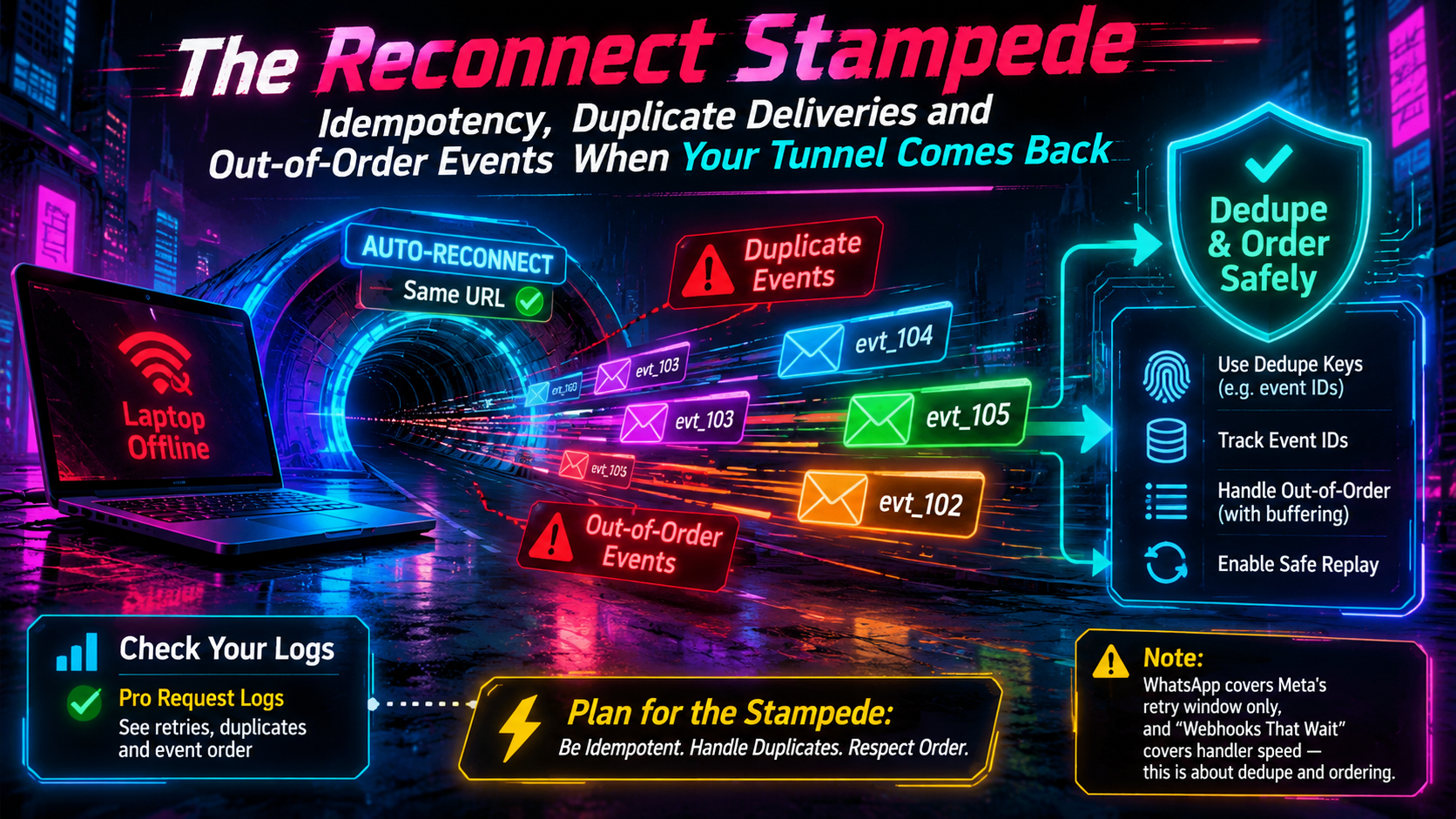
You closed the laptop on Friday with a webhook endpoint registered. On Monday the tunnel reconnected and your terminal started scrolling. Some payloads look familiar. Some you handled days ago. A few describe an order being shipped before it was created.
That is the reconnect stampede. Webhook providers retry failed deliveries and warn that the same event can arrive more than once. A tunnel that was offline leaves you with retries, manual redeliveries and stale payloads mixed in with fresh traffic. This guide covers the part that decides whether that mix is harmless or expensive: webhook idempotency, deduplication keys, event IDs, ordering and safe replay. It uses current documentation from Stripe, GitHub, Shopify, Slack and the Standard Webhooks specification, checked in November 2026.
What Webhook Providers Do While Your Tunnel Is Down
A tunnel does not queue anything. When your machine is offline, the public URL cannot reach your app. The sender sees an error or a timeout and applies its own retry policy. Those policies differ a lot:
| Provider | Automatic retries | Manual replay | Dedupe identifier | Response limit |
|---|---|---|---|---|
| Stripe | Live mode: exponential backoff for up to 3 days. Sandbox: 3 attempts over a few hours | Dashboard “Resend” up to 15 days after the event; stripe events resend up to 30 days |
event.id |
Return a 2xx “quickly” (no number given) |
| GitHub | None. Failed deliveries are not redelivered automatically | Redeliver deliveries from the past 3 days, in the UI or via the REST API | X-GitHub-Delivery (unchanged on redelivery) |
10 seconds |
| Shopify | 8 retries over about 4 hours | None documented; Shopify recommends reconciliation jobs | X-Shopify-Webhook-Id |
1-second connection timeout, 5 seconds for the whole request |
| Slack (Events API) | 3 retries: nearly immediately, after about 1 minute, after about 5 minutes. Optional “Delayed Events” adds hourly retries for 24 hours | None documented | event_id |
3 seconds |
| Standard Webhooks senders | The spec recommends a multi-day schedule with exponential backoff and jitter | The spec calls manual replay “immensely important” for recovering from long outages | webhook-id |
The spec recommends 15 to 30 seconds |
Several consequences matter for a developer machine:
- Sandbox events die quickly. Stripe retries sandbox events only three times over a few hours. A laptop that slept overnight has missed them, and nothing will drain on reconnect. You can still resend them manually from the Workbench Event deliveries tab.
- Shopify can delete the subscription. After 8 consecutive failures, Shopify deletes a subscription that was configured through the Admin API. The retry run lasts about four hours, so an overnight sleep can outlast it. Subscriptions declared in
shopify.app.tomlare reported not to be deleted, but the abandoned delivery is still gone. - GitHub never retries. Nothing arrives on its own after an outage. You redeliver deliveries from the past 3 days, or you reconcile from the API.
- Slack can switch your subscriptions off. Retries count toward Slack’s failure limit. If more than 95% of delivery attempts fail within 60 minutes, Slack temporarily disables your app’s event subscriptions. Hookdeck’s guide reports an exemption for apps receiving fewer than 1,000 events an hour, which covers most dev apps.
- Stripe drops retries for a deleted endpoint. If a destination is disabled or deleted when Stripe attempts a retry, Stripe prevents future retries of that event. If you disable and then re-enable the destination before the retry fires, the retry still happens. Events generated while a destination is disabled are never resent.
Three Different Problems Hiding in One Stampede
Reconnecting creates three separate failure modes:
- Backlog drain. Sender retries run on each event’s own backoff schedule, so they trickle in rather than landing in one instant. The sharp burst usually comes from your own catch-up: manual resends and reconciliation jobs.
- Duplicates. The same delivery arrives twice, or two deliveries describe one change.
- Reordering. Old events arrive next to new ones.
Dedupe handles the second, version checks handle the third, and a controlled replay procedure handles the first.
Pick the Right Dedupe Key
Webhook deduplication starts with choosing which identifier you trust. There are three layers.
Delivery or event IDs from the sender. These are your first line of defense:
- Stripe: log the event IDs you have processed and skip repeats. Stripe documents that the same event can be delivered more than once. Do not use
createdto decide whether you have seen an event, because snapshot events record it in whole seconds and distinct events can share a timestamp. - GitHub:
X-GitHub-Deliveryidentifies the delivery, and GitHub states it is the same on a redelivery as on the original. That makes it a stable key. - Shopify: use
X-Shopify-Webhook-Idto skip duplicate deliveries.X-Shopify-Event-Idis different. If you have several subscriptions for one topic, each delivery carries its own Webhook ID but they share an Event ID. Use the Event ID to correlate deliveries from one merchant action, not to dedupe. - Standard Webhooks: the
webhook-idheader is the intended idempotency key. Per the specification, it stays the same however many times a failed delivery is retried. Thewebhook-timestampchanges on each attempt, because it records when the attempt was made, not when the event happened. The spec’s own example keeps IDs for 5 minutes, which suits replay-attack protection. It does not cover the multi-day windows in this guide. - Slack: use
event_idfrom the payload. Slack describes it as a globally unique identifier for the event. Hookdeck notes that Slack’s docs do not state outright that a retry repeats the value, so confirm it in your own logs. Do not drop a request just becausex-slack-retry-numis present. That header says Slack is retrying, not that your first attempt finished.
Business keys. Sender IDs only protect you from the same delivery arriving twice. Stripe documents that in some cases two separate Event objects are generated for one change. To catch those, combine the ID of the object in data.object with the event.type. Setting a subscription to active when it already is should be a no-op, not an error. A key such as topic + resource ID catches what an event ID cannot.
Downstream idempotency keys. Your handler may call other systems: a mailer, a payment API, a queue. Pass the event ID along as their idempotency key where they support one. Stripe’s API accepts an Idempotency-Key header on all POST requests. Stripe may prune keys once they are at least 24 hours old, and a reused key after that creates a new request. For a replay days later, your own dedupe table must be the source of truth, not the downstream key. A database unique constraint also does nothing for an email you already sent.
The Insert-First Pattern for Idempotent Webhook Handlers
The most reliable pattern is to claim the event ID inside the same database transaction as your side effects. The unique constraint does the arbitration, so even two simultaneous deliveries of the same event cannot both win.
CREATE TABLE processed_events (
  provider    text        NOT NULL,
  event_id    text        NOT NULL,
  received_at timestamptz NOT NULL DEFAULT now(),
  PRIMARY KEY (provider, event_id)
);
app.post("/webhooks/stripe", rawBodyParser, async (req, res) => {
  let event;
  try {
    event = verifyAndParse(req);     // check the signature on the raw body first
  } catch (err) {
    return res.sendStatus(400);
  }

  const db = await pool.connect();
  try {
    await db.query("BEGIN");
    const { rowCount } = await db.query(
      `INSERT INTO processed_events (provider, event_id)
       VALUES ('stripe', $1) ON CONFLICT DO NOTHING`,
      [event.id]
    );
    if (rowCount === 0) {            // already handled
      await db.query("ROLLBACK");
      return res.sendStatus(200);
    }
    await applyEvent(db, event);     // fast database writes only
    await db.query("COMMIT");
    res.sendStatus(200);
  } catch (err) {
    await db.query("ROLLBACK");      // the claim rolls back with the work
    res.sendStatus(500);             // the sender will retry
  } finally {
    db.release();
  }
});
Details that matter:
- Return 2xx for a duplicate. A duplicate is success. Stripe’s docs say to skip an already-processed event and return 200 to stop further retries. A 4xx or 5xx tells the sender to try again, which keeps the stampede going.
- Verify the signature before the dedupe check. Stripe’s guidance for recovery handlers is to verify first, then check whether you have processed the event.
- Mind the response clocks. The limits are 3 seconds for Slack, 5 for Shopify and 10 for GitHub. If the work is slow, store the event and enqueue the job inside the transaction, and let a worker do the rest. Stripe also recommends processing events through an asynchronous queue so that spikes, such as a month-start subscription renewal run, do not overwhelm your endpoint.
- Roll back the claim on failure. If the claim survived a crash, the retry would be skipped as a duplicate and the work would never happen.
- Keep side effects that cannot roll back outside the transaction. Emails and API calls belong in an outbox table or a job queue, written inside the same transaction and sent afterwards with their own idempotency key.
- Size your retention to the replay window. Keep processed IDs longer than the longest way an event can come back. For Stripe that is the 30-day CLI resend window. For GitHub it is 3 days. Thirty-five days is a sensible floor if you use both. Pruning at 24 hours reopens the door for a replay on day three.
Handling Out-of-Order Webhook Events
Providers are explicit that order is not something to rely on:
- Stripe: event order is not guaranteed. Creating a subscription, for example, can generate
customer.subscription.created,invoice.created,invoice.paidandcharge.createdin any sequence. Stripe suggests retrieving the missing objects through the API if you receiveinvoice.paidfirst. - GitHub: deliveries may arrive in a different order than the events took place. GitHub says to use the timestamps in the payload if you need to know when an event occurred relative to another.
- Shopify: ordering is not guaranteed between different topics for the same resource. A
products/updatecan arrive beforeproducts/create. Retried webhooks are delivered with the original payload from when they were triggered, so a retry can carry stale data. Shopify recommends comparing theX-Shopify-Triggered-Atheader or the payload’supdated_at. - Slack: Hookdeck’s review of Slack’s docs finds no general promise about delivery order.
- Standard Webhooks: the payload
timestamprecords when the event occurred, while thewebhook-timestampheader records the delivery attempt. Never use the attempt timestamp to rank events.
After a reconnect the effect grows: a retry from Friday arrives next to events from this morning. Shopify also warns that webhooks can be delayed by up to a day, so compare the timestamp to the current time if lateness matters.
Use one or more of these strategies:
1. Treat the webhook as a nudge, then fetch current state. Read the object ID from the event and retrieve the latest version from the provider’s API. Arrival order stops mattering because you always apply the newest truth. The Standard Webhooks spec describes this as the “thin payload” approach, and Stripe’s Workbench labels its thin event payload format as recommended. The cost is extra API calls and rate limits during a drain, so combine it with a queue.
2. Guard writes with a version. Store the source’s last-updated marker and refuse to move backwards:
UPDATE orders
SET    status = $2, source_updated_at = $3
WHERE  id = $1 AND source_updated_at < $3;
-- 0 rows updated: stale event (or missing parent). Ignore or park it.
For Shopify, compare the resource’s updated_at or X-Shopify-Triggered-At. Do not rely on a Stripe event’s created value to rank events that may have been generated in the same second.
3. Model state as a one-way machine. pending → paid → refunded can only move forward. An incoming pending for an order already paid is discarded.
4. Park children that arrive before parents. If an update refers to a record you have not seen, store the event with a retry counter and revisit after a short delay, then fall back to fetching the parent. Upserts help too, so an update that arrives first still works.
5. Prefer absolute values over deltas. “Set inventory to 12” survives duplicates and reordering. “Subtract 1” does not.
Safe Replay After You Reconnect
Replay is how you recover events the sender will no longer deliver. It is also how you re-create the stampede on purpose, so do it deliberately.
- Let the automatic retries land first. Check what arrived before any manual resend. Stripe notes that a manual resend does not cancel the automatic retry schedule, even if it returns a 2xx. Your endpoint can receive the same event twice, which is one more reason for the dedupe table.
- Replay through the production handler path. Never write a “catch-up” script that bypasses the dedupe table. Stripe’s own recovery guide warns that a manual recovery script might run more than once while automatic retries are also arriving.
- Use the sender’s own tools within their windows.
- Stripe: Dashboard Resend (15 days) or
stripe events resend <event_id> --webhook-endpoint=<endpoint_id>(30 days). To find what you missed, call List Events withdelivery_success=false, atypesfilter andending_beforeset to the last event you processed before the outage. Stripe returns only events from the last 30 days, and with auto-pagination you get them in chronological order. - GitHub: redeliver from the past 3 days. Only repository admins can redeliver for a repository, and only owners for an organization. GitHub documents a scheduled script that lists deliveries through the REST API, finds any whose
statusis notOKand redelivers them. - After an outage longer than a provider’s window, reconcile from the REST API instead.
- Stripe: Dashboard Resend (15 days) or
- Throttle your own drain. Process with limited concurrency, and serialize work per entity (customer, order, repository) so two events for the same record never run in parallel.
- Reconcile what the windows cannot cover. Run a job that compares your records with the provider’s API. Shopify says to build reconciliation jobs for critical webhooks, because delivery is not always guaranteed. Stripe also documents a rare case where it fails to generate an event at all. It then sends a
v2.core.health.event_generation_failure.resolvedevent (public preview) and tells you to poll the API for the affected resource.
Where the Tunnel Fits: Same URL and Request Logs
Every strategy above assumes the sender’s retry has somewhere to land. That is where a stable tunnel URL earns its place.
A stable URL keeps retries alive. If the tunnel comes back on a different hostname, pending retries go to a dead address and you must re-register the endpoint with each provider. The providers behave differently when you do:
- Shopify delivers a retry to the address that was configured when the webhook was triggered. Updating the subscription’s address mid-retry does not redirect it. Shopify recommends keeping both endpoints active for a short overlap when you migrate.
- Stripe stops retrying an event if the destination is deleted when the retry comes due. Swap by adding the new endpoint first, rather than deleting the old one.
- GitHub rejects
localhostand127.0.0.1as webhook URLs, so a public tunnel URL is required.
InstaTunnel’s README documents custom subdomains and recommends a stable subdomain per project. It uses a fixed subdomain for OAuth redirect URIs, and the same idea applies to webhook endpoints:
instatunnel 3000 --subdomain myapp
Check your plan’s documentation to confirm the name stays yours while the tunnel is offline. Without that, the stable URL does not protect you.
Provider tooling can help too. During shopify app dev the tunnel URL changes on every run, so Shopify recommends a relative uri = "/webhooks" in your app config. Stripe’s stripe listen --forward-to localhost:4242/webhook tests handlers without any registered public URL.
Webhook helpers. The README lists instatunnel webhook init, verify and test commands for Stripe, GitHub, Shopify, Twilio and PayPal. For example, instatunnel webhook init --provider stripe --port 4242 --path /webhooks/stripe generates the setup commands and dashboard fields. instatunnel doctor --port 3000 checks that your local app is actually listening before you tunnel to it.
Pro request logs. instatunnel --logs polls live request logs, and the README lists request logs as a Pro/Business feature. After a reconnect, the log is the quickest way to see what the stampede actually looked like: which requests arrived, in what order, how many times the same ID showed up, and which responses your app returned. Log the event ID in your own handler as well. Then you can match a tunnel log line to a row in processed_events and confirm that duplicates were skipped, not re-run.
A tunnel is a pipe, not a queue. It does not hold events while you are offline. If you need durable buffering, put a queue or an event gateway in front of your app. For local development, a stable URL plus a dedupe table covers most of the risk.
A Local Stampede Test Checklist
Do not wait for a real outage. Rehearse it:
- Kill and revive. Stop the tunnel for ten minutes while you trigger events (
stripe trigger payment_intent.succeededor a test order), then reconnect and watch the logs. - Double-send. Post the same payload twice with the same ID using
curl. Assert that the second returns 200 and changes nothing. - Race it. Send two identical deliveries at the same moment. Exactly one should apply.
- Flip the order. Deliver an update before its create event, then an older update after a newer one. The final state must match the newest version.
- Fail halfway. Throw an error after the side effect but before the commit, then retry. The work should happen once.
- Resend from the past. Use
stripe events resendfor an old event and confirm your dedupe row stops it. - Time out on purpose. Add a 6-second sleep to your handler. Shopify and Slack will treat the response as a failure and retry, and your dedupe table should absorb it.
FAQ
Do webhook providers guarantee exactly-once delivery? No. Stripe and Shopify both document that the same event can arrive more than once. GitHub documents redeliveries that reuse the original delivery ID. The Standard Webhooks spec treats its webhook-id as an idempotency key for the same reason. Your handler must tolerate repeats.
How long should I keep processed event IDs? At least as long as the longest replay window you use. For Stripe’s 30-day CLI resend, keep roughly 35 days.
Does returning 200 for a duplicate stop the retries? For Stripe, yes. Its docs say to skip an already-processed event and return a 200 to stop further retries.
Will my tunnel replay missed webhooks? No. The tunnel forwards live traffic. Missed events come back through the provider’s retries, its manual replay tools, or your own API reconciliation.
Key Takeaways
The stampede is only dangerous if the handler assumes each event arrives once and in order. Claim the event ID in the same transaction as your writes, guard state with versions, replay through the same path inside the sender’s window, and reconcile what the window missed. A stable tunnel URL gives retries somewhere to land, and request logs show what happened on the way back.
Sources:
- Stripe: Receive Stripe events in your webhook endpoint
- Stripe: Manage webhook endpoints
- Stripe: Idempotent requests
- Stripe: Event destinations in Workbench
- GitHub Docs: Redelivering webhooks
- GitHub Docs: Handling failed webhook deliveries
- GitHub Docs: Best practices for using webhooks
- GitHub Docs: Troubleshooting webhooks
- Shopify.dev: Verify webhook deliveries
- Shopify.dev: Troubleshoot webhooks
- Shopify.dev: Webhook best practices
- Shopify.dev changelog: Updates to webhook retry mechanism
- Shopify Help Center: Webhooks overview
- Standard Webhooks specification
- Hookdeck: Slack webhooks in production
- Hookdeck: Shopify webhooks in production
- InstaTunnel README (npm)
Related InstaTunnel pages
Continue from this article into the most relevant product guides and workflows.
Related Topics
Keep building with InstaTunnel
Read the docs for implementation details or compare plans before you ship.