The True Cost of a $10/Month Tunnel Habit: What Indie Hackers Really Save by Switching to $5 Tunnels
Stop subscription creep. Compare ngrok, Localtonet, and InstaTunnel Pro to see how indie hackers save hundreds by switching to affordable $5 proxy alternatives.
Quick answer
The True Cost of a $10/Month Tunnel Habit: Indie Hacker ROI: quick answer
If free tunnel limits interrupt your workflow, compare session length, stable URLs, concurrent tunnels, and paid-plan pricing before choosing a localhost tunnel tool.
What free tunnel limits should developers check first?
Check session duration, URL stability, concurrent tunnels, custom subdomains, bandwidth or request limits, and whether webhook callbacks survive restarts.
How does InstaTunnel handle longer development sessions?
InstaTunnel Free is designed around 24-hour sessions, with Pro available for higher limits and MCP endpoint tunnel workflows.
For indie hackers, solo founders, and bootstrapped developers, tool bloat quietly eats runway. Every month a parade of micro-subscriptions leaves your account: a database GUI, error tracking, a project board, and often a localhost tunneling service so you can test webhooks, mobile builds, and client demos.
Individually these charges look harmless. Across a stack of a dozen or more tools and a multi-year bootstrap, they add up to a real fixed cost. Localhost tunneling is a good case study because the market has changed a lot, and so have the “obvious” answers. ngrok remains the best-known option. Localtonet, InstaTunnel, Cloudflare Tunnel, and self-hosted tools like frp now compete on price, limits, and features.
This article breaks down what tunneling costs as of October 2026, which free-tier limits actually matter, and what you save by switching. The honest answer is that the savings are real but modest per tool, and sometimes the best price is $0.
1. The Anatomy of Subscription Creep
Subscription creep happens when recurring software costs grow faster than revenue. Tunneling shows how it starts: you begin on a free tier, hit a limit, and upgrade by reflex.
Here is where free tiers really pinch, using ngrok’s published limits as the reference:
- Quotas, not timers. ngrok’s free plan caps you at 1 GB of data transfer and 20,000 HTTP/S requests per month, with up to 3 online endpoints. Heavy API testing or media streaming can exhaust those.
- An interstitial warning page. ngrok injects a browser warning in front of HTML traffic on the free tier. A visitor who clicks through gets a cookie that suppresses it for 7 days, but it is awkward in client demos. Any paid plan removes it.
- No choosing your own domain. The free plan includes one automatically assigned dev domain. You cannot pick a custom name or reserve additional domains.
- Metered credits. ngrok’s paid plans now run on usage credits. On Hobbyist, if you burn through your included credit, your endpoints stop working until the billing cycle resets. Pay-as-you-go keeps running and bills the overage.
Two limits that older guides repeat no longer apply to ngrok’s free plan. The free plan now includes a stable assigned dev domain, so your URL does not change on every restart. ngrok’s current free-plan limits also list no session timeout. Timeouts and rotating URLs are mostly a trait of anonymous use and of other tools. For example, Localtonet’s free tier has a 30-minute tunnel timeout.
To see how small charges add up, consider an illustrative solo-founder stack (your numbers will differ):
| Category | Example monthly cost |
|---|---|
| Hosting & database | $20 |
| Domain & email | $15 |
| Error tracking & analytics | $25 |
| CI/CD | $10 |
| Tunneling | $15 |
| Total | $85 (about $1,020/year) |
That is a fixed overhead of roughly $1,000 a year before your first customer. Every line you can trim or eliminate helps, but you have to compare the real prices.
2. Comparing the Market: ngrok, Localtonet, InstaTunnel, and Free Alternatives
Prices below are from each vendor’s own pricing pages as of October 2026. Check them before you buy, because several of these have changed during 2026.
ngrok
- Free ($0): 1 GB data transfer, 20k HTTP/S requests, 3 online endpoints, an assigned dev domain, an interstitial page on HTTP/S, and 1 team member. It also includes a one-time $5 usage credit. TCP endpoints require credit-card verification.
- Hobbyist ($10/month, or $8/month billed annually): $10 of monthly included usage, 5 GB data transfer, 100k HTTP/S requests, 3 online endpoints, and no interstitial. It offers ngrok-branded domains but not bring-your-own custom domains.
- Pay-as-you-go ($20/month plus usage): $20 of monthly included usage, unlimited endpoints, and unlimited team members (3 included). It adds bring-your-own custom domains at $0.01 per active hour, with data transfer beyond 5 GB at $0.10/GB.
- Enterprise: custom contracts for SSO/SAML, SLAs, and compliance.
Takeaway: ngrok is mature and feature-rich, with a global network and enterprise options. For a solo developer the pain point is that a custom domain requires the $20 base tier, and the Hobbyist plan has quotas that can pause your endpoints.
Localtonet
- Free ($0): 1 tunnel (HTTP, TCP, or UDP), 1 GB bandwidth per month, and a 30-minute tunnel timeout.
- Pay-as-you-go ($2 per tunnel per month, billed in USD): unlimited bandwidth, no tunnel timeout, custom domains and ports, IP whitelisting, SSO, and team management.
Takeaway: the per-tunnel price is the lowest of the paid options here, and UDP is included, which ngrok does not offer. Third-party write-ups say tunnels are metered only while running, but confirm that against Localtonet’s current billing terms before relying on it.
InstaTunnel
- Free ($0): 3 simultaneous tunnels, 2 GB monthly bandwidth, 2,000 requests per day, 24-hour sessions, and custom subdomains.
- Pro ($5/month): 10 simultaneous tunnels, 25 GB monthly bandwidth, unlimited requests and session duration, custom domains, password protection and basic auth, request logs, and MCP endpoint tunnels (labelled beta).
- Business ($15/month): 25 tunnels, 75 GB bandwidth, multiple API keys, IP whitelisting, and reserved subdomains.
All plans cap request bodies at 100 MB. The vendor lists a 30-day money-back guarantee. Its pricing page focuses on HTTP workloads and does not clearly list raw TCP or UDP tunnels, so verify protocol support before committing if you need it.
Disclosure for readers: the pricing page’s own comparison table still describes ngrok’s free plan as 1 tunnel with 2-hour sessions, which does not match ngrok’s current docs. Treat vendor-written comparisons, including that one, with care.
Cloudflare Tunnel and self-hosted options (the $0 path)
- Cloudflare Quick Tunnels (
cloudflared tunnel --url http://localhost:8080) are free and need no domain. They give a randomtrycloudflare.comURL. Cloudflare documents them as testing-only, with no SLA, a limit of 200 concurrent in-flight requests (excess requests get a 429), and no Server-Sent Events support. - Named Cloudflare Tunnels give you a stable hostname, but you typically need a domain managed in Cloudflare. Cloudflare’s Zero Trust free plan covers up to 50 users.
- frp is open source under Apache-2.0 and supports TCP, UDP, HTTP, and HTTPS. It needs a server with a public IP that you run yourself.
3. Calculating Developer ROI: Time vs. Money
Developers often fall into two opposite traps:
- Penny-wise, pound-foolish. Self-hosting frp to avoid a subscription sounds thrifty, but run the numbers. A basic DigitalOcean droplet starts at $4/month ($48/year), before backups and your own maintenance. Against a $5/month plan you save $12 a year. If setup takes 10 hours and your time is worth $30/hour, that is a $300 investment. Even against ngrok Hobbyist on annual billing ($96/year), the break-even is over six years. Self-host because you want the control, not to save money.
- The convenience tax. Paying a premium out of habit when a leaner option covers your actual needs.
Here is what the switch is worth for a typical solo developer:
| Current plan | Annual cost | InstaTunnel Pro ($60/yr) | Annual saving |
|---|---|---|---|
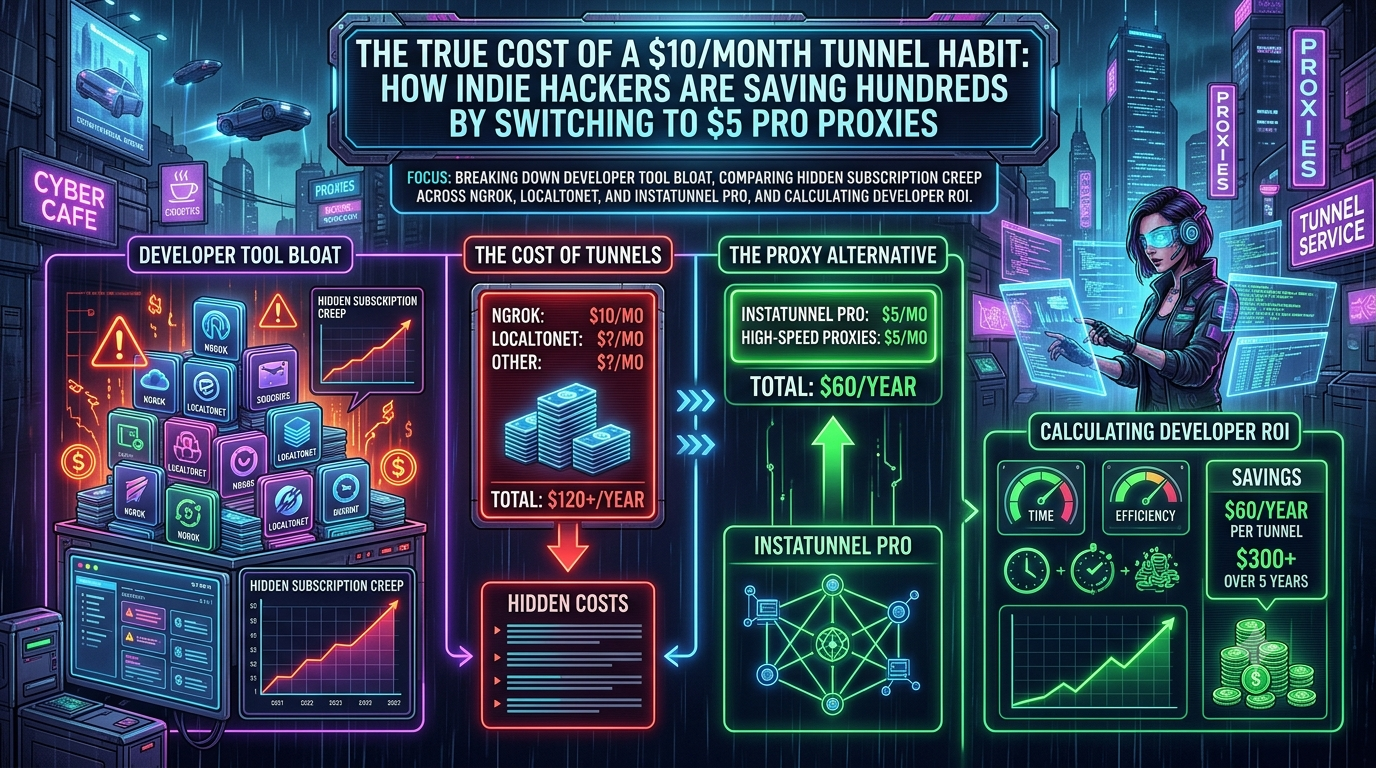
| ngrok Hobbyist, monthly ($10) | $120 | $60 | $60 |
| ngrok Hobbyist, annual ($8/mo) | $96 | $60 | $36 |
| ngrok Pay-as-you-go (base $20, excluding usage) | $240+ | $60 | $180+ (different tier, not like-for-like) |
Localtonet is cheaper still for light use: one tunnel is $24/year, and three tunnels are $72/year.
So switching one tunnel service saves roughly $36 to $60 a year, not hundreds. The saving becomes meaningful only when you audit the entire stack. Trimming five or six tools by similar amounts can recover a few hundred dollars annually. That is worth doing, but it will not by itself extend your runway by months.
The best saving may be $0. ngrok’s free plan now offers a stable dev domain, and Localtonet, InstaTunnel, and Cloudflare all have free options. If your limits are 1 GB of transfer and a few thousand requests a month, you may not need to pay at all.
On switching costs, most tunnel clients are a single binary or package. InstaTunnel, for example, installs with npm install -g instatunnel and starts a tunnel with one command (instatunnel 3000 --subdomain your-app). Expect to update webhook URLs once and re-test them. Budget an hour, not a day.
4. What Makes a Great Tunnel? A Technical Checklist
Before you move to any cheaper plan, check these:
A. Stable URLs and custom domains
If your URL changes, you re-register webhook endpoints in Stripe, GitHub, Shopify, or Twilio every time. Confirm whether the plan gives you a stable subdomain or a custom domain. Prices differ sharply here. ngrok needs its $20 base tier for bring-your-own domains, while InstaTunnel Pro and Localtonet include them.
B. Protocol support
Many projects need more than plain HTTP: WebSockets for dev-server hot reload, TCP for databases or SSH, UDP for game servers or IoT. Check each tool against your workload:
- ngrok supports HTTP, TCP, and TLS endpoints, but not UDP.
- Localtonet supports HTTP, TCP, and UDP.
- frp supports TCP, UDP, HTTP, and HTTPS.
- Cloudflare Quick Tunnels do not support Server-Sent Events.
C. Quotas and what happens at the limit
Compare monthly bandwidth, request caps, and per-request body size. ngrok Hobbyist includes 5 GB and 100k requests, InstaTunnel Pro includes 25 GB with unlimited requests, and Localtonet’s paid tier is unlimited bandwidth. Also check whether hitting a cap stops your tunnel (as with ngrok Hobbyist) or bills overage.
D. Latency and reliability
Latency depends on where the vendor’s edge servers are relative to you and your webhook sender. Vendors publish status pages and uptime claims, but those are self-reported. Test with your own traffic for a week before cancelling your current service.
E. Security basics
A public tunnel exposes your dev machine. Look for authentication options such as basic auth, password protection, or IP allowlists. ngrok’s free plan adds an interstitial specifically to deter phishing abuse, and other vendors monitor for abuse and may suspend tunnels automatically.
5. A Four-Step Audit You Can Do Today
- Export your statements. Pull the last three months of card and bank charges and list every recurring software charge.
- Classify each tool. Ask whether it directly earns revenue, saves you meaningful time, or protects production data. Mark anything that does none of these for cancellation or downgrade.
- Check free tiers first. For tunneling, compare your real usage (GB, requests, concurrent tunnels, protocols) against the free plans above before paying anyone.
- Test before you switch. Run the cheaper tool in parallel for a sprint, update your webhook URLs, and only then cancel the old plan. Use annual billing only after you are confident, since monthly pricing is easier to leave.
Conclusion
Being an indie hacker means being the developer, marketer, support desk, and CFO at once. Financial discipline is mostly about eliminating many small, unexamined charges.
On tunneling specifically, the real picture is this. ngrok is still the polished incumbent, but its free plan is better than its reputation and its paid tiers are the priciest here for custom domains. Localtonet undercuts everyone on per-tunnel price and supports UDP. InstaTunnel Pro at $5/month bundles custom domains and generous bandwidth for HTTP-centric work. Cloudflare and frp cost nothing in subscription fees but cost you time or come with limits. Switching one $10 tunnel to a $5 plan saves about $60 a year, which is a good deal if the tool fits your workflow, and a bad one if it forces you to trade away protocols or reliability you need.
What tools are draining your indie budget? Audit your stack, check the current pricing pages, and keep the savings in your business.
Sources
Related InstaTunnel pages
Continue from this article into the most relevant product guides and workflows.
Related Topics
Keep building with InstaTunnel
Read the docs for implementation details or compare plans before you ship.