Your CA Got Distrusted Overnight: Auditing Trust Stores for Tunnel Agents and Custom Domains
A root CA got distrusted overnight. Audit trust stores for tunnel agents, custom domains and webhook senders, and test your cert chain from outside.
Quick answer
CA Distrusted Overnight? Audit Trust Stores for Tunnels: webhook testing answer
For local webhook testing, run your app locally, expose it with a public HTTPS tunnel, and paste the stable callback URL into the provider dashboard.
How do I test webhooks on localhost?
Start your local server, open a public HTTPS tunnel to that port, configure the provider webhook URL, and inspect events in your local logs.
Why does a stable webhook URL matter?
Stable URLs prevent provider dashboards from needing manual callback updates every time you restart a tunnel.
Most developers think certificate trust is something the browser handles. In October 2026, a certificate authority incident showed otherwise. Within days of the report, browsers had blocked the compromised keys, Chrome and Mozilla had removed the root above them, and Go, Node.js, Python’s certifi and the major Linux distributions were shipping patches. Clients that missed the patches kept trusting the compromised keys.
If you run a custom domain in front of a tunnel, or receive webhooks from third parties, you can audit this in an afternoon. This guide shows how to see which chain your domain presents, test it from outside, and check the trust stores in your own tooling. It also covers what is still changing as of November 21, 2026.
What happened to the eMudhra intermediates
On Saturday, October 17, 2026, at 18:05 UTC, a researcher reported to the Chrome Root Program that the private keys of eight eMudhra subordinate CA certificates were recoverable. Six of the eight issue TLS certificates and two issue code-signing certificates. The keys were generated with almost no entropy, and anyone could compute them from the public certificates.
eMudhra’s later incident report traces the cause to a key ceremony on April 30, 2025. After the keys were generated correctly in a hardware module, a custom Python script read each private key back into host memory. For the ECDSA keys, one line of that script truncated the value to its leading byte, so the re-created key was a number below 256.
The response came fast:
- Chrome: at 19:45 UTC the same day, Chrome landed a CRLSet update blocking the SPKI hashes of the six TLS intermediates. Because the block is by key, it also covers the Sectigo cross-certificates that share those keys.
- Mozilla: received the report at 20:06 UTC and completed its OneCRL block later that evening. It removed emSign ECC Root CA - G3 from NSS in version 3.131.1 on October 20.
- Apple and Microsoft: both blocked the certificates within days. Microsoft also removed the AAA Certificate Services cross-signing root from its root store on October 25.
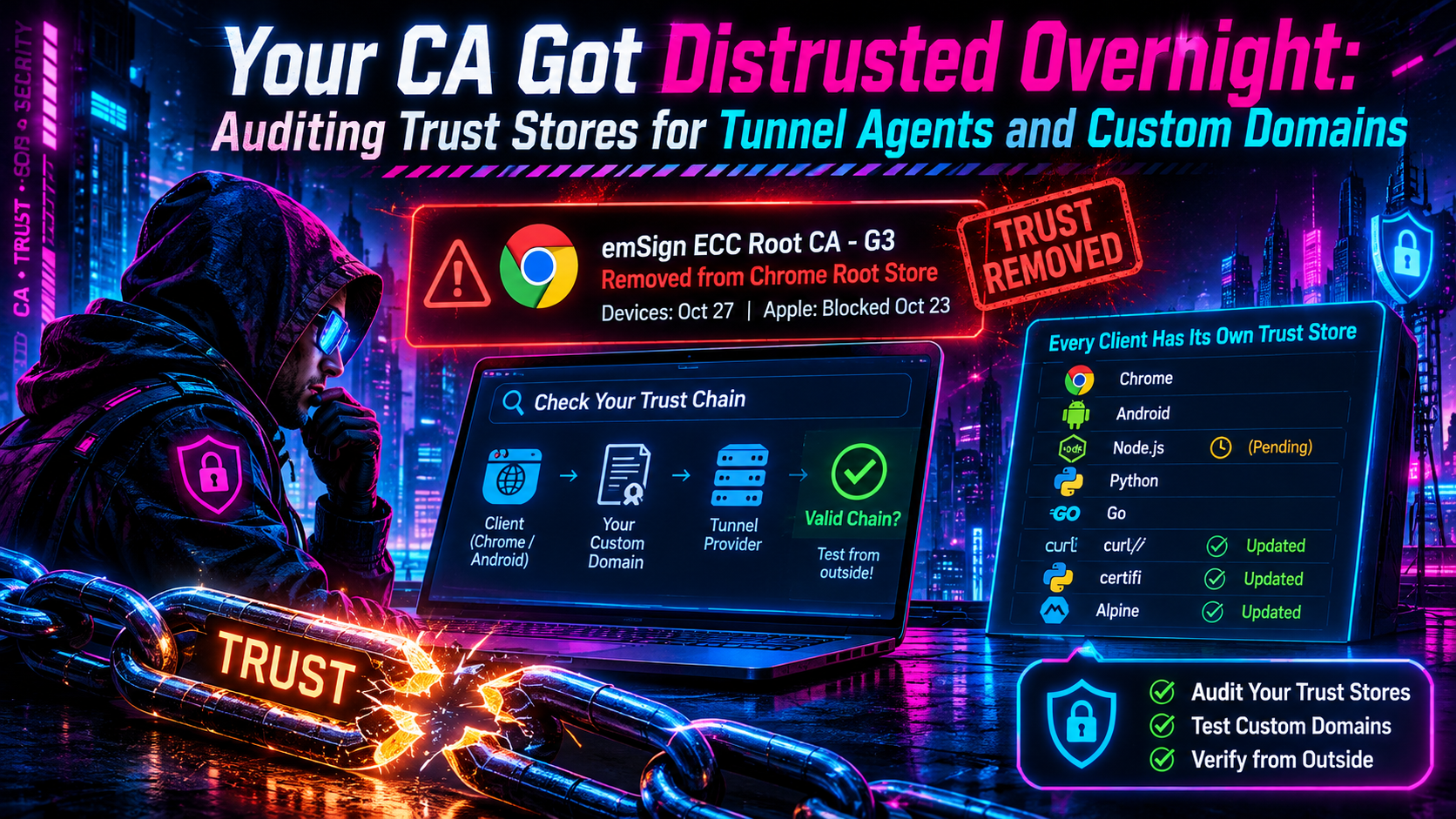
- Google: announced on October 20 that it had removed emSign ECC Root CA - G3 from the Chrome Root Store, for consumers that ignore CRLSets. The removal was scheduled to reach devices on the morning of October 27, Pacific time.
- eMudhra: revoked all eight intermediates on October 18, and Sectigo revoked the cross-certificates on October 19. On October 22, eMudhra’s board announced it would exit the global SSL/TLS certificate business.
Each compromised key had two certificates: one issued by eMudhra’s own root and one cross-signed by Sectigo’s AAA Certificate Services root. Any bundle that still carries either root can validate chains built on the weak keys.
Browsers were never practically exposed, because Chrome-style CT enforcement would have caught forged certificates. No TLS certificates chaining to the six intermediates had been logged to Certificate Transparency before Chrome’s block. The risk sits with clients that skip both revocation and CT checks, such as command-line tools, language runtimes, containers and embedded devices. The researcher’s disclosure site notes that many clients outside the browser ecosystem don’t enforce CT. Certificates for google.com signed with the weak keys were publicly logged within days, according to ctlogs.dev’s index, so exploiting a vulnerable client needs no secret.
Legitimate eMudhra customers were collateral damage. The compromised CAs never issued certificates of their own, but certificates issued through other intermediates under the same G3 hierarchy lost their root. eMudhra told Mozilla on October 20 that about 30,000 certificates needed to move, about 97 percent of them issued via ACME.
Why “which clients trust it?” has no single answer
A request through a tunnel can involve a CLI, a runtime, a container image and a third-party sender. Each has its own idea of which roots are valid. These are the main fixed versions:
| Client | Where its trust comes from | Fixed in |
|---|---|---|
| Go programs | OS store, plus a verification filter compiled into crypto/x509 |
Go 1.27.3 and 1.26.10, then rebuild. Go 1.25 and older get no fix |
| Node.js | Its own bundled root list | 22.23.4, 24.22.1 and 26.12.1 (released October 21) |
| Python requests | certifi bundle | certifi 2026.10.19 |
| pip | Its own vendored certifi | pip 26.2.2 |
| CPython | Its bundled pip, plus the OS store for ssl |
3.15.2, 3.14.10, 3.13.18, 3.12.16, 3.11.18 |
| Alpine containers | ca-certificates package |
20261020-r0 |
| macOS command-line tools | /etc/ssl/cert.pem |
macOS 27.2.1, 26.7.3, 15.8.3 |
| Tailscale | Go toolchain | 1.104.2 |
Node.js covered only the 26.x, 24.x and 22.x lines. The project’s own advisory notes that end-of-life versions are always affected by security releases, so check your runtime matrix.
Go’s change is a filter on eight key hashes that runs whenever a Go program verifies a chain. It also applies when a program supplies its own roots. A Go binary keeps its old behavior until it is rebuilt with a patched toolchain.
The macOS gap is worth knowing. Apple blocked the certificates in Safari, Mail and apps using its frameworks in October. The command-line tools that ship with macOS (curl, git, python3, ruby, perl, openssl) verify against /etc/ssl/cert.pem and don’t consult Apple’s block. That gap was only closed by the November updates.
The result is a split-brain failure mode. A patched client rejects a chain anchored at a removed root while an unpatched one accepts it. Your domain can look healthy in your browser, fail in a freshly built container, and succeed from a provider with an old bundle.
Step 1: Check which chain your custom domain presents
Start with the chain your server actually sends, not the one your certificate dashboard claims. Use SNI, because a tunnel edge often serves many hostnames from one address:
openssl s_client -connect app.example.com:443 \
  -servername app.example.com -showcerts </dev/null 2>/dev/null \
  | grep -E "^ *[0-9]+ s:|^ *i:"
Read the output from top to bottom. Line 0 is your leaf certificate, and each i: line names its issuer. To flag anything eMudhra-related automatically, append | grep -iE "emsign|emudhra|EM (DV|OV|EV) TLS".
You are looking for these names anywhere in the chain:
emSign ECC Root CA - G3andemSign Root TLS CA - G3emSign Root CA - G1andemSign Root TLS CA - G1- the compromised issuing CAs:
EM DV TLS CA - G3BandG3C,EM OV TLS CA - G3BandG3C,EM EV TLS CA - G3BandG3C
Seeing AAA Certificate Services is not by itself a problem. It is a long-standing Sectigo root that many legitimate chains still use. It matters only when a chain runs through an eMudhra intermediate, or when you are auditing a trust store for the cross-signed copies of the weak keys.
Servers usually omit the root, so treat the last i: line as the root the chain claims to anchor to. Swapping in a different intermediate does not help if the hierarchy above it is still in question. Run the check from a throwaway cloud shell too, to see the chain as a stranger would.
Step 2: Test from the outside, through the clients that matter
A browser tab proves very little here. The failure you care about usually happens in a runtime or a sender, so test from the same kinds of clients your traffic comes from.
The researcher who disclosed the incident runs test hosts that serve certificates signed with the compromised keys. A correctly updated client should reject them, so a successful connection is the bad result:
# curl: a certificate error is the result you want
curl -sS https://dv-g3b-emudhra.we-have-a-problem.com/ -o /dev/null \
  && echo "STILL TRUSTED"

# The Sectigo cross-signed path (chains to AAA Certificate Services)
curl -sS https://dv-g3b-aaa-emudhra.we-have-a-problem.com/ -o /dev/null \
  && echo "STILL TRUSTED (AAA path)"

# Python requests (uses certifi)
python -c "import requests; requests.get('https://dv-g3b-emudhra.we-have-a-problem.com/'); print('STILL TRUSTED')"

# Node.js (uses its own roots)
node -e "require('https').get('https://dv-g3b-emudhra.we-have-a-problem.com/', () => console.log('STILL TRUSTED')).on('error', e => console.log('rejected:', e.code))"
The site also offers dv-g3b-noct-emudhra.we-have-a-problem.com and dv-g3b-aaa-noct-emudhra.we-have-a-problem.com. Their leaf certificates were never logged to CT. A successful connection there means the client both trusts the weak keys and doesn’t enforce CT, which is the combination an attacker could use without anyone noticing.
Run each check inside the environments that matter: your CI image, the server that handles callbacks, a developer laptop. Git has its own check, git ls-remote https://git-emudhra.we-have-a-problem.com/check.git. A certificate error means git is protected. Two cautions apply:
- Apple’s guidance notes that apps and tools carrying their own root lists don’t use Apple’s blocks, so check those separately.
- Never silence a rejection by disabling verification.
Step 3: Audit the trust stores in your own tooling
Next, look for the roots themselves. PEM bundles rarely carry readable names, so match on SHA-256 fingerprint:
| Root | SHA-256 fingerprint |
|---|---|
| emSign ECC Root CA - G3 | 86a1ecba089c4a8d3bbe2734c612ba341d813e043cf9e8a862cd5c57a36bbe6b |
| emSign Root CA - G1 | 40f6af0346a99aa1cd1d555a4e9cce62c7f9634603ee406615833dc8c8d00367 |
| AAA Certificate Services | d7a7a0fb5d7e2731d771e9484ebcdef71d5f0c3e0a2948782bc83ee0ea699ef4 |
# Split a bundle and compare each certificate's fingerprint
bundle=/etc/ssl/certs/ca-certificates.crt   # or your certifi path
work=$(mktemp -d) && cd "$work"
awk '/BEGIN CERT/{n++} {print > sprintf("cert-%03d.pem", n)}' "$bundle"
for f in cert-*.pem; do
  fp=$(openssl x509 -in "$f" -noout -fingerprint -sha256 2>/dev/null \
       | cut -d= -f2 | tr -d ':' | tr 'A-F' 'a-f')
  case "$fp" in
    86a1ecba089c4a8d3bbe2734c612ba341d813e043cf9e8a862cd5c57a36bbe6b) echo "FOUND emSign ECC Root CA - G3 in $bundle" ;;
    40f6af0346a99aa1cd1d555a4e9cce62c7f9634603ee406615833dc8c8d00367) echo "FOUND emSign Root CA - G1 in $bundle" ;;
    d7a7a0fb5d7e2731d771e9484ebcdef71d5f0c3e0a2948782bc83ee0ea699ef4) echo "FOUND AAA Certificate Services in $bundle" ;;
  esac
done
Finding G3 means the bundle is stale. Finding AAA means chains built on the cross-signed weak keys could still validate there. Finding G1 is expected in some bundles for now, but its removal is underway (see below).
Repeat the audit for every bundle you own:
- System store on hosts and base images (
/etc/ssl/certs). - Language bundles, such as
python -c "import certifi; print(certifi.where())", including copies vendored inside virtualenvs or pip. - Runtime stores: Node.js version, JDK
cacerts, Electron, Deno and Bun builds. On Debian and Ubuntu, the Java keystore is not refreshed when the system store changes, because of a long-standingca-certificates-javabug. Recreate it withrm -f /etc/ssl/certs/java/cacerts && update-ca-certificates --fresh. - Compiled binaries: a Go service keeps its old trust behavior until rebuilt with a patched toolchain.
- Hand-maintained bundles: a
connect_casfile, a mountedca.pem, a proxy bundle. - Agents with their own bundle: for example, Fleet’s agent keeps a bundle written at install time, so enrolled hosts still need that file cleaned.
After upgrading, restart long-lived processes so they pick up the new trust data, and rebuild images rather than patching running containers.
Tunnel agents: pinned or host-trusted?
ngrok published a useful model on October 21. Its default agent pins ngrok’s own root CA, so a forged certificate chained to a compromised public root is rejected whatever the host trusts. Agent updates are protected separately by a signature the agent verifies independently of TLS.
Some features talk to other endpoints and use the host store like any HTTP client:
ngrok api, which sends your API key--traffic-policy-url- an HTTPS
proxy_url connect_cas: host, which skips pinning and is common behind TLS-inspecting enterprise proxies
For those, ngrok advised updating the OS bundle or upgrading to agent v3.39.12, which is built on a patched Go release that blocklists the affected roots regardless of the host store. Agent v2 is past end-of-life and gets no such fixes. Checking is simple: run ngrok config check to find your config, look for connect_cas or root_cas, and search your scripts for the other settings.
Ask the same questions of any tunnel CLI:
- Does it pin the provider’s CA or trust the host store for its control connection?
- Which secondary calls (API, config fetch, update check) fall back to the host store?
- Is it a Go binary, and which toolchain built it?
A pinning agent is less sensitive to a stale bundle on old appliances and long-lived dev boxes. A host-trusting one inherits whatever your machine believes. Get the answer from the vendor’s documentation rather than guessing.
Webhook senders: the clients you don’t control
When a provider calls your webhook URL, it is the client and your custom domain is the server. You cannot patch or even see the sender’s bundle. If your certificate chained to a removed root, a sender with an up-to-date store will reject it while one with an older bundle may keep accepting it, so failures arrive unevenly, provider by provider. Each sender’s retry logic then decides whether you see a loud outage or a quiet pile of dropped events.
Treat the chain as part of your webhook contract:
- Serve a chain from a hierarchy that every major root program trusts.
- After any change, send a real test event from each provider that supports one.
- Watch provider delivery logs for TLS errors, which often look different from HTTP errors.
If your tunnel provider issues the certificate for your custom domain, ask which CA issues it and how a CA change would be handled. If you bring your own, the chain is yours to verify.
Replacing a chain without downtime
When the chain has to change, order matters:
- Add the new CA to your CAA record first. A stale CAA record can block an emergency reissue.
- Get the replacement certificate with its full chain from a hierarchy that is in the Chrome Root Store, which is Google’s stated guidance. Also confirm the other root programs you care about.
- Install it and re-run Step 1 to confirm the presented chain no longer names the affected roots or intermediates.
- Re-run Step 2 from your runtimes and send test webhooks.
- Only then retire the old certificate.
ACME automation makes this a short job. That is the practical lesson of eMudhra’s 97 percent figure: most affected certificates could be replaced mechanically.
What is still moving
The story did not end on October 27, and the G1 root is where it is still unfolding. On November 4, Google said that TLS certificates chaining to eMudhra’s remaining emSign Root CA - G1 will no longer be trusted by default in Chrome 153 and higher if their earliest Signed Certificate Timestamp is dated after November 16, 2026, 23:59:59 UTC. Certificates logged on or before that moment are unaffected for now. The change was timed to coincide with Chrome 158 Stable on November 17, and Google said the date and approach could shift. Mozilla set the same cutoff in NSS.
Other vendors are going further:
- Microsoft announced it would remove the remaining 10 eMudhra roots, including G1, from Windows, Edge and WebView2 on November 16.
- Apple: according to eMudhra, Apple removes the G1 roots on November 30, after which certificates under them stop working on Apple devices whatever their issue date.
- eMudhra: on November 7 it revoked eight more RSA intermediates from the same key ceremony. Their keys aren’t weak, but the keys left the hardware module during the ceremony. It planned to stop all issuance from the G1 hierarchy on November 16.
So a certificate issued under G1 after the cutoff fails in Chrome by default, and a quick replacement from eMudhra’s old hierarchy is not a safe choice. Re-run Step 1 on any domain you migrated in a hurry in October. If it chains to G1, check the earliest SCT date and move it to a different hierarchy before Apple’s November 30 removal. To read the SCT dates on your leaf certificate:
openssl s_client -connect app.example.com:443 -servername app.example.com \
  </dev/null 2>/dev/null | openssl x509 > leaf.pem
openssl x509 -in leaf.pem -noout -text | grep -A2 "Timestamp"
A short checklist
- Run
openssl s_clientagainst every custom domain and note each root and intermediate. - Replace anything chaining to emSign ECC Root CA - G3, or to the
EM ... TLS CA - G3B/G3Cintermediates. - Check
emSign Root CA - G1chains and their SCT dates, and plan to move off G1 before November 30. - Test from curl, Python, Node.js and Go using the published test hosts, including the AAA and no-CT variants.
- Rebuild Go binaries and container images; recreate Java keystores; restart long-running services.
- Confirm whether each tunnel agent pins its provider’s CA or uses the host store.
- Send a real test webhook from each provider after changing the chain.
- Keep CAA records current so an emergency reissue is not blocked.
FAQ
Do I need to act if I never used eMudhra?
As a site owner, no. If you run non-browser HTTPS clients, yes. An attacker holding the keys could impersonate any site to a client that still trusts the root and skips revocation and CT checks.
Does a patched system store protect my Go and Node.js programs?
Not on its own. Node.js ships its own root list, and Go carries its own filter in the standard library. Upgrade, rebuild and restart.
Is seeing “AAA Certificate Services” in my chain a problem?
Not by itself. It is a legitimate Sectigo root used by many chains. It only matters if the chain runs through an eMudhra intermediate, or if you are checking that a trust store can no longer validate the cross-signed weak keys.
How often should I audit?
After any CA change, base-image upgrade, or root-program distrust announcement.
Sources
- Google: Protecting Chrome and Android users from compromised eMudhra intermediate CA certificates
- Chrome Root Program notice on emSign Root CA - G1 (CCADB Public)
- eMudhra Intermediate CA Compromise (researcher’s disclosure and patch tracker)
- Apple: About the compromised eMudhra intermediate CAs
- ngrok: The default agent isn’t affected
- Node.js: October 2026 security releases
- The Hacker News: Go issues emergency update blocking eight CA keys
- ctlogs.dev: eMudhra intermediate CA compromise (timeline and CT data)
- Mozilla Bugzilla 2089115: emSign Root CA - G1 distrust-after
- SSL.com: Check your certificates before October 27
- Cycode: How to test, patch and find old trust
- Fleet: Trust stores and the eMudhra compromise
Related InstaTunnel pages
Continue from this article into the most relevant product guides and workflows.
Related Topics
Keep building with InstaTunnel
Read the docs for implementation details or compare plans before you ship.