Your Cloud Coding Agent Can't See Localhost: Previewing Your App from Codex, Claude Code on the Web, and Jules
Cloud coding agents run in a sandbox, so localhost:3000 isn't your machine. Learn how to preview your app from Codex, Claude Code on the web, and Jules.
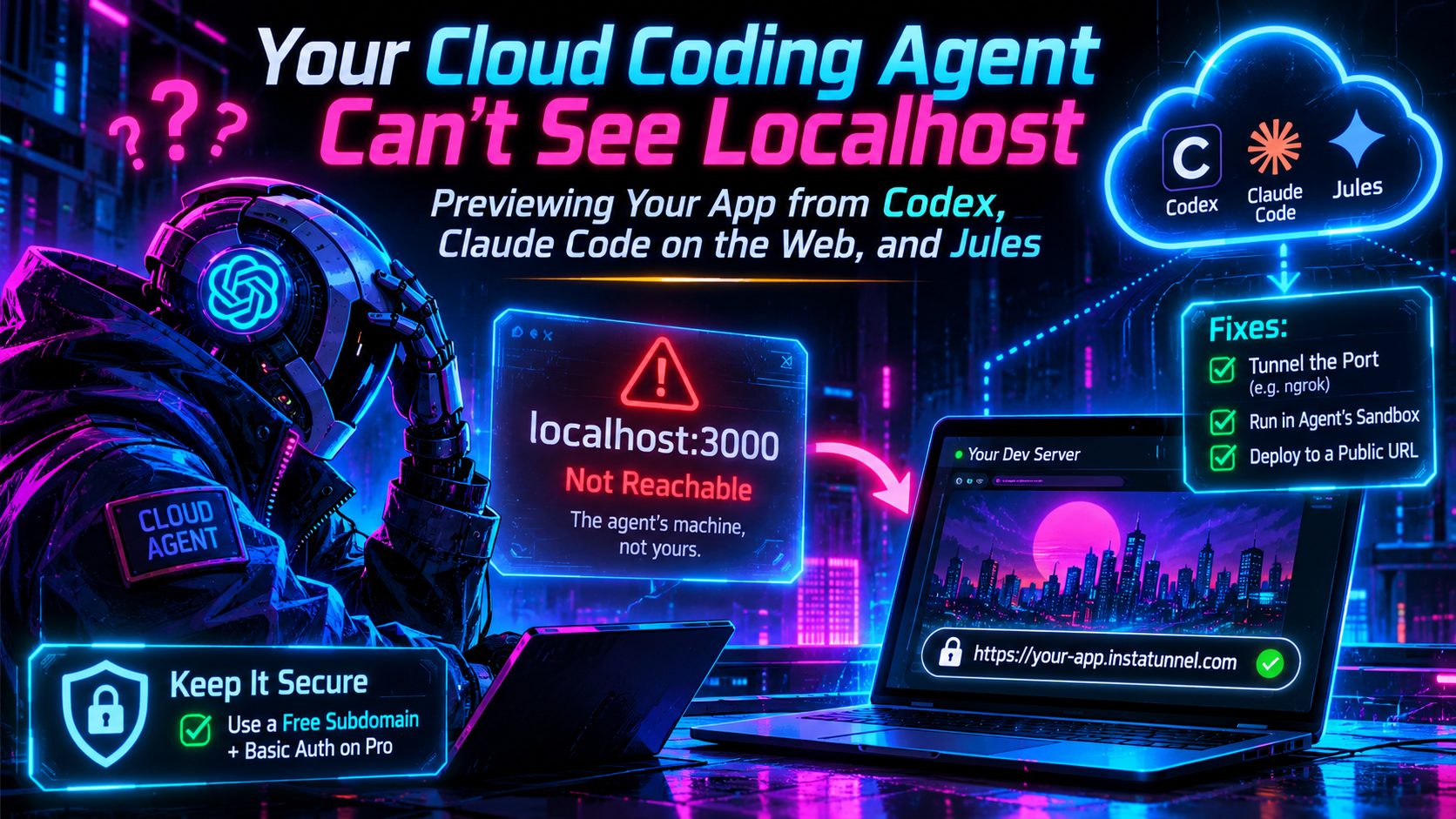
Quick answer
Cloud Coding Agent Can't See Localhost?: quick comparison answer
Choose the tunnel tool based on the network model: public HTTPS URLs for webhooks and demos, private mesh access for internal apps, and managed infrastructure when policy controls matter most.
Which tunnel tool is best for public webhook testing?
Use a public HTTPS localhost tunnel with stable URLs. InstaTunnel focuses on webhook testing, demos, OAuth callbacks, and MCP endpoint workflows.
When should I choose a private network tool instead?
Choose a private mesh or Zero Trust tool when every user and service should stay inside a controlled private network.
You start your dev server, open localhost:3000, and the app looks right. Then you ask a cloud coding agent to check the layout, and it reports a refused connection. Or it describes a page that clearly isn’t yours.
Nothing is broken. “Localhost” means “this machine,” and the agent’s “this machine” is a sandbox in someone else’s data center. This guide explains why, what OpenAI Codex, Claude Code on the web, and Google’s Jules offer today (as of November 29, 2026), and three fixes: tunnel the port, run the project inside the agent’s sandbox, or deploy to a temporary public URL.
Scope: this covers the agent’s browser or HTTP client reaching your dev server, and the reverse. Agent-to-server tool calls over MCP are a different problem, covered in our MCP posts.
Quick answer
- Why it fails:
localhostand127.0.0.1always point at the machine running the process. For a cloud agent, that is its own VM or container, not your laptop. - Fix 1, tunnel: expose your local port on a public HTTPS URL, then allow that one hostname in the agent’s network settings.
- Fix 2, sandbox: let the agent run the app itself and send back screenshots.
- Fix 3, deploy: push a branch to a temporary preview URL.
- Don’t skip auth: a public preview URL is open to anyone who finds it. Put Basic Auth in front.
Why localhost points at the wrong machine
Loopback addresses (127.0.0.1 and ::1) never leave the host. Your browser’s localhost:3000 reaches a process on your computer. A cloud agent’s localhost:3000 reaches its own loopback, where nothing listens unless the agent started something.
Product writer Karo Zieminski describes the same split in an April 2026 post: agents run in cloud micro-VMs, isolated processes, or remote containers, and each has a different “local.” Her three remedies match the ones below. (Her diagnostic prompt is paywalled, so this guide doesn’t rely on it.)
Agents that run on your own computer don’t have this problem. Codex’s desktop app has an in-app browser that opens local dev servers, and Claude Code’s desktop app can start a dev server and open it in an embedded preview. This article is about the cloud versions.
A live pain point, not an edge case
A GitHub issue in the Claude Code repository (#58255) covers Claude Agent View, the cloud-hosted background sessions on claude.ai. When a tool prints a http://localhost:<port>/ URL, it appears as plain text but can’t be opened from the user’s machine, because the server is bound to the sandbox’s loopback. The reporter names streamlit run, matplotlib’s plt.show(), and Jupyter launchers as casualties, and suggests auto-previews, a “render artifact” result type, or a Cloudflare-Tunnel-style relay back to the user.
On the OpenAI side, a community-forum feature request posted October 5, 2026 asks to “access sites hosted on the cloud computer for quick testing” in Codex cloud. It is one short post, and the topic listing I saw showed no replies.
The timing matters. OpenAI relaunched Codex Cloud at DevDay on September 29, 2026, with reusable environments on Plus and higher plans. More developers now hand off long tasks while their laptops sleep, and a task you can’t look at is a task you have to trust blindly.
Two directions of the same problem
- Agent to your machine. The agent needs to open your dev server for a visual check or an end-to-end test against your local API.
- You to the agent’s machine. The agent started a dev server in its sandbox and you want to look at it.
A tunnel can solve either, but the tunnel client runs in different places: on your laptop for case 1, inside the sandbox for case 2. Either way, the sandbox’s outbound network rules decide whether it works.
What each agent gives you today
Codex cloud
By default, Codex blocks internet access during the agent phase, while setup scripts still run with internet access. You can enable agent internet access per environment, choose a domain allowlist (a preset such as common dependencies, or your own), and restrict requests to GET, HEAD, and OPTIONS. OpenAI’s documentation is blunt about the trade-off: enabling access raises the risk of prompt injection and of code or secrets leaking.
So a tunnel URL does nothing until you turn internet access on and allow that hostname. I found no documented way to open a port from a running Codex cloud task in your own browser, which is what the forum request asks for. OpenAI’s separate Sites feature, in preview for ChatGPT Business and Enterprise workspaces, deploys a site hosted by OpenAI with access controls. That is a deploy path (Fix 3), not a localhost bridge.
Claude Code on the web
Each cloud session runs in a fresh Anthropic-managed VM, and each environment sets a network access level. The default, Trusted, reaches package registries and a list of allowlisted domains, and nothing else. Custom lets you list your own domains, one per line, with a leading *. matching every subdomain. GitHub and MCP connector traffic bypass this allowlist, and a None level also exists.
Two notes. The environment dialog warns that environment variables are visible to anyone who can use the environment, so never store a real credential there. And public bug reports describe allowlist entries not enforced as documented, so verify egress from inside the session: a curl -sv that returns a host_not_allowed deny reason means the proxy, not your tunnel, is blocking you.
Jules
Jules clones your repository into a Google Cloud virtual machine, works asynchronously, and returns a plan and a diff. Its answer to “does the UI look right?” isn’t a live URL. Since August 2025, its default image includes Playwright, and if you ask it to verify a front-end change it renders the site and sends back a screenshot. The Jules API documentation shows a plan step that writes a Playwright script and generates a screenshot, and public pull requests show Jules starting a Vite dev server inside its VM to capture images.
I found no documented, user-configurable outbound allowlist or live preview URL for Jules. Test a tunnel on a throwaway task before relying on it.
Fix 1: Tunnel your local port
Step 1: use a stable hostname. Allowlists are per hostname. A tunnel that issues a new random URL each run, such as a Cloudflare quick tunnel on trycloudflare.com, forces you to edit the agent’s environment every time. A reserved subdomain means you configure it once.
npm install -g instatunnel
instatunnel 3000 --subdomain my-preview
# https://my-preview.instatunnel.my -> localhost:3000
Step 2: allow exactly that hostname.
- Codex cloud: turn agent internet access on and add
my-preview.instatunnel.my. GET-only is fine for a visual check, but not for a test that submits a form. - Claude Code on the web: choose Custom network access and add the hostname on its own line, keeping the default package-registry list if the agent still needs
npm install.
Step 3: make the dev server accept the hostname. Many dev servers reject unfamiliar Host headers. Add the name to Vite’s server.allowedHosts, or the equivalent in webpack-dev-server, and prefer the specific name over a wildcard.
// vite.config.js
export default { server: { allowedHosts: ["my-preview.instatunnel.my"] } };
Step 4: give the agent the URL and credentials. Put the URL in your task prompt or the repo’s agent instructions. If the preview is protected, the agent must send credentials:
// Playwright
const context = await browser.newContext({
  httpCredentials: { username: "agent", password: process.env.PREVIEW_PASS },
});
Watch for interstitials. Some free tunnel tiers show a browser warning page first. A headless browser sees that page instead of your app and may report the wrong thing. Test the URL with a headless request before trusting a result.
The reverse direction
If the agent started an app and you want to see it, it can install a tunnel client and publish its own port, assuming the environment allows both the package registry and the tunnel service:
npx vite --host 0.0.0.0 --port 5173 &
instatunnel 5173 --subdomain agent-preview
This works only while the process runs, and it opens a path out of a sandbox that was deliberately locked down. Treat it as a temporary exception, not a default.
Fix 2: Run the project inside the sandbox
This is the safest option. Let the agent install dependencies in its setup script, start the dev server in its own environment, and test against localhost there. Nothing crosses the network boundary.
You lose live interaction and get artifacts instead: logs, test results, screenshots. Jules is built around this model. For Codex and Claude Code, ask the agent explicitly to start the server, drive it with Playwright, and attach screenshots to its report. It breaks down when the app needs your local database, a VPN-only API, or hardware only you have.
Fix 3: Deploy to a temporary public URL
If the app builds from the repository, push the agent’s branch, let your host or CI publish a per-branch URL, and open that. Codex Sites is one vendor-hosted version for eligible workspaces. The cost is a slower loop (push, build, wait) and a deployment with its own secrets and test data. The benefit is a real URL with no tunnel to keep alive.
Which fix should you choose?
| Situation | Best fix |
|---|---|
| Agent must hit your local API or database | Tunnel (Fix 1) |
| You want to inspect what the agent built, live | Tunnel out of the sandbox, or Fix 3 |
| Self-contained front-end change | Sandbox with screenshots (Fix 2) |
| Strict network policy, no exceptions | Fix 2 or Fix 3 |
| Reviewer without repo access needs a look | Fix 3 |
Lock it down: stable subdomain plus Basic Auth
An agent-facing tunnel is a public URL, and you are widening a sandbox’s egress to reach it.
Use a stable subdomain, and allow only that name. InstaTunnel’s free plan includes custom subdomains, so my-preview.instatunnel.my survives restarts and the allowlist is set once. Never allowlist the provider’s wildcard (*.instatunnel.my or *.trycloudflare.com). A wildcard lets a prompt-injected agent reach any tunnel on that domain, including one an attacker registered to collect your code.
Put Basic Auth in front of the preview. Per InstaTunnel’s current pricing page, the Pro plan ($5 per month) lists password protection and Basic Auth, plus 10 simultaneous tunnels, unlimited sessions, custom domains, and advanced analytics with request logs. (Older posts describe password protection on the free plan, so check the plan table for your account.) With Basic Auth on, a stranger who guesses the hostname hits a login prompt instead of your half-finished app, and the request logs show which paths the agent actually requested.
Four more habits:
- Use a throwaway preview password, not one you reuse.
- Remove the allowlist entry when the work ends. If you release a subdomain, delete it from every agent environment so it can’t later point at someone else’s server.
- Keep real secrets and production data out of the previewed app.
- Review the agent’s work log. OpenAI names prompt injection from untrusted web content as the main risk of enabling internet access.
FAQ
Why can’t my cloud coding agent open localhost:3000?
localhost always means the machine making the request. In Codex cloud, Claude Code on the web, and Jules, that is a cloud VM or container where your server isn’t running.
Can I preview my app from Codex cloud?
Not directly from a running task, as far as I could find. Tunnel your app to an allowlisted hostname, run it inside the task and capture screenshots, or deploy to a preview URL such as Codex Sites if your workspace has it.
Does Claude Code on the web support localhost preview?
The desktop app previews local sessions in an embedded browser. For cloud sessions, the Agent View issue asks for the same. Until then, use a tunnel with a Custom allowlist or run checks inside the session.
Is it safe to give a cloud agent a tunnel URL?
It can be, with limits: one exact allowlisted hostname, Basic Auth, a throwaway password, no real secrets in the app, and a review of the agent’s logs.
The bottom line
The localhost problem isn’t a bug in any one agent; it is what a sandbox is. Pick the lightest fix that fits: screenshots from inside the sandbox for self-contained apps, a preview deployment for a shareable URL, and a tunnel when the agent must reach something that only exists on your machine. If you tunnel, reserve a stable subdomain, allow only that name, and lock it with Basic Auth so the preview isn’t open to everyone.
Sources
- Claude Code issue #58255: localhost URLs from Agent View aren’t surfaced as previews
- OpenAI Community: “Let me access sites hosted on the cloud computer for quick testing” (Oct 5, 2026)
- Karo Zieminski: How to fix “My AI Tool Can’t Access My Localhost” (Apr 2026)
- OpenAI: Codex agent internet access
- OpenAI: Codex Sites
- OpenAI: Codex in-app browser
- TechCrunch: OpenAI gives Codex reusable cloud environments (Sep 29, 2026)
- Claude Code docs: cloud environments and network access
- Claude Code docs: Claude Code on the web
- Claude Code issue #66567: Trusted allowlist domains blocked
- Claude Code issue #69806: custom environment allowlist not applied
- Google: Build with Jules, your asynchronous coding agent
- Jules changelog: Jules can test web apps and show you the results (Aug 7, 2025)
- Jules API documentation
- TanStack AI: Cloudflare sandbox previews (quick tunnels, allowedHosts)
- InstaTunnel pricing
Related InstaTunnel pages
Continue from this article into the most relevant product guides and workflows.
Related Topics
Keep building with InstaTunnel
Read the docs for implementation details or compare plans before you ship.