Sign in with Apple のリダイレクトURL: 実在ドメインが必要 - トンネルを使ったテスト
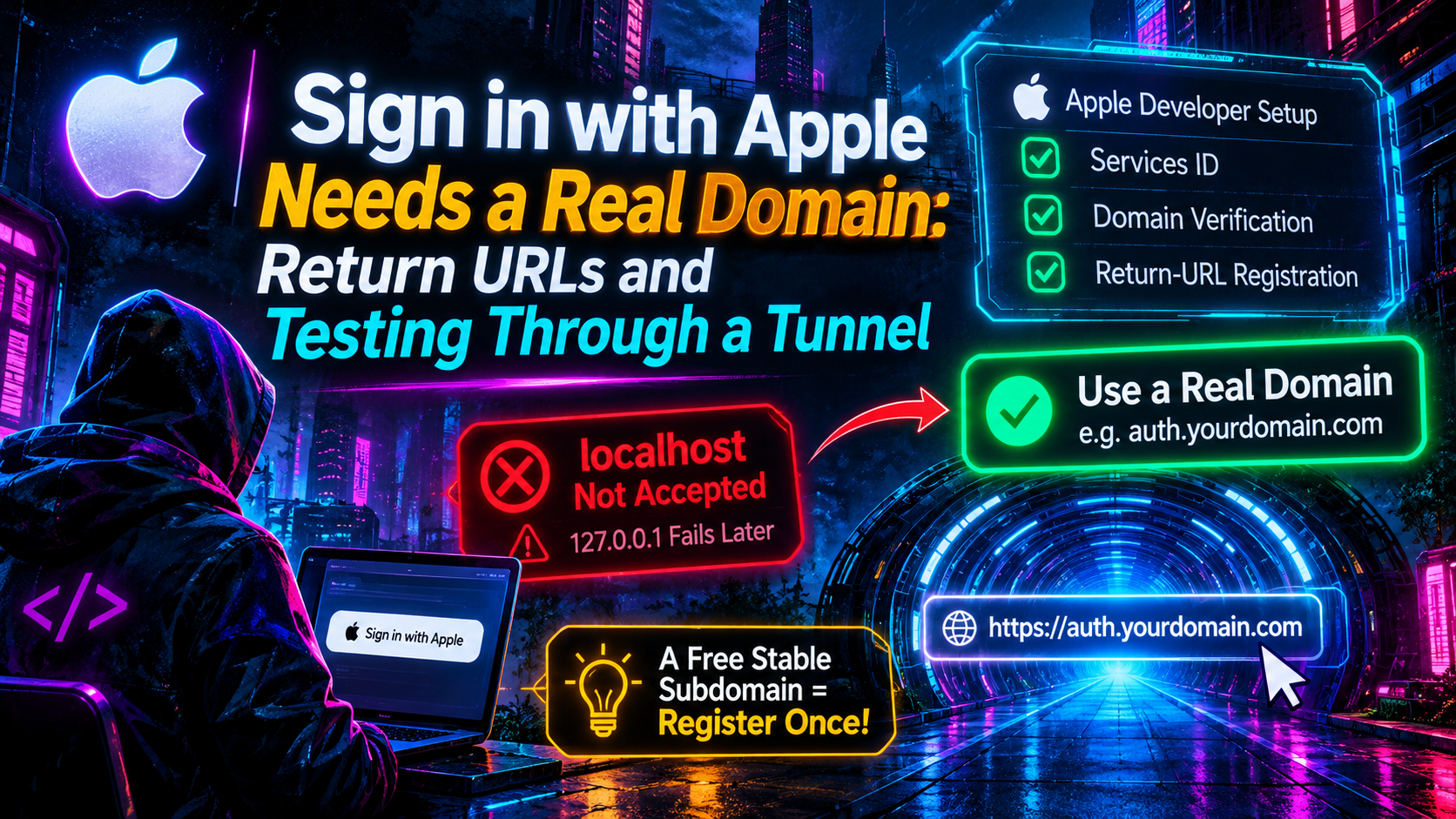
Apple は Sign in with Apple のリダイレクトURL として localhost を拒否します。Services ID の設定、ドメイン検証、安定したトンネルのサブドメインがテストを安定させる方法を解説します。
Quick answer
Sign in with Apple のリダイレクトURL: トンネルで localhost をテスト: quick comparison answer
Choose the tunnel tool based on the network model: public HTTPS URLs for webhooks and demos, private mesh access for internal apps, and managed infrastructure when policy controls matter most.
Which tunnel tool is best for public webhook testing?
Use a public HTTPS localhost tunnel with stable URLs. InstaTunnel focuses on webhook testing, demos, OAuth callbacks, and MCP endpoint workflows.
When should I choose a private network tool instead?
Choose a private mesh or Zero Trust tool when every user and service should stay inside a controlled private network.
Google や GitHub ログインを設定している場合、おそらく http://localhost:3000 で特別な疑問もなくテストしていたでしょう。次に Sign in with Apple を試すと、フローが崩れてしまいます。localhost をリダイレクトURLとして登録するものはなく、エラーもあまり具体的でなく、通常の回避策として開発サーバーの前に ngrok のようなトンネルを置くことになります。
その回避策は機能しますが、時間がかかる部分を省いてしまいます。トンネル URL が変わるたび、Apple Developer ポータルで作成したエントリが再び間違ってしまいます。本ガイドでは、Sign in with Apple が公開 HTTPS ドメインを必要とする理由、登録すべき内容、トンネルを経由したテスト方法、そして安定したサブドメインが繰り返しの手間を一度きりの設定に変える理由を説明します。
このページは OAuth 2.0 / OpenID Connect のウェブフロー(Services ID、return URLs、form_post コールバック)を扱います。ネイティブ iOS のサインインには対応していません。
Quick answers
http://localhostをリターンURLとして使用できますか? 実際には、いいえ。Apple のドキュメントは、各リターンURL が絶対 URL(スキーム・ホスト・パスを含む)であることを要求し、https://の例を示しています。Okta の手順とある PHP クライアントの FAQ は、Apple が localhost を拒否すると報告しています。127.0.0.1は機能しますか? Okta はこのような IP アドレスを入力可能と報告していますが、フローの後半で失敗します。- 検証用ファイルをまだアップロードする必要がありますか? Apple の現在のヘルプページは、ドメインとサブドメインを登録するのにファイルをアップロードする必要はないと述べています。
- 最も簡単なローカルテストは? 開発サーバーを HTTPS トンネルを介して公開し、再起動間で同じホスト名を登録します。
なぜ localhost が機能しないのか
Apple のドキュメントは、Sign in with Apple サーバーが認証応答を配布したりトークンを検証したりするために return URLs (redirect URIs とも呼ばれます) を使用すると述べています。そのため、登録された各 URL は絶対 URL で、スキーム・ホスト・パスを含む必要があります。Apple の例は https://example.com/path/to/endpoint です。
Apple のページには localhost 禁止が明記されていないため、このルールは第三者の情報に基づくものです。Okta の 2019 年の手順は、登録ステップで localhost の URL を許可せず、127.0.0.1 のような IP アドレスは後半で失敗すると述べています。http://localhost/oauth2/apple を登録するという Apple Developer Forums のスレッドもこの記述を引用しています。そのスレッドを、Okta を引用する開発者の質問として扱い、Apple の判断とみなさないでください。2020 年に最後に公開された PHP クライアントライブラリの FAQ も同じことを述べており、テスト時にも localhost や HTTPS 以外のリダイレクト URL を許可しないとし、ngrok のようなトンネルやリダイレクトを傍受するブラウザ拡張を提案しています。
いずれにしても、計画は同じです。初日から公開 HTTPS ホスト名を使用します。
登録すべき内容
The web flow needs four things in Certificates, Identifiers & Profiles:
- A primary App ID with Sign in with Apple enabled. Apple のドキュメントは、ウェブサービスが Sign in with Apple を使用している既存のアプリに関連付けられると説明しています。
- A Services ID, which is your OAuth
client_id. - Website URLs on the Services ID: あなたのドメインまたはサブドメイン、 plus the return URL.
- A private key (
.p8) tied to the primary App ID, used to sign your client secret. Each primary app can have at most two private keys, and you can download the file only once.
The most common mistake is the client_id. For web requests Apple expects the Services ID, not the iOS App ID. In a forum thread about a rejected redirect_uri, an Apple staff reply explained that the primary app’s ID has no return URLs registered, so a request that carries one fails validation. Auth0’s support article lists the same cause for invalid_request Invalid web redirect url, alongside a wrong redirect URI in the Apple settings.
You can register up to 10 website URLs per Services ID as an individual, or 100 as an organization. That cap matters once random tunnel hostnames enter the picture.
ドメイン検証: 古いファイルは不要
Older tutorials tell you to host apple-developer-domain-association.txt under /.well-known/. Forum threads from that period show “Verification failed for domain” errors. Reported causes include a redirect from the apex domain to www, and a stale file (one reply relayed Apple support saying a downloaded file was valid for only 7 days).
That workflow is outdated. Apple’s current help page says you don’t need to upload a file on your server to register domains and subdomains, and developers who configured Sign in with Apple more recently report finding no download link at all. One caveat: Apple’s separate configuration article still says you must register and verify your domains, so treat the help page as the current instruction for the portal steps.
Two details trip people up in the Website URLs field:
- Enter domains and subdomains without a scheme:
myapp-auth.instatunnel.my. Replit’s guide gives the same instruction. - Enter return URLs with scheme and path:
https://myapp-auth.instatunnel.my/auth/apple/callback.
Apple says to provide domains, subdomains and return URLs as comma-delimited lists, and that at least one domain or subdomain is required.
Setup, step by step
- Choose your public hostname first. Changing it later means editing the Services ID again.
- Enable the capability on your primary App ID.
- Create a Services ID with a reverse-DNS identifier such as
com.example.web. - Configure Sign in with Apple on it: select the primary App ID, then add the subdomain and return URL.
- Create a key with Sign in with Apple enabled, tied to the primary App ID. Download the
.p8file and note the Key ID. Treat it like a production secret. - Collect four values: Team ID, Services ID, Key ID, and the key contents.
The tunnel problem: random URLs mean constant re-registration
Developers have made Sign in with Apple work through ngrok by registering the tunnel hostname in the Services ID and using the matching redirect URI in their code, as one forum thread describes. The catch appears with tunnels that hand out a new random hostname on each run:
- You start the tunnel and get
a1b2c3.tunnel.example. - You edit the Services ID in the portal, add the hostname and return URL, and save.
- You update
redirect_uriin your environment file. - Tomorrow the tunnel restarts, and all of it is wrong again.
Unless you prune old entries, each cycle adds another one, and the 10 or 100 URL cap fills with dead hostnames. When the hostname is the only thing that changed between a working run and a broken one, you can chase the wrong cause for an hour.
A tunnel with a persistent subdomain removes the problem at the source.
より良いワークフロー: 一つの安定したサブドメインを一度だけ登録
Here is the flow with InstaTunnel as the example. Install the CLI and request a fixed subdomain:
npm install -g instatunnel
instatunnel 3000 --subdomain myapp-auth
# Tunnel created: https://myapp-auth.instatunnel.my
InstaTunnel’s package README lists custom subdomains, 24+ hour sessions and three simultaneous tunnels on the free tier. It also describes a --logs option for live request logs. Check the pricing page before relying on specific limits, since plans change. What matters here is that you can request the same --subdomain every time, provided the name is available to you.
Register it once in the portal:
- Domain/subdomain:
myapp-auth.instatunnel.my - Return URL:
https://myapp-auth.instatunnel.my/auth/apple/callback
After that, restarting the tunnel changes nothing Apple knows about. Your .env and Services ID stay put. Two habits help: use one subdomain per project, and if you ever release a subdomain, remove it from the Services ID so a hostname you no longer control is not left on the allowed list.
コールバックの構築
1. 認証をリクエスト
Apple のエンドポイントは https://appleid.apple.com/auth/authorize。If you request the name or email scope, you must set response_mode=form_post. An Apple forum post says that without it you get an error about missing or unsupported parameters or an invalid redirect URL.
https://appleid.apple.com/auth/authorize
  ?client_id=com.example.web
  \u0026redirect_uri=https%3A%2F%2Fmyapp-auth.instatunnel.my%2Fauth%2Fapple%2Fcallback
  \u0026response_type=code%20id_token
  \u0026scope=name%20email
  \u0026response_mode=form_post
  \u0026state=RANDOM_STATE
  \u0026nonce=RANDOM_NONCE
2. POST を受け付ける、GET ではなく
With form_post, Apple sends an HTTP POST with an application/x-www-form-urlencoded body to your return URL. Many callbacks only read the query string and receive nothing. The user field, when present, is a JSON string. In Express:
import express from "express";
const app = express();
app.use(express.urlencoded({ extended: false }));

app.post("/auth/apple/callback", async (req, res) => {
  const { code, id_token, state, user } = req.body;
  // `user` (first authorization only) is a JSON string: JSON.parse it
  // and sanitize the names before storing.
  // Check `state`, exchange `code` at /auth/token,
  // then verify id_token (issuer, audience, signature, nonce).
  res.redirect("/");
});
Apple says the authorization code is single-use and valid for five minutes.
This POST arrives cross-site, and browsers do not send SameSite=Lax cookies on cross-site POST requests. A session cookie holding your state may therefore be missing. Mark that cookie SameSite=None; Secure, or keep state server-side. Chrome has had a temporary two-minute exception for cookies set without any SameSite attribute, but it is slated for removal, so don’t build on it.
3. クライアントシークレットを生成
Apple には静的なシークレットはありません。あなたの .p8 キーを使用して ES256 で署名した JWT を作成します。Okta の解説と Microsoft の Azure ドキュメントがそのように説明しています:Issuer は Team ID、Subject は Services ID、Audience は https://appleid.apple.com、そして kid ヘッダには Key ID を設定します。Apple は有効期限を 6 ヶ月を超えて受け付けません。
import { SignJWT, importPKCS8 } from "jose";

export async function appleClientSecret() {
  const key = await importPKCS8(process.env.APPLE_PRIVATE_KEY, "ES256");
  return new SignJWT({})
    .setProtectedHeader({ alg: "ES256", kid: process.env.APPLE_KEY_ID })
    .setIssuer(process.env.APPLE_TEAM_ID)
    .setSubject(process.env.APPLE_SERVICES_ID)
    .setAudience("https://appleid.apple.com")
    .setIssuedAt()
    .setExpirationTime("30d")
    .sign(key);
}
4. コードを交換
POST the code to https://appleid.apple.com/auth/token. Okta’s walkthrough notes that Apple requires a User-Agent header on that request and returns a 403 without one, so set one if your HTTP client doesn’t. The ID token’s issuer is https://appleid.apple.com. Apple publishes its signing keys at https://appleid.apple.com/auth/keys; the endpoint can return several keys, so pick the one whose kid matches the token header. Validate issuer, audience (your Services ID), expiry, signature and nonce.
エンドツーエンドの迅速なテストチェックリスト
Once the tunnel is running, walk the flow in this order so a failure points at one layer:
- Open
https://myapp-auth.instatunnel.myin a browser and confirm your dev server answers over HTTPS. - Click your Sign in with Apple button and confirm the Apple sign-in page loads. If you get
invalid_requesthere, suspect registration (Services ID, return URL,client_id) before your callback code. - Complete sign-in and confirm a POST reaches
/auth/apple/callback. Your tunnel’s request log (InstaTunnel’s--logs, for example) shows whether Apple’s request arrived at all. - Confirm
statematches the stored value, then check the code exchange response from/auth/token. - Decode the ID token and check issuer, audience and nonce.
- Repeat with a fresh first-time authorization to confirm you capture name and email once.
最も時間を浪費する落とし穴
userオブジェクトは一度だけ届く。 Apple は、名前とメールを含むこのオブジェクトを、初回の認証時のみ返します。メールは ID トークンにも全リクエストで含まれることがあります。真の初回サインインを再現するには、Apple アカウントの Sign in with Apple 設定でアプリを取り消してください。- 名前は POST ボディから来ます。ID トークンには含まれません。 Apple はフルネームを受け取らないと述べているため、名前はアイデンティティトークンには含まれません。保存前に正規化してください。メールはプライベートリレーアドレスの可能性があり、メールを送る場合は Apple のドキュメントに従って送信元ドメインを登録してください。
- メールを必須にしない。 Replit のガイドは、中国・インドを含む一部地域で Apple ID が電話番号に結びつく場合があると警告しています。
- “Invalid web redirect url” の短いチェックリスト。 Auth0 のサポート記事は原因として、Apple 設定のリダイレクト URI が間違っている、または
client_idが App ID で Services ID ではないことを挙げています。さらに、登録済みの return URL が送信するすべての部分(スキーム・ホスト・パス)と一致していること、https://を含んでいること(フォーラムの返信にあるようにスキームが欠けているとポップアップのフローが止まる)、トンネルのホスト名を変更した後にポータルを更新したことを確認してください。 - ポップアップフロー。 あるフォーラムのスレッドでは、Apple の JS SDK のポップアップを使う場合、リダイレクト URI はポップアップを開くページと同じ完全修飾ドメインを使用する必要があると報告されています。トンネルのホスト名経由でアプリを閲覧し、localhost 経由は避けてください。
- Apple のトラブルシューティングガイド。 TN3107 「Sign in with Apple のレスポンスエラーの解決方法」は
invalid_request、invalid_client、invalid_grantを説明します。Apple の DTS エンジニアも、サーバーログは定期的に消去されると述べているため、連絡する前に直近の障害を再現してください。 - 秘密は早期に失敗することも。 あるスレッドは
INVALID_CLIENTが、クライアントシークレットを再生成した後にのみクリアされたと報告しています。6 か月の期限はまだ過ぎていません。Apple のエンジニアは原因を示さず追加情報を求めたため、新しい秘密を安価な最初のテストとして扱い、診断としないでください。 - Apple 側のインシデントは発生します。 2025年6月、Apple 側の設定ミスにより、いくつかの開発者アカウントで
invalid_clientの応答が発生した事例がありました。Apple は解決済みとしました。ドキュメントと一致する設定を編集した直後に失敗する場合は、Apple の開発者フォーラムとシステムステータスを確認してください。
トンネル経由でのテスト時のセキュリティ
トンネルはあなたの開発サーバーを公開インターネットに晒します。公開コールバックは偽装リクエストを招くため、state と nonce を常に検証してください。.p8 をバージョン管理に含めないでください。Apple は秘密鍵を開発者チームの外に共有しないこと、新しい鍵を作成して古いものを取り消すことを推奨しています。開発用に別の Services ID を検討して、テスト用ホスト名が本番の許可リストに載らないようにしてください。テストしていないときはトンネルを停止してください。
トンネルが適切でない場合
ネイティブ iOS/macOS アプリはウェブの return URL ではなく、システムのサインインフローと独自の App ID を使用します。あるフォーラムのスレッドでは、iOS アプリのトークンのオーディエンスが App ID、ウェブフローのオーディエンスが Services ID であると指摘されています。ステージングには、それぞれ専用の Services ID を持つ実際のステージングドメインを検討してください。CI のエンドツーエンドテストには、ライブサービスを呼び出すのではなく、Apple のエンドポイントをモックすることを検討してください。
よくある質問
- 複数の return URL を登録できますか? はい。Services ID ごとに、個人は最大 10 個、組織は最大 100 個の Website URLsを登録できます。
- コールバック本文が空ですか? URL エンコードされた本文を解析するパーサが欠落している可能性があります。
form_postでは結果は POST 本文として届きます。 - クライアントシークレットをどのくらいの頻度でローテーションすべきですか? Apple は有効期限が 6 か月を超える秘密を拒否します。長寿命の秘密を事前に生成している場合は、少なくとも 6 ヶ月ごとに再生成してください。コード内で新しい短命のものを生成する場合は、回転させるものはありません。
結論
Sign in with Apple のウェブフローは厳格です。Services ID をクライアントとして、絶対 HTTPS のリターンURL、自己署名 JWT を秘密として、POST コールバックを使用します。この厳格さが localhost の失敗理由であり、テスト設定が他のプロバイダが許す詳細で破綻する原因でもあります。安定した公開ホスト名を一度登録し、form_post とクッキーを正しく扱えば、Apple のポータルは日初に設定して放置できるものになります。
参考資料
- Configure Sign in with Apple for the web (Apple Developer Help)
- Configuring your environment for Sign in with Apple (Apple)
- Request an authorization to the Sign in with Apple server (Apple)
- Fetch Apple’s public key to verify token signatures (Apple)
- TN3107: Resolving Sign in with Apple response errors (Apple)
- Set localhost as return URL (Apple Developer Forums)
- Use response\_mode = form\_post when requesting name or email scope (Apple Developer Forums)
- Stuck in Sign in With Apple modal flow, ngrok testing (Apple Developer Forums)
- Invalid redirect\_uri with a registered URL (Apple Developer Forums)
- Conditions under which a JWT client token expires (Apple Developer Forums)
- Apple Sign In - Verification failed for domain (Apple Developer Forums)
- Is it normal that I was able to set up Sign In With Apple without verifying the domain? (Apple Developer Forums)
- Sign in with Apple Service Outage, June 2025 (Apple Developer Forums)
- Invalid Web Redirect URL Error with Sign In with Apple (Auth0 Community)
- What the Heck is Sign In with Apple? (Okta Developer)
- Configure Sign in with Apple provider (Microsoft Learn)
- Sign-in providers: Apple (Replit Docs)
- apple-sign-in-php-client FAQ (Packagist)
- Understanding SameSite cookies (Andrew Lock)
- Exploring the SameSite cookie attribute for preventing CSRF (Simon Willison)
- InstaTunnel package README (unpkg)
Related InstaTunnel pages
Continue from this article into the most relevant product guides and workflows.
Related Topics
Keep building with InstaTunnel
Read the docs for implementation details or compare plans before you ship.